







Question: Challenge: Swift Basics (in an Xcode Playground) Description: Write a program using an Xcode Swift Playground that utilizes constants, variables, data types, operators, expressions, statements,
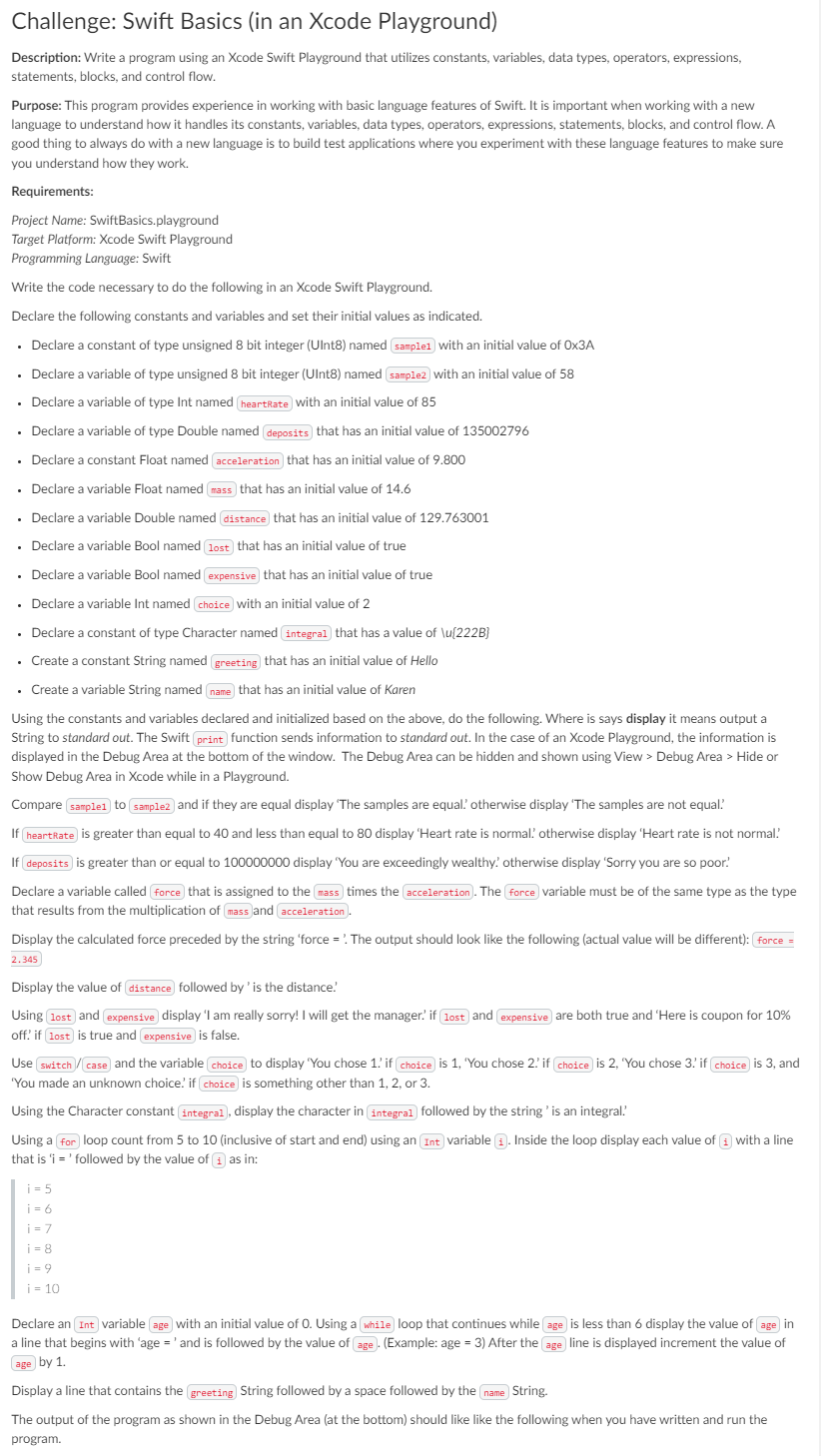
Challenge: Swift Basics (in an Xcode Playground) Description: Write a program using an Xcode Swift Playground that utilizes constants, variables, data types, operators, expressions, statements, blocks, and control flow. Purpose: This program provides experience in working with basic language features of Swift. It is important when working with a new language to understand how it handles its constants, variables, data types, operators, expressions, statements, blocks, and control flow. A good thing to always do with a new language is to build test applications where you experiment with these language features to make sure you understand how they work. Requirements: Project Name: Swift Basics.playground Target Platform: Xcode Swift Playground Programming Language: Swift Write the code necessary to do the following in an Xcode Swift Playground. Declare the following constants and variables and set their initial values as indicated. . Declare a constant of type unsigned 8 bit integer (Uint8) named samplel with an initial value of Ox3A Declare a variable of type unsigned 8 bit integer (UInt8) named sample2 with an initial value of 58 Declare a variable of type Int named heartRate with an initial value of 85 . Declare a variable of type Double named deposits that has an initial value of 135002796 . Declare a constant Float named acceleration that has an initial value of 9.800 . Declare a variable Float named mass that has an initial value of 14.6 . Declare a variable Double named distance that has an initial value of 129.763001 Declare a variable Bool named lost that has an initial value of true . Declare a variable Bool named expensive that has an initial value of true . Declare a variable Int named choice with an initial value of 2 . Declare a constant of type Character named integral that has a value of \u[222B) . Create a constant String named greeting that has an initial value of Hello . Create a variable String named name that has an initial value of Karen Using the constants and variables declared and initialized based on the above, do the following. Where is says display it means output a String to standard out. The Swift print function sends information to standard out. In the case of an Xcode Playground, the information is displayed in the Debug Area at the bottom of the window. The Debug Area can be hidden and shown using View > Debug Area > Hide or Show Debug Area in Xcode while in a Playground. Compare samplel to sample2 and if they are equal display 'The samples are equal' otherwise display 'The samples are not equal If heartRate is greater than equal to 40 and less than equal to 80 display 'Heart rate is normall otherwise display 'Heart rate is not normal! If deposits is greater than or equal to 100000000 display 'You are exceedingly wealthy otherwise display 'Sorry you are so poor! Declare a variable called force that is assigned to the mass times the acceleration. The force variable must be of the same type as the type that results from the multiplication of mass and acceleration Display the calculated force preceded by the string 'force = ? The output should look like the following (actual value will be different): force = 2.345 Display the value of distance followed by 'is the distance. Using lost and expensive display 'I am really sorry! I will get the manager? if lost and expensive are both true and 'Here is coupon for 10% off' if lost is true and expensive is false. Use switch/case and the variable choice to display 'You chose 1. if choice is 1, 'You chose 2. if choice is 2, 'You chose 3! if choice is 3, and 'You made an unknown choice' if choice is something other than 1, 2, or 3. Using the Character constant integral, display the character in integral followed by the string 'is an integral? Using a for loop count from 5 to 10 (inclusive of start and end) using an Int variable 1). Inside the loop display each value of 1 with a line that is 'i = 'followed by the value of i as in: i = 5 i = 6 i = 7 i = 8 i = 9 i = 10 Declare an Int variable age with an initial value of O. Using a while loop that continues while age is less than 6 display the value of age in a line that begins with 'age = ' and is followed by the value of age. (Example: age = 3) After the age line is displayed increment the value of age by 1. Display a line that contains the greeting String followed by a space followed by the name String. The output of the program as shown in the Debug Area (at the bottom) should like like the following when you have written and run the program
Step by Step Solution
There are 3 Steps involved in it

Get step-by-step solutions from verified subject matter experts
 Study Help