







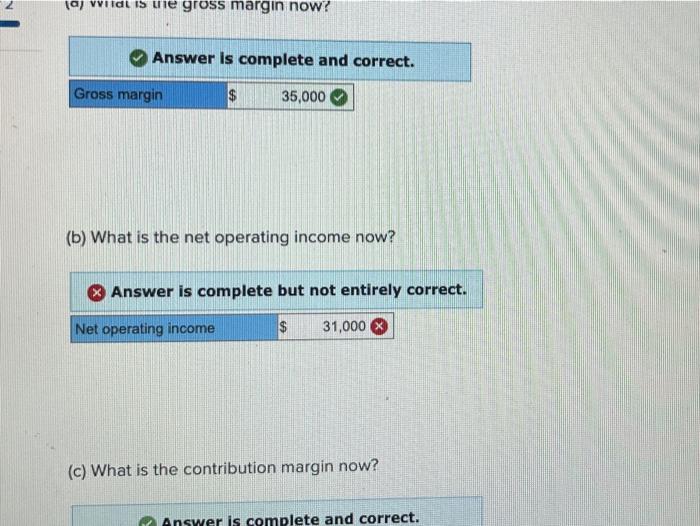
Question: Chapter 1: Applying Excel: Exercise (Algo) (Part 2 of 2) 1. Now change all of the dollar amounts in the data area of your worksheet
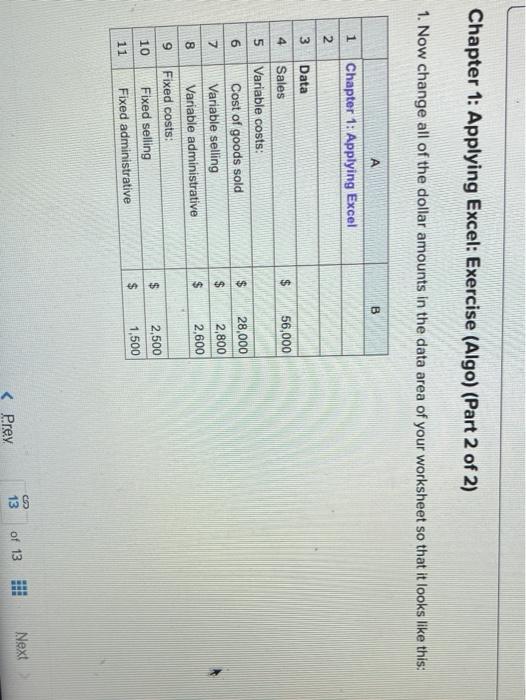
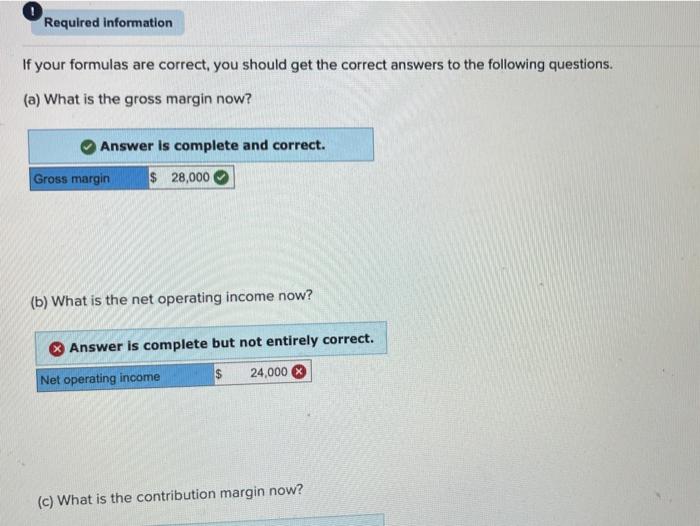
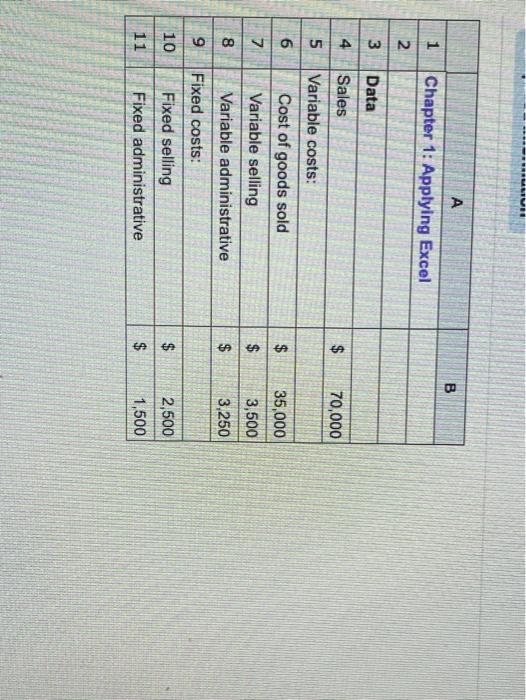
Chapter 1: Applying Excel: Exercise (Algo) (Part 2 of 2) 1. Now change all of the dollar amounts in the data area of your worksheet so that it looks like this: A B 1 Chapter 1: Applying Excel Data 4 $ 56,000 van WN Sales Variable costs: Cost of goods sold Variable selling Variable administrative Fixed costs: Fixed selling Fixed administrative $ $ $ 28,000 2,800 2,600 8 9 10 2,500 1,500 $ 11 CE 13 of 13 Next
Step by Step Solution
There are 3 Steps involved in it
1 Expert Approved Answer
Step: 1 Unlock

Question Has Been Solved by an Expert!
Get step-by-step solutions from verified subject matter experts
Step: 2 Unlock
Step: 3 Unlock
 Study Help