







Question: Chapter 13 Applying Excel (1 Help Save & Exit Submit Check my work 2. The company is considering a project involving the purchase of new
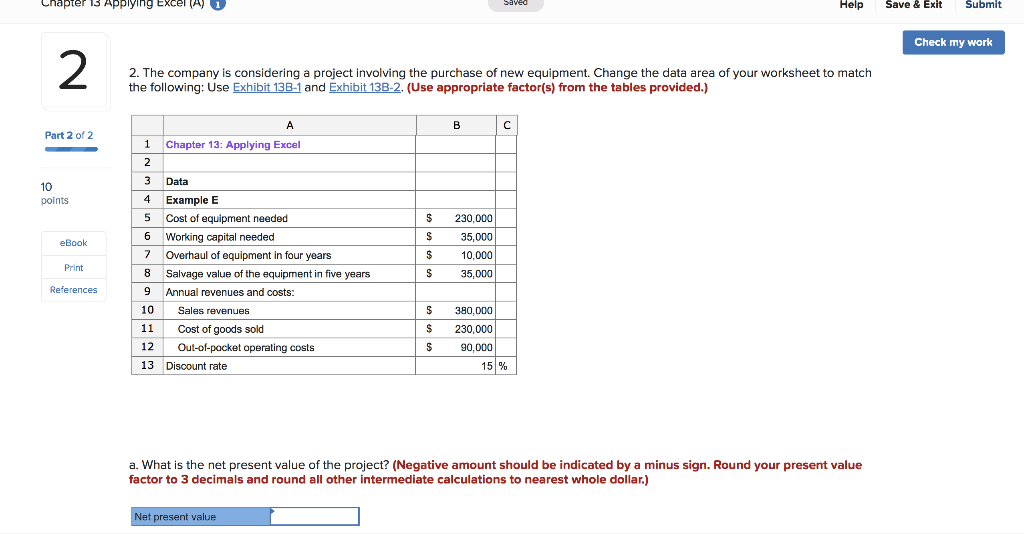
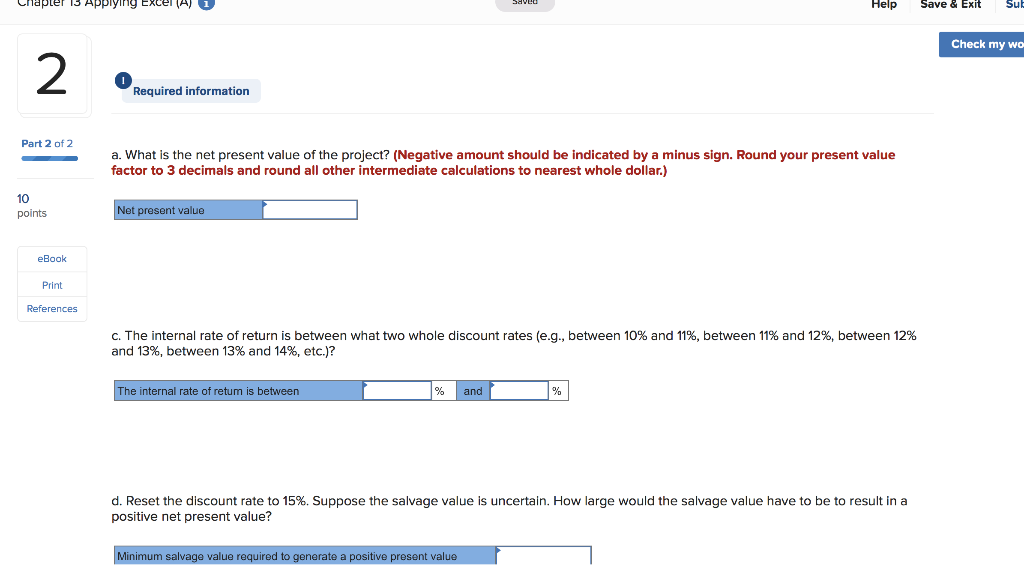
Chapter 13 Applying Excel (1 Help Save & Exit Submit Check my work 2. The company is considering a project involving the purchase of new equipment. Change the data area of your worksheet to match the following: Use Exhibit 13B-1 and Exhibit 138-2. (Use appropriate factor(s) from the tables provided.) Part 2 of 2 1 Chapter 13: Applying Excel 3 Data 4 Example E 5 Cost of equipment needed 6 Working capital needed 7 Overhaul of equipment in four years 8 Salvage value of the equipment in five years 9 Annual revenues and costs 10 Sales revenues 11 Cost of goods sold 12 Out-of-pocket operating costs 13 Discount rate 10 points S 230,000 35,000 10,000 35,000 eBook Print References S 380,000 $ 230,000 S 90,000 151% a. What is the net present value of the project? (Negative amount should be indicated by a minus sign. Round your present value factor to 3 decimals and round all other intermediate calculations to nearest whole dollar.) sent value Chapte T5 Applying Eel ( l Help Save &Exit Su Check my wo Required information Part 2 of2 a. What is the net present value of the project? (Negative amount should be indicated by a minus sign. Round your present value factor to 3 decimals and round all other intermediate calculations to nearest whole dollar.) 10 points Net present value eBook Print References C. The internal rate of return is between what two whole discount rates (e.g., between 10% and 11%, between 11% and 12%, between 12% and 13%, between 13% and 14%, etc.)? he internal rate of retum is between % and d. Reset the discount rate to 15%. Suppose the salvage value is uncertain. How large would the salvage value have to be to result in a positive net present value? salvage value required to generate a positive present value
Step by Step Solution
There are 3 Steps involved in it

Get step-by-step solutions from verified subject matter experts
 Study Help