







Question: Chapter 2 Visual Basic, Controls, and Events 8. Private Sub txtFirst Leave (... Handles txtFirst.Leave lblOne.BackColor color.White lbione . Text = Hello End Sub 9.
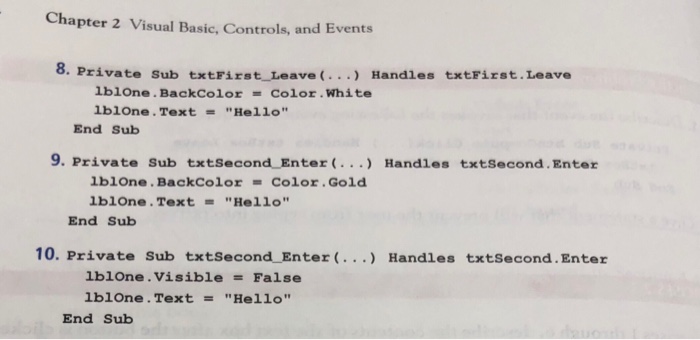
Chapter 2 Visual Basic, Controls, and Events 8. Private Sub txtFirst Leave (... Handles txtFirst.Leave lblOne.BackColor color.White lbione . Text = "Hello" End Sub 9. Private sub txtSecond-Enter( ) Handles txtSecond,Enter lbione . BackColor = Color . Gold lblOne.Text "He11o" End Sub 10. Private Sub txtsecond EnterHandles txtSecond.Enter blone.VisibleFalse 1 Ibione . Text "Hello" End Sub Chapter 2 Visual Basic, Controls, and Events 8. Private Sub txtFirst Leave (... Handles txtFirst.Leave lblOne.BackColor color.White lbione . Text = "Hello" End Sub 9. Private sub txtSecond-Enter( ) Handles txtSecond,Enter lbione . BackColor = Color . Gold lblOne.Text "He11o" End Sub 10. Private Sub txtsecond EnterHandles txtSecond.Enter blone.VisibleFalse 1 Ibione . Text "Hello" End Sub
Step by Step Solution
There are 3 Steps involved in it

Get step-by-step solutions from verified subject matter experts
 Study Help