







Question: CHAPTER 3 , CONCEPTS IN ACTION 3 : RETIREMENT CALCULATOR In this Excel tutorial, we try to replicate a retirement calculator that is often found
CHAPTER CONCEPTS IN ACTION : RETIREMENT CALCULATOR In this Excel tutorial, we try to replicate a retirement calculator that is often found on investing websites.
A popular feature in online business websites is a retirement calculator. With these tools, an investor can make a reasonable estimate of their retirement standing. Often, these calculators make assumptions and then ask for a few inputs from the investor. In this Concepts in Action, we will simulate the standard retiremen
Our calculator will simplify the world in that we will ignore taxes. Our goal is then to calculate what we will accumulate prior to retirement and then compare it to what we will need in retirement. This is also a useful exercise because we introduce the growing annuity concept in Excel.
For a growing annuity, we assume that our payments grow by a constant percentage each period. This is reasonable if I am modeling retirement as we assume that person's salary might grow by a fixed percentage over time. Another application would be capital budgeting if I let the sales of a product grow by a constant percentage each year. We will define, as the fixed rate that our cash flows grow over time. The result, here, is that each payment PMT grows by g per
cdots
cdots
Again, we have a geometric series that can be reduced through substitution:
For our formula to work in application, the interest rate must exceed the growth rate or Without this condition met, the present value will be negative. This cash flow. This does not make economic sense. The future value of a growing
annuity can be found by subbing into the lump sum formula. The future value is then:
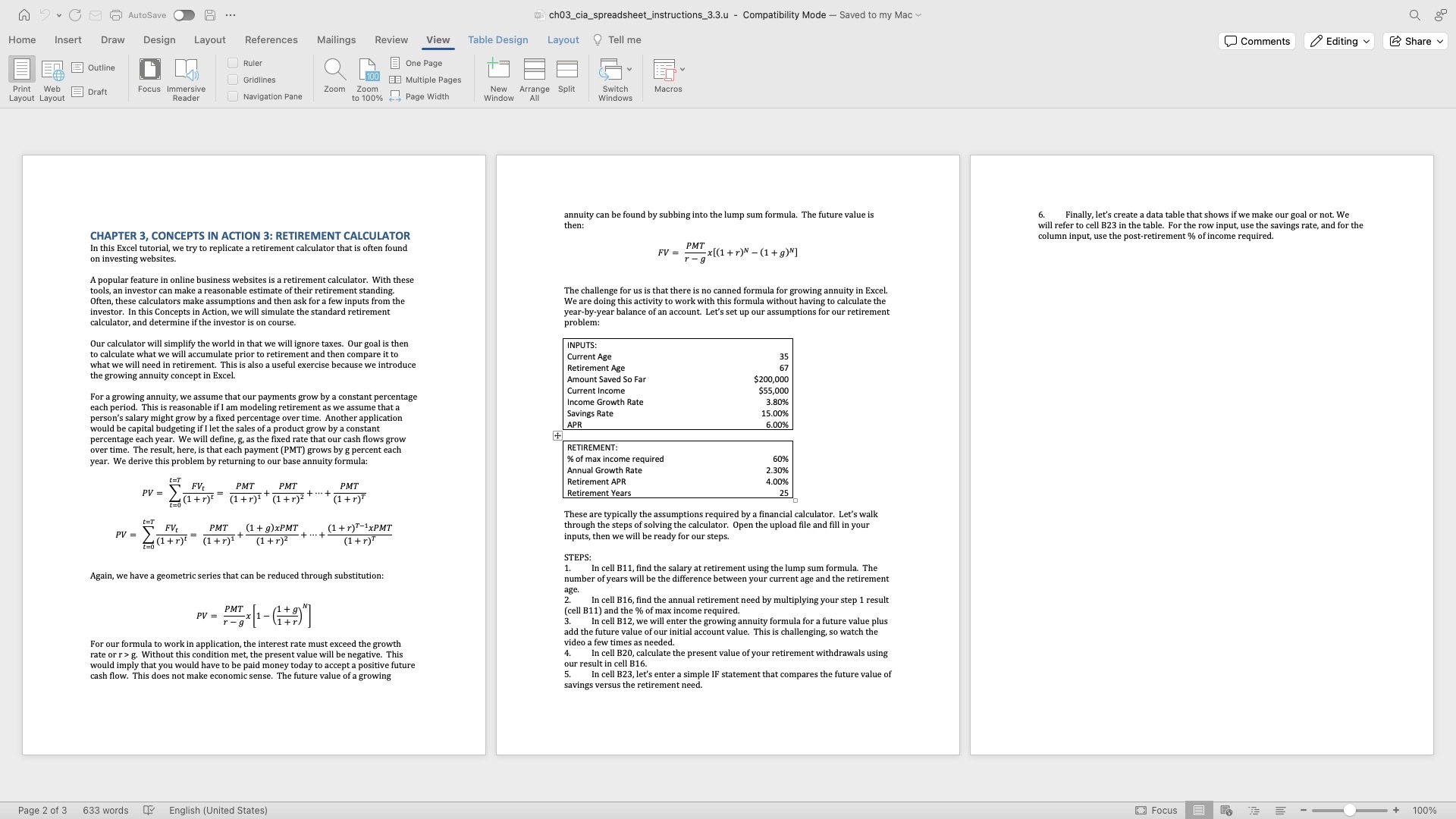
The challenge for us is that there is no canned formula for growing annuity in Excel. We are doing this activity to work with this formula without having to calculate the yearbyyear balance of an account. Let's set up our assumptions for our retirement problem:
tableINPUTS:Current Age,Retirement Age,Amount Saved So Far,$
Step by Step Solution
There are 3 Steps involved in it
1 Expert Approved Answer
Step: 1 Unlock

Question Has Been Solved by an Expert!
Get step-by-step solutions from verified subject matter experts
Step: 2 Unlock
Step: 3 Unlock
 Study Help