







Question: Chapter - 4 Mathematical Functions, Characters and Strings Study the REVEL textbook section 4.5.2 Case Study : Converting a Hexadecimal digit to a Decimal digit.
Chapter - 4 Mathematical Functions, Characters and Strings Study the REVEL textbook section 4.5.2 Case Study : Converting a Hexadecimal digit to a Decimal digit. For Project - 4: Write a program that convert a Binary string to a Decimal number.
Part - 1 : Use Case Study 4.5.2 as an example.
Part - 2 : Write a program to convert a Binary string to a Decimal number.
Using the Scanner class, the user input should be a Binary string.
The program should validate the input as a valid Binary number.
If not valid, display a message and the program should end. If valid, continue.
The output should display the corresponding Decimal number.
Ensure that the Java code works on Replit.
import java.util.Scanner; 2 3 public class HexDigit2Dec { 4 public static void main(String[] args) { 5 Scanner input = new Scanner(System.in); 6 System.out.print("Enter a hex digit: "); 7 String hexString = input.nextLine(); 8 9 // Check if the hex string has exactly one character 10 if (hexString.length() != 1) { 11 System.out.println("You must enter exactly one character"); 12 System.exit(1); 13 } 14 15 // Display decimal value for the hex digit 16 char ch = Character.toUpperCase(hexString.charAt(0)); 17 if ('A'
Completed Program: Get rid of try catch block and replace with if or if-else statements.
import java.util.Scanner;
class Bin2Dec {
public static void main (String[] args){
//Convert the input string to their decimal equivalent.
//Open scanner for input.
Scanner input = new Scanner(System.in);
//Declare variable s.
String s;
//Prompt user to enter binary string of 0s and 1s.
System.out.print("Enter a binary string of 0s and 1s: ");
//Save input to s variable.
s = input.nextLine();
//With the input, use try-catch blocks.
//Print statement if input is valid with the conversion.
try {
System.out.println("The decimal value of the binary number "+ "'" + s + "'" +" is "+conversion(s));
//Catch the exception if input is invalid.
} catch (Exception e) {
//If invalid, print the error message
System.out.println("Invalid Binary Number");
}
}
//Declare exception.
public static int conversion(String parameter) throws Exception {
return Integer.parseInt(parameter,2);
}
}
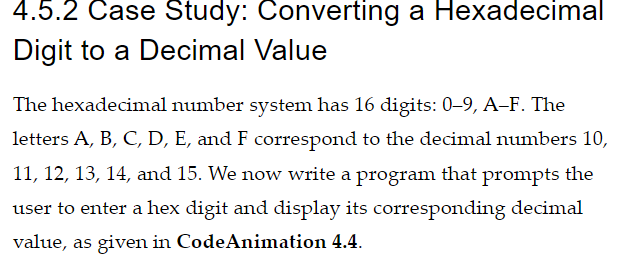
4.5.2 Case Study: Converting a Hexadecimal Digit to a Decimal Value The hexadecimal number system has 16 digits: 09,AF. The letters A, B, C, D, E, and F correspond to the decimal numbers 10, 11,12,13,14, and 15 . We now write a program that prompts the user to enter a hex digit and display its corresponding decimal value, as given in CodeAnimation 4.4 Step by Step Solution
There are 3 Steps involved in it

Get step-by-step solutions from verified subject matter experts
 Study Help