







Question: Chapter 5 - Section 1 Future Value and Compo Now that we have calculated the future value of a lump sum with the Interest rate
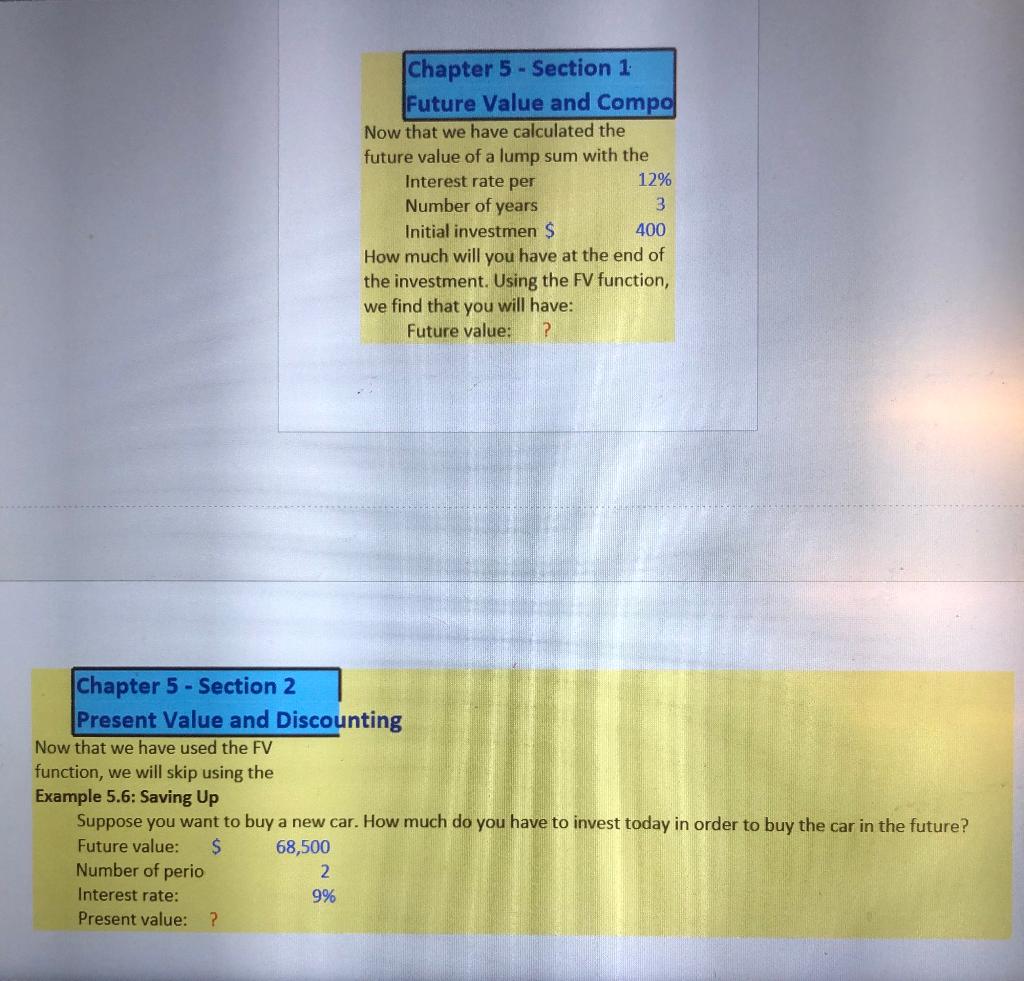
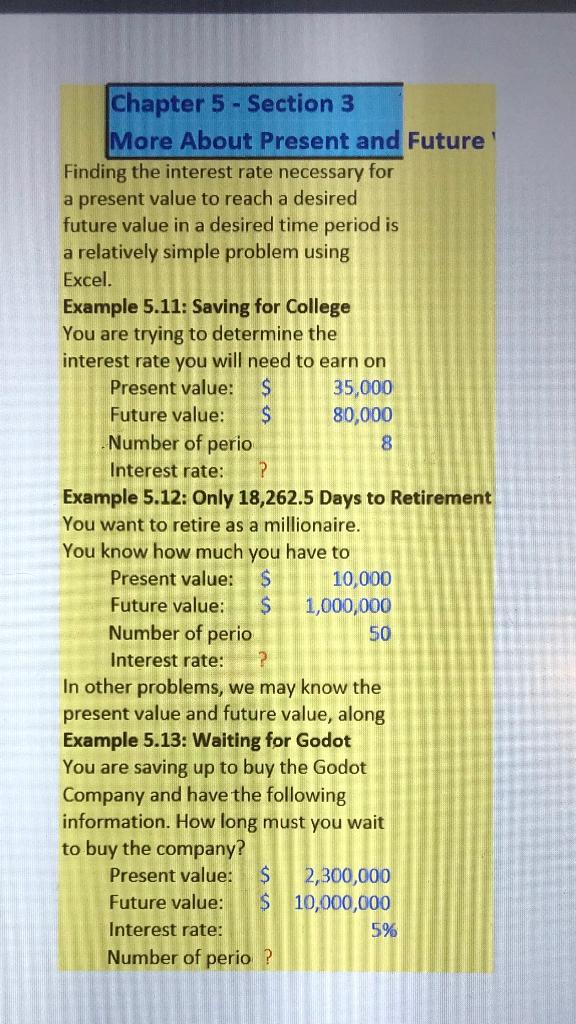
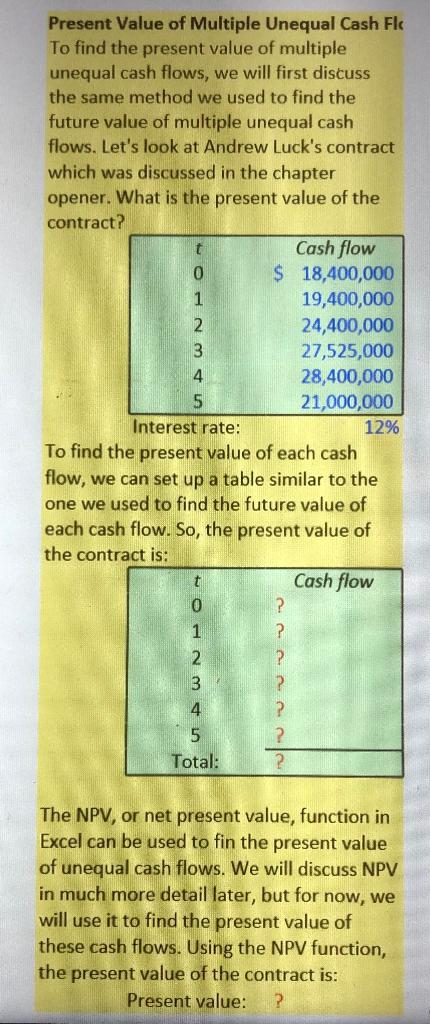
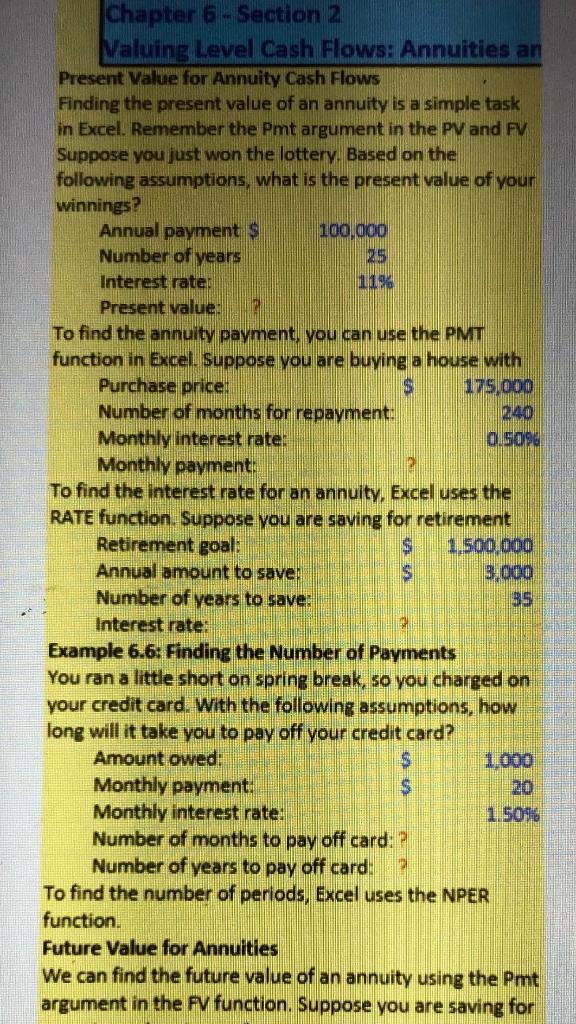
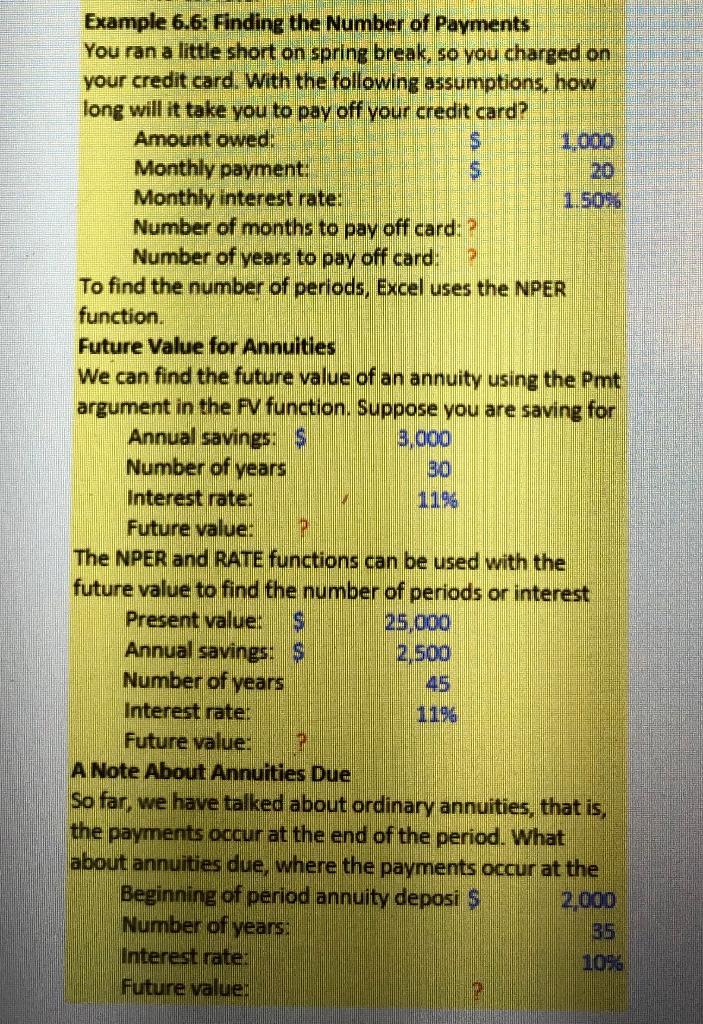
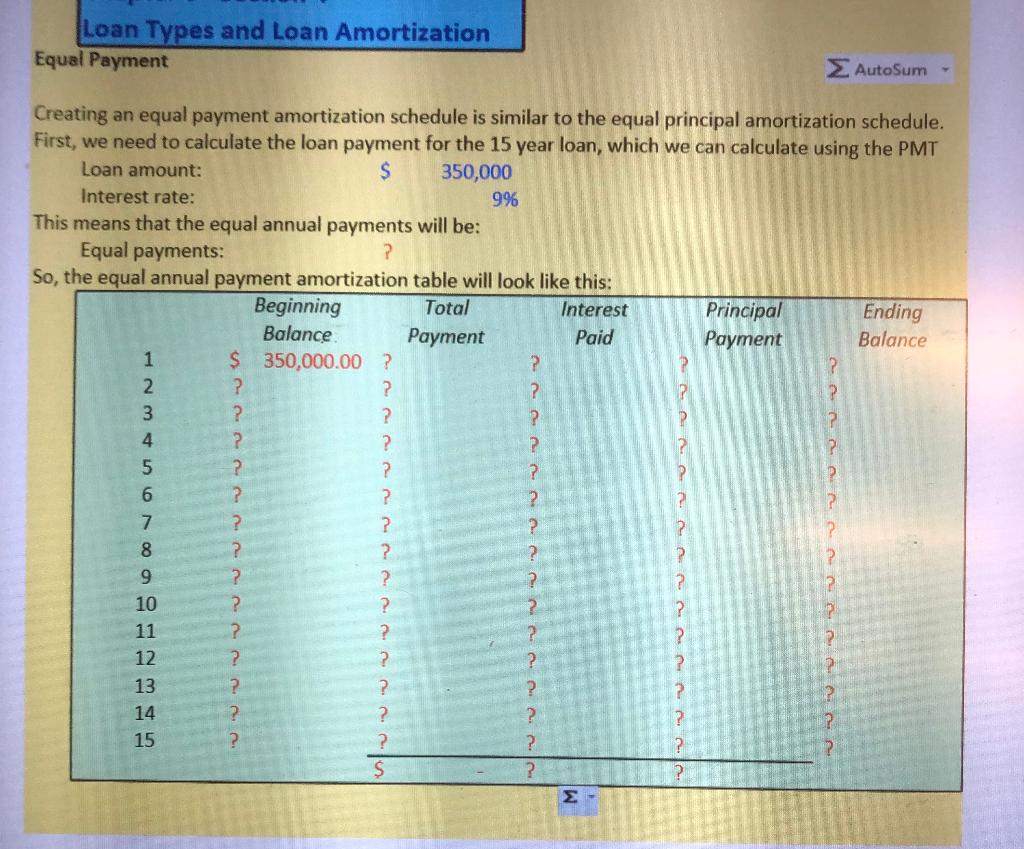
Chapter 5 - Section 1 Future Value and Compo Now that we have calculated the future value of a lump sum with the Interest rate per 12% Number of years 3 Initial investmen $ 400 How much will you have at the end of the investment. Using the FV function, we find that you will have: Future value: ? Chapter 5 - Section 2 Present Value and Discounting Now that we have used the FV function, we will skip using the Example 5.6: Saving Up Suppose you want to buy a new car. How much do you have to invest today in order to buy the car in the future? Future value: $ 68,500 Number of perio 2 Interest rate: Present value: ? 9% Chapter 5 - Section 3 More About Present and Future' Finding the interest rate necessary for a present value to reach a desired future value in a desired time period is a relatively simple problem using Excel. Example 5.11: Saving for College You are trying to determine the interest rate you will need to earn on Present value: S 35,000 Future value: $ 80,000 Number of perio 8 Interest rate: Example 5.12: Only 18,262.5 Days to Retirement You want to retire as a millionaire. You know how much you have to Present value: $ 10,000 Future value: S 1,000,000 Number of perio 50 Interest rate: In other problems, we may know the present value and future value, along Example 5.13: Waiting for Godot You are saving up to buy the Godot Company and have the following information. How long must you wait to buy the company? Present value: $ 2,300,000 Future value: $ 10,000,000 Interest rate: 5% Number of perio? Present Value of Multiple Unequal Cash Fk To find the present value of multiple unequal cash flows, we will first discuss the same method we used to find the future value of multiple unequal cash flows. Let's look at Andrew Luck's contract which was discussed in the chapter opener. What is the present value of the contract? t Cash flow 0 $ 18,400,000 1 19,400,000 2 24,400,000 3 27,525,000 4 28,400,000 5 21,000,000 Interest rate: 12% To find the present value of each cash flow, we can set up a table similar to the one we used to find the future value of each cash flow. So, the present value of the contract is: t Cash flow 0 1 ? 2 ? 3 ? 4 ? 5 ? Total: ? The NPV, or net present value, function in Excel can be used to fin the present value of unequal cash flows. We will discuss NPV in much more detail later, but for now, we will use it to find the present value of these cash flows. Using the NPV function, the present value of the contract is: Present value: ? P Chapter 6 - Section 2 Valuing Level Cash Flows: Annuities an Present Value for Annuity Cash Flows Finding the present value of an annuity is a simple task in Excel. Remember the Pmt argument in the PV and FV Suppose you just won the lottery. Based on the following assumptions, what is the present value of your winnings? Annual payment S 100.000 Number of years 25 Interest rate: 119 Present value. To find the annuity payment, you can use the PMT function in Excel. Suppose you are buying a house with Purchase price: S 175 000 Number of months for repayment: 240 Monthly interest rate: 0.6096 Monthly payment: To find the interest rate for an annuity, Excel uses the RATE function Suppose you are saving for retirement Retirement goal: $ 1.500.000 Annual amount to save. $ 3.000 Number of years to save: 35 Interest rate: Example 6.6: Finding the Number of Payments You ran a little short on spring break, so you charged on your credit card. With the following assumptions, how long will it take you to pay off your credit card? Amount owed: $ 1,000 Monthly payment: $ 20 Monthly interest rate: 1.509 Number of months to pay off card: ? Number of years to pay off card: To find the number of periods, Excel uses the NPER function. Future Value for Annuities We can find the future value of an annuity using the Pmt argument in the fv function. Suppose you are saving for us Example 6.6: Finding the Number of Payments You ran a little short on spring break, so you charged on your credit card. With the following assumptions, how long will it take you to pay off your credit card? Amount owed: 1.000 Monthly payment: $ 20 Monthly interest rate: 1.5096 Number of months to pay off card: ? Number of years to pay off card: To find the number of periods, Excel uses the NPER function. Future Value for Annuities We can find the future value of an annuity using the Pmt argument in the FV function. Suppose you are saving for Annual savings: $ 3.000 Number of years Interest rate: Future value: P The NPER and RATE functions can be used with the future value to find the number of periods or interest Present value: S 25,000 Annual savings: $ 2,500 Number of years Interest rate: Future value: A Note About Annuities Due So far, we have talked about ordinary annuities, that is, the payments occur at the end of the period. What about annuities due, where the payments occur at the Beginning of period annuity deposi $ 2,000 Number of years Interest rate: 106. Future value: Loan Types and Loan Amortization Equal Payment AutoSum Creating an equal payment amortization schedule is similar to the equal principal amortization schedule. First, we need to calculate the loan payment for the 15 year loan, which we can calculate using the PMT Loan amount: $ 350,000 Interest rate: 9% This means that the equal annual payments will be: Equal payments: ? So, the equal annual payment amortization table will look like this: Beginning Total Interest Principal Ending Balance Payment Paid Payment Balance 1 $ 350,000.00 ? ? 2 ? ? ? ? 3 ? ? ? 4 ? ? ? 5 ? ? ? 6 ? ? 2 7 ? 1? 8 1? ? ? ? 9 ? ? 1? 10 le ? ? ? ? 11 ? ? ? 12 ? ? ? ? 13 ? ? ? ? 14 ? ? ? ? 15 ? ? ? ? ? $ ? ? 2 ? ? ? ? ? ? 2
Step by Step Solution
There are 3 Steps involved in it

Get step-by-step solutions from verified subject matter experts
 Study Help