





Question: chart and paste it in cell I1. Hint: The Design tab contains the command to move a chart. The chart should have a descriptive title
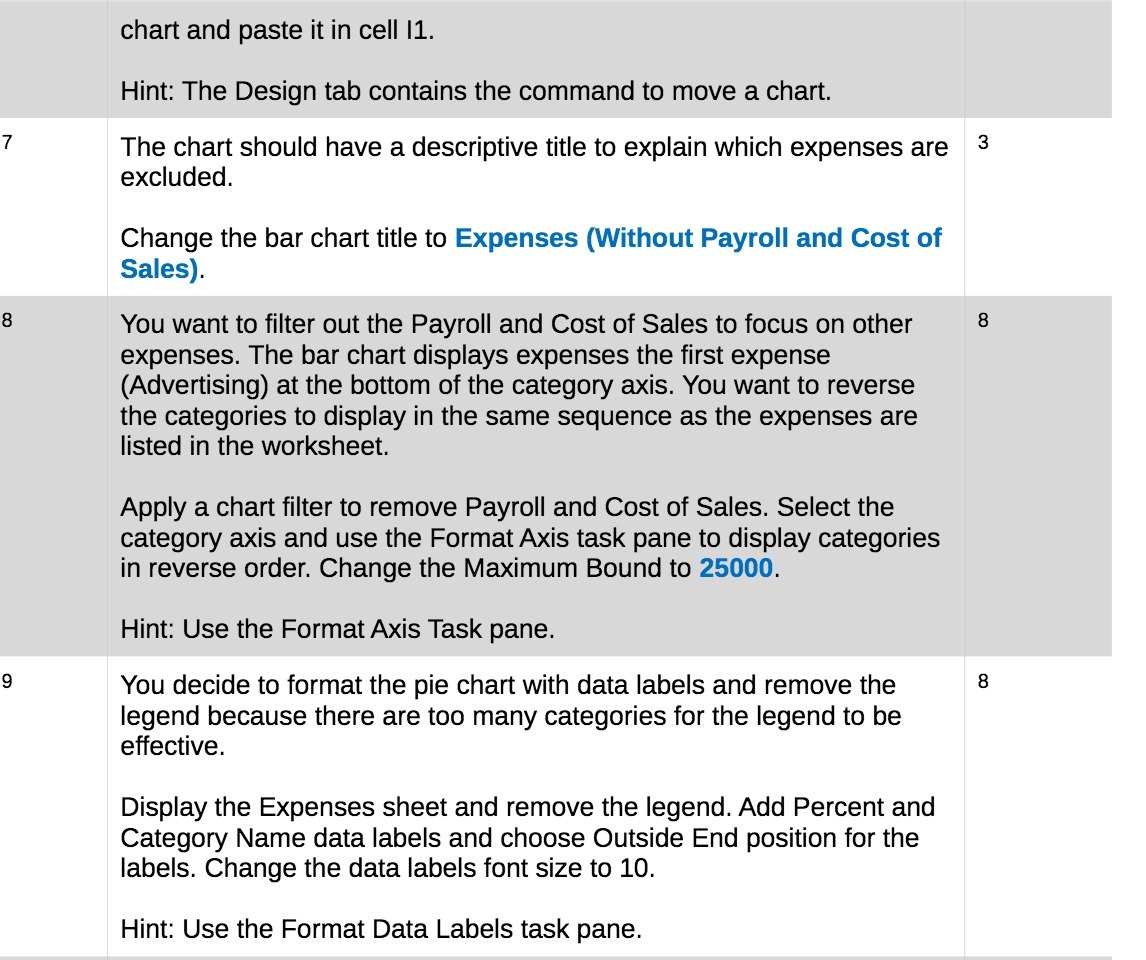
chart and paste it in cell I1. Hint: The Design
chart and paste it in cell I1. Hint: The Design tab contains the command to move a chart. The chart should have a descriptive title to explain which expenses are 3 excluded. Change the bar chart title to Expenses (Without Payroll and Cost of Sales). You want to filter out the Payroll and Cost of Sales to focus on other 8 expenses. The bar chart displays expenses the first expense (Advertising) at the bottom of the category axis. You want to reverse the categories to display in the same sequence as the expenses are listed in the worksheet. Apply a chart filter to remove Payroll and Cost of Sales. Select the category axis and use the Format Axis task pane to display categories in reverse order. Change the Maximum Bound to 25000. Hint: Use the Format Axis Task pane. You decide to format the pie chart with data labels and remove the 8 legend because there are too many categories for the legend to be effective. Display the Expenses sheet and remove the legend. Add Percent and Category Name data labels and choose Outside End position for the labels. Change the data labels font size to 10. Hint: Use the Format Data Labels task pane

Step by Step Solution

There are 3 Steps involved in it

1 Expert Approved Answer
Step: 1 Unlock blur-text-image

Question Has Been Solved by an Expert!

Get step-by-step solutions from verified subject matter experts

Step: 2 Unlock
Step: 3 Unlock

Students Have Also Explored These Related Finance Questions!