







Question: Checkpoint 3 Before getting started, copy check2. py to check3. py and continue your work in check3. py. In this part we will add a
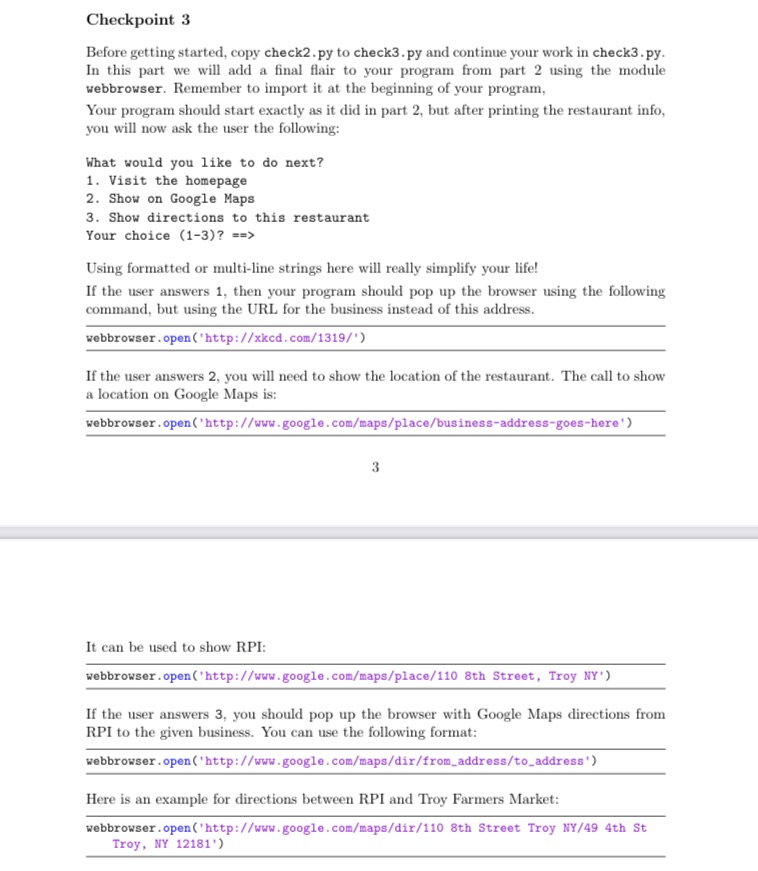
Checkpoint 3 Before getting started, copy check2. py to check3. py and continue your work in check3. py. In this part we will add a final flair to your program from part 2 using the module webbrowser. Remember to import it at the beginning of your program, Your program should start exactly as it did in part 2, but after printing the restaurant info, you will now ask the user the following: What would you like to do next? 1. Visit the homepage 2. Show on Google Maps 3. Show directions to this restaurant Your choice (1-3)? = => Using formatted or multi-line strings here will really simplify your life! If the user answers 1, then your program should pop up the browser using the following command, but using the URL for the business instead of this address. webbrowser . open ('http://xked. com/1319/") If the user answers 2, you will need to show the location of the restaurant. The call to show a location on Google Maps is: webbrowser . open('http://www.google. com/maps/place/business-address-goes-here' ) It can be used to show RPI: webbrowser . open('http://www.google. com/maps/place/110 8th Street, Troy NY") If the user answers 3, you should pop up the browser with Google Maps directions from RPI to the given business. You can use the following format: webbrowser . open ('http://www.google.com/maps/dir/from_address/to_address') Here is an example for directions between RPI and Troy Farmers Market: webbrowser . open ('http://www.google. com/maps/dir/110 8th Street Troy NY/49 4th St Troy, NY 12181')
Step by Step Solution
There are 3 Steps involved in it

Get step-by-step solutions from verified subject matter experts
 Study Help