







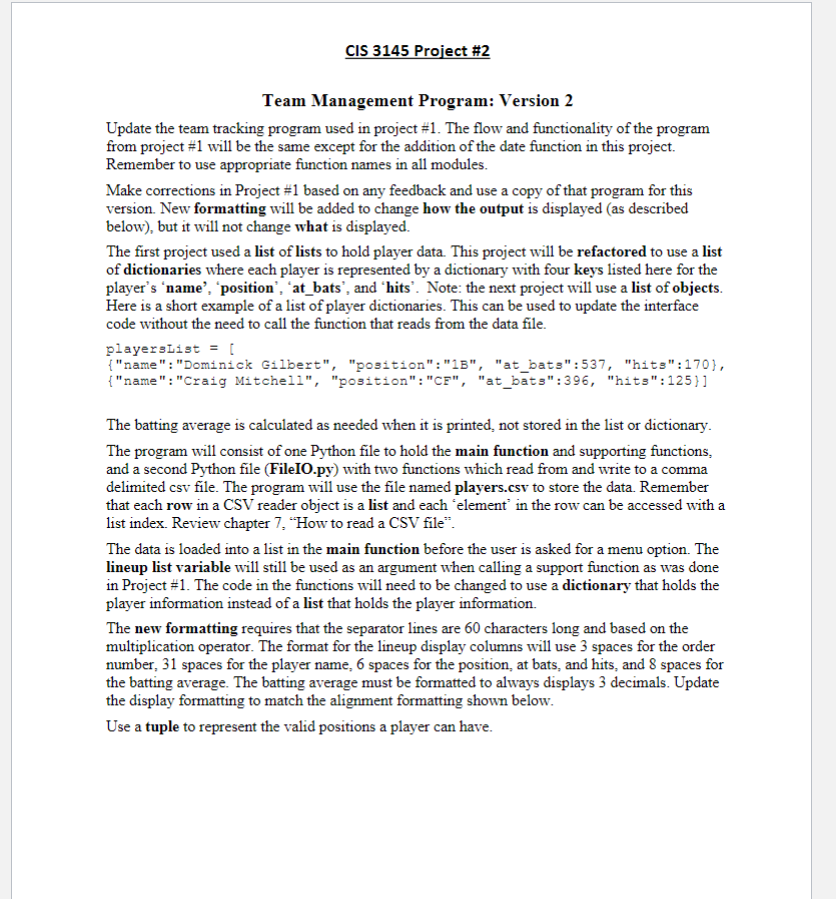
Question: CIS 3 1 4 5 Project # 2 Team Management Program: Version 2 Update the team tracking program used in project # 1
CIS Project #
Team Management Program: Version
Update the team tracking program used in project # The flow and functionality of the program from project # will be the same except for the addition of the date function in this project.
Remember to use appropriate function names in all modules.
Make corrections in Project # based on any feedback and use a copy of that program for this version. New formatting will be added to change how the output is displayed as described below but it will not change what is displayed.
The first project used a list of lists to hold player data. This project will be refactored to use a list of dictionaries where each player is represented by a dictionary with four keys listed here for the player's 'name', 'position', atbats', and 'hits'. Note: the next project will use a list of objects. Here is a short example of a list of player dictionaries. This can be used to update the interface code without the need to call the function that reads from the data file.
playersList
name:"Dominick Gilbert", "position":"Batbats": "hits":
name:"Craig Mitchell", "position":"CFatbats": "hits":
The batting average is calculated as needed when it is printed, not stored in the list or dictionary.
The program will consist of one Python file to hold the main function and supporting functions, and a second Python file FileIOpy with two functions which read from and write to a comma delimited csv file. The program will use the file named players.csv to store the data. Remember that each row in a CSV reader object is a list and each "element' in the row can be accessed with a list index. Review chapter "How to read a CSV file".
The data is loaded into a list in the main function before the user is asked for a menu option. The lineup list variable will still be used as an argument when calling a support function as was done in Project # The code in the functions will need to be changed to use a dictionary that holds the player information instead of a list that holds the player information.
The new formatting requires that the separator lines are characters long and based on the multiplication operator. The format for the lineup display columns will use spaces for the order number, spaces for the player name, spaces for the position, at bats, and hits, and spaces for the batting average. The batting average must be formatted to always displays decimals. Update the display formatting to match the alignment formatting shown below.
Use a tuple to represent the valid positions a player can have. CIS Project #
Sample Console Output
When the program starts the user has the option to enter a game date. The current date is printed by the program with the YYYYMMDD format. This format is used for all date input and output.
Baseball Team Manager
CURRENT DATE:
GAME DATE:
If no date is entered display the menu options.
Baseball Team Manager
CURRENT DATE:
GAME DATE:
MENU OPTIONS
Display lineup
Add player
Remove player
Move player
text Edit player position
Edit player stats
text Exit program
POSITIONS
CBBB SS LF CF RP P
Menu option:
If a date is entered display the number of days till the game and then the menu option. Do not display the number of games if the date entered is in the past. CIS Project #
mathrm Grady Guzman
text Wallace Cruz
Cedric Cooper
text Alberto Gomez
Menu option:
Notes:
The function that reads the CSV file can use the csv module and should loop through one row of the file at a time. For each row populate the dictionary for a player based on the columns of data in the file and add that dictionary object to the list of players. The function will return the list of dictionary objects.
The function that writes to the CSV file should not use the csv module writerows method since this method does not work with a dictionary. Treat the CSV file as a text file when opening the CSV file. Using a loop for the players list, call the file write method to write the name, position, at bats, and hits values separated by commas. Make sure to include a new line escape sequence after the hits value.
Submission details
Projects can require the use of material from any of the previous chapters covered in the textbook.
Create a Team Management Python program that satisfies the specifications above. Think of the specifications as a checklist of requirements.
Put General Comments at the beginning of the project that includes your name, the project name, the date, and a description of the project.
Turn in a ZIP file of the final version of the program. Include a Word document which contains output of the testing done on the program. The Word document must be inside the ZIP file.
In the Comments section on the Assignment webpage, report A an estimate of the time it took to complete the project. Report a single value in minutes, and B a begintabularccc
Step by Step Solution
There are 3 Steps involved in it
1 Expert Approved Answer
Step: 1 Unlock

Question Has Been Solved by an Expert!
Get step-by-step solutions from verified subject matter experts
Step: 2 Unlock
Step: 3 Unlock
 Study Help