







Question: class Point: def __init__ (self, x = 0, y = 0): self.__x = x self.__y = y def get_x(self): return self.__x def get_y(self): return self.__y
class Point: def __init__ (self, x = 0, y = 0): self.__x = x self.__y = y def get_x(self): return self.__x
def get_y(self): return self.__y def move(self,dx,dy): self.__x += dx self.__y += dy return dx, dy def move_to(self, newx, newy): self.__x = newx self.__y = newy return newx, newy def __str__(self): return '(' + str(self.__x) + ', ' + str(self.__y) + ')' def __repr__(self): return 'Point' + '({0}, {1})'.format(self.__x, self.__y) def distance(self,p): return def isNearby(p): return
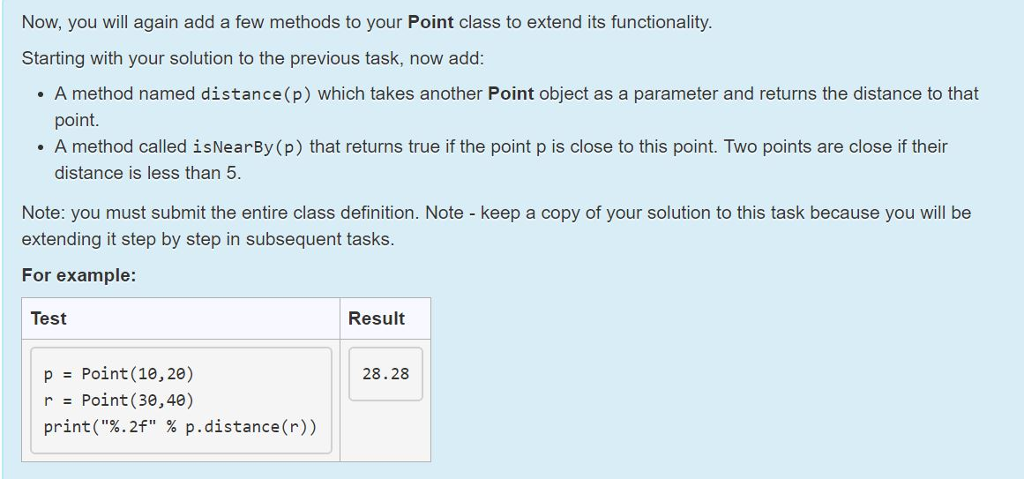
Now, you will again add a few methods to your Point class to extend its functionality. Starting with your solution to the previous task, now add: . A method named distance(p) which takes another Point object as a parameter and returns the distance to that point. . A method called isNearBy (p) that returns true if the point p is close to this point. Two points are close if their distance is less than 5 Note: you must submit the entire class definition. Note - keep a copy of your solution to this task because you will be extending it step by step in subsequent tasks. For example: Test Result p Point (10,20) r Point (30,40) print("%.2f" % p,distance(r)) 28.28
Step by Step Solution
There are 3 Steps involved in it

Get step-by-step solutions from verified subject matter experts
 Study Help