







Question: Classes, Objects, Pointers and Dynamic Memory Program Description: This assignment you will need to create your own string class. For the name of the class.
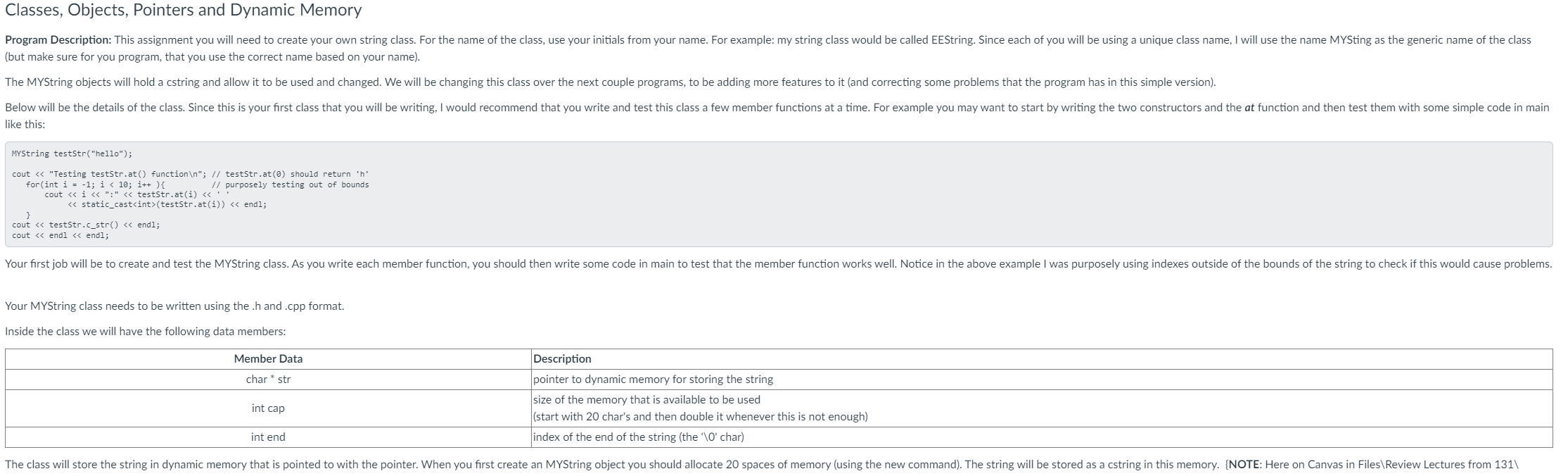
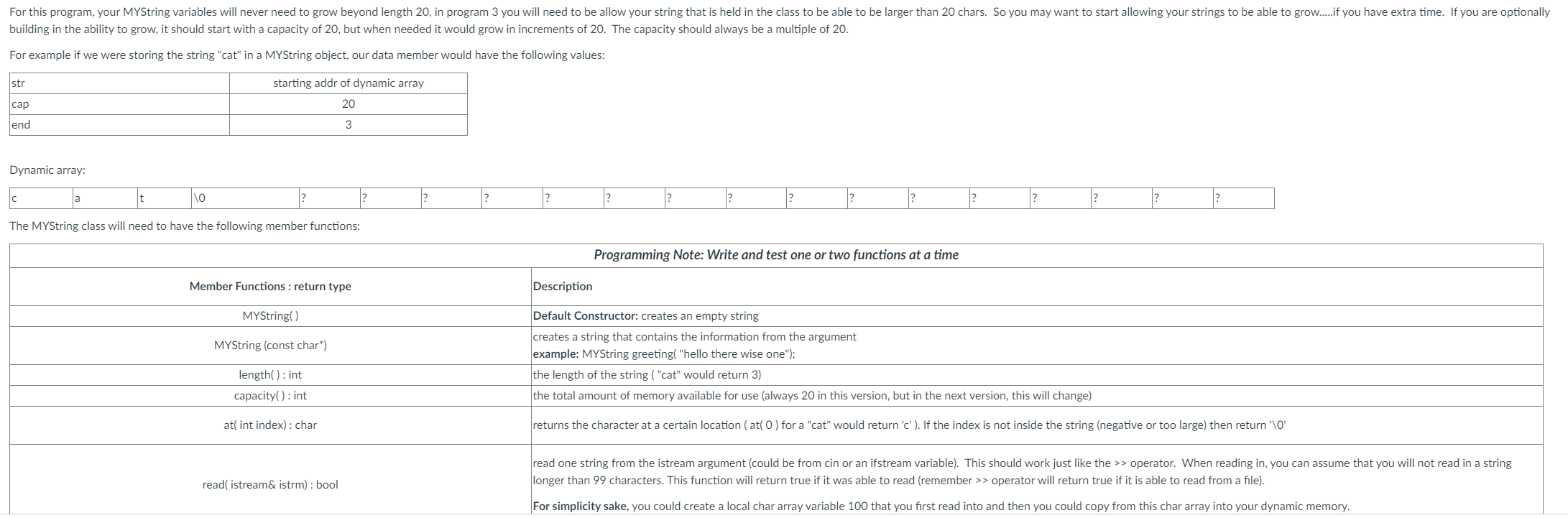
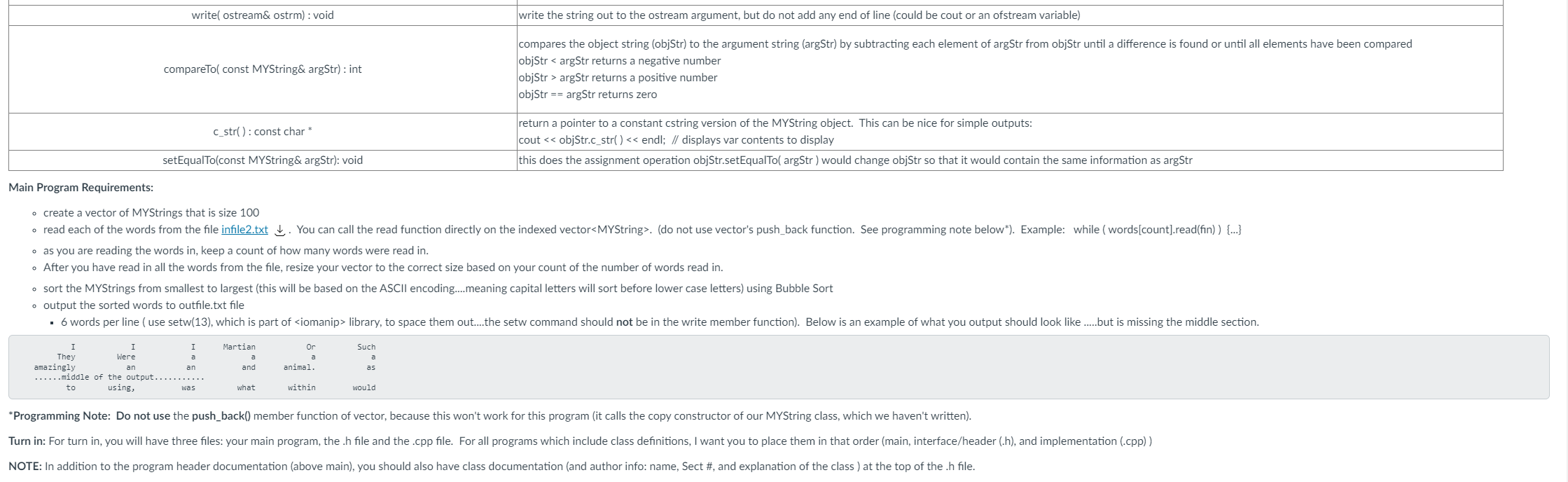
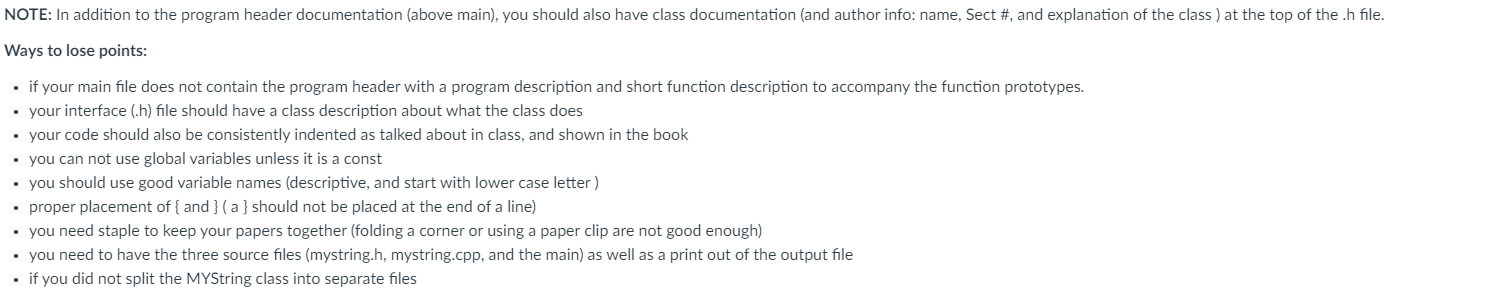
Classes, Objects, Pointers and Dynamic Memory Program Description: This assignment you will need to create your own string class. For the name of the class. use your initials from your name. For example: my string class would be called EEString. Since each of you will be using a unique class name. I will use the name Mv5ting as the generic name of the class (but make sure for you program. that you use the correct name based on your na mel. The MYString objects will hold a cstring and allow it to be used and changed. We will he changing this class over the next couple programs. to be adding more features to it (and correcting some problems that the program has in this simple version). Below will be the details of the class. Since this is your first class that you will be writing. I would recommend that you write and test this class a few member functions at a time. For example you may want to start hy writing the two constructors and the iit function and then test them with some simple code in main like th mstring teststr("heno-); (nut ' (start With 20 chars and then double it whenever this is not enough) intend index of the end of the string [the '\\0' char) The class will store the string in dynamic memory that is pointed to with the pointer. When you first create an MVString object you should allocate 20 spaces of memory [using the new command). The string will be stored as a cstring in this memory. (NOTE: Here on Canvas in Files\\Review Lectures from 131\\ For this program, your MYString variables will never need to grow beyond length 20, in program 3 you will need to be allow your string that is held in the class to be able to be larger than 20 chars. So you may want to start allowing your strings to be able to grow.if you have extra time. If you are optionally building in the ability to grow, it should start with a capacity of 20, but when needed it would grow in increments of 20. The capacity should always be a multiple of 20. For example if we were storing the string "cat" in a MYString object, our data member would have the following values: str starting addr of dynamic array cap 20 lend 3 Dynamic array: a t ? ? 2 2 ? ? ? ? 2 ? The MYString class will need to have the following member functions: Programming Note: Write and test one or two functions at a time Member Functions : return type Description MYString() Default Constructor: creates an empty string MYString (const char*) creates a string that contains the information from the argument example: MYString greeting( "hello there wise one"); length( ) : int the length of the string ( "cat" would return 3) capacity( ) : int the total amount of memory available for use (always 20 in this version, but in the next version, this will change) at( int index) : char returns the character at a certain location ( at( 0 ) for a "cat" would return 'c' ). If the index is not inside the string (negative or too large) then return '\\0' read one string from the istream argument (could be from cin or an ifstream variable). This should work just like the > > operator. When reading in, you can assume that you will not read in a string read( istream& istrm) : bool longer than 99 characters. This function will return true if it was able to read (remember > > operator will return true if it is able to read from a file). For simplicity sake, you could create a local char array variable 100 that you first read into and then you could copy from this char array into your dynamic memory.write( ostream& ostrm) : void write the string out to the ostream argument, but do not add any end of line (could be cout or an ofstream variable) compares the object string (objStr) to the argument string (argStr) by subtracting each element of argStr from objStr until a difference is found or until all elements have been compared compareTo( const MYString& argStr) : int objStr argStr returns a positive number objStr == argStr returns zero c_str( ) : const char * return a pointer to a constant cstring version of the MYString object. This can be nice for simple outputs: cout . (do not use vector's push_back function. See programming note below*). Example: while ( words[count].read(fin) ) {...} . as you are reading the words in, keep a count of how many words were read in. . After you have read in all the words from the file, resize your vector to the correct size based on your count of the number of words read in. . sort the MYStrings from smallest to largest (this will be based on the ASCII encoding..meaning capital letters will sort before lower case letters) using Bubble Sort . output the sorted words to outfile.txt file . 6 words per line ( use setw(13), which is part of
Step by Step Solution
There are 3 Steps involved in it

Get step-by-step solutions from verified subject matter experts
 Study Help