







Question: ClearlyVB2012Chap17 Exercise 15 SwatTheBugs Solution. Open the Code Editor window and study the existing code. Start and then test the application. Notice that the application
ClearlyVB2012\Chap17\ Exercise 15 SwatTheBugs Solution. Open the Code Editor window and study the existing code. Start and then test the application. Notice that the application is not working correctly. Stop the application. Locate and correct the errors in the code. Save the solution and then start and test the application again. Close the Code Editor window and then close the solution.
Public Class frmMain
Private Function GetQuotient(ByVal decN1 As Decimal, ByVal decN2 As Decimal) As Decimal
' return the quotient after dividing decN1 by decN2
Dim decQ As Decimal
If decN2 0 Then
decQ = decN1 / decN2
End If
Return decQ
End Function
Private Sub btnExit_Click(sender As Object, e As EventArgs) Handles btnExit.Click
Me.Close()
End Sub
Private Sub btnCalc_Click(sender As Object, e As EventArgs) Handles btnCalc.Click
' display the quotient
Dim strDividend As String
Dim strDivisor As String
Dim decDividend As Decimal
Dim decDivisor As Decimal
Dim decQuotient As Decimal
strDividend = InputBox("Enter the dividend:", "SwatTheBugs")
strDivisor = InputBox("Enter the divisor:", "SwatTheBugs")
Decimal.TryParse(strDividend, decDividend)
Decimal.TryParse(strDivisor, decDivisor)
decQuotient = GetQuotient(decDivisor, decDividend)
lblQuotient.Text = decDividend.ToString & " divided by " &
decDivisor.ToString & " is " & decQuotient.ToString
End Sub
Private Sub lblQuotient_Click(sender As Object, e As EventArgs) Handles lblQuotient.Click
End Sub
Private Sub frmMain_Load(sender As Object, e As EventArgs) Handles MyBase.Load
End Sub
End Class
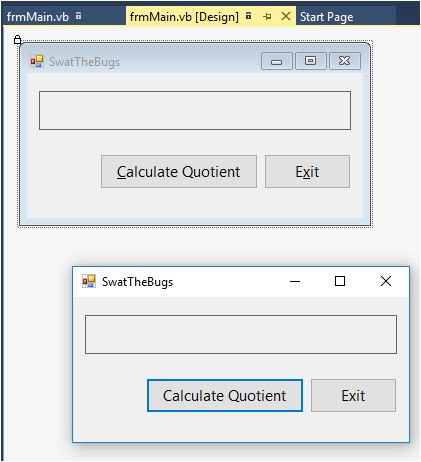
frmMain.vb frmMain.vb [Design] n Start Page SwatTheBugs Calculate Quotient Exit SwatTheBugs Calculate Quotient Exit
Step by Step Solution
There are 3 Steps involved in it

Get step-by-step solutions from verified subject matter experts
 Study Help