







Question: ClearlyVB2012Chap17- Page-398 exercise-3, Modify This: Open the designer and Code Editor windows. Modify the code so that it uses an independent Sub procedure (rather than
ClearlyVB2012\Chap17- Page-398 exercise-3, Modify This:
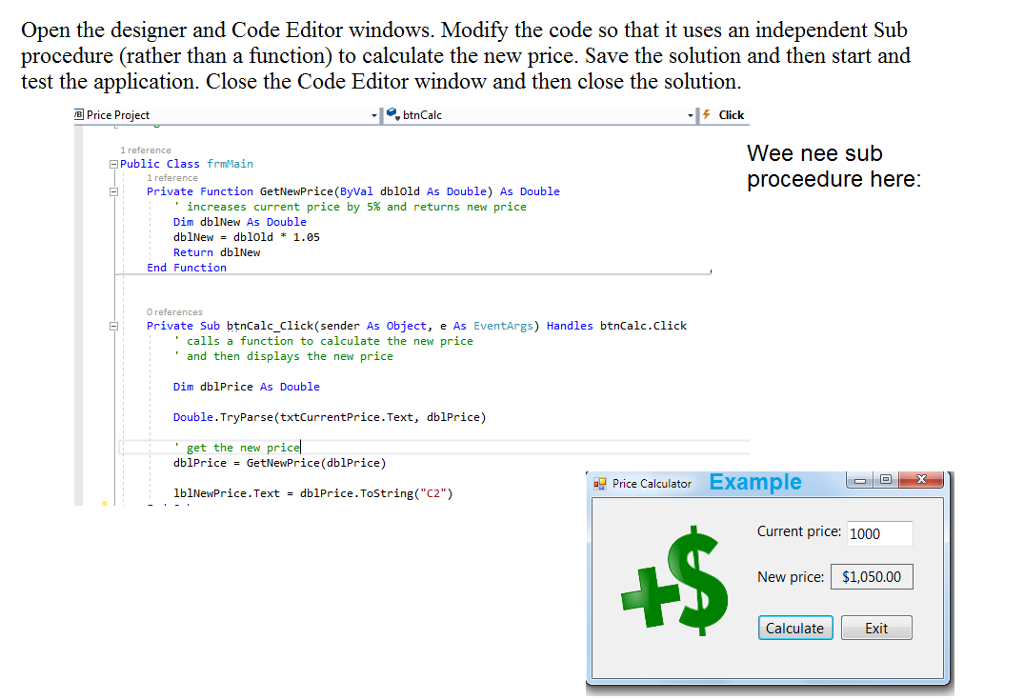
Open the designer and Code Editor windows. Modify the code so that it uses an independent Sub procedure (rather than a function) to calculate the new price. Save the solution and then start and test the application. Close the Code Editor window and then close the solution. Public Class frmMain 1 reference Private Function GetNewPrice (ByVal dblold As Double) As Double ' increases current price by 5% and returns new price Dim dblNew As Double dblNew = dblold * 1.05 Return dblNew End Function 0 references Private sub btnCalc_Click (sender As object, e As EventArgs) Handles btnCalc.click ' calls a function to calculate the new price ' and then displays the new price Dim dblPrice As Double Double. TryParse(txtcurrentPrice. Text, dblPrice) ' get the new price dblPrice = GetNewPrice (dblPrice) lblNewPrice. Text = dblPrice. ToString("C2")
Step by Step Solution
There are 3 Steps involved in it

Get step-by-step solutions from verified subject matter experts
 Study Help