







Question: Click cell 09, edit the formula include the IFERROR function that will return a 0 if there is an error with the result in the
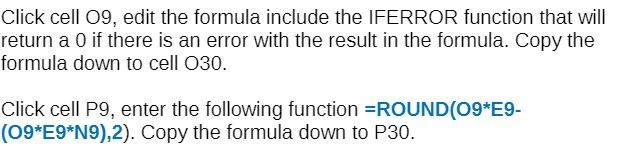
Click cell 09, edit the formula include the IFERROR function that will return a 0 if there is an error with the result in the formula. Copy the formula down to cell 030. Click cell P9, enter the following function =ROUND(09*E9- (09*E9*N9),2). Copy the formula down to P30
Step by Step Solution
There are 3 Steps involved in it
1 Expert Approved Answer
Step: 1 Unlock

Question Has Been Solved by an Expert!
Get step-by-step solutions from verified subject matter experts
Step: 2 Unlock
Step: 3 Unlock
 Study Help