







Question: Code for the LAB def get_and_strip_number(s): Requires: -- string s consists of (the string representing) a non-negative integer n followed by a single space, and
Code for the LAB
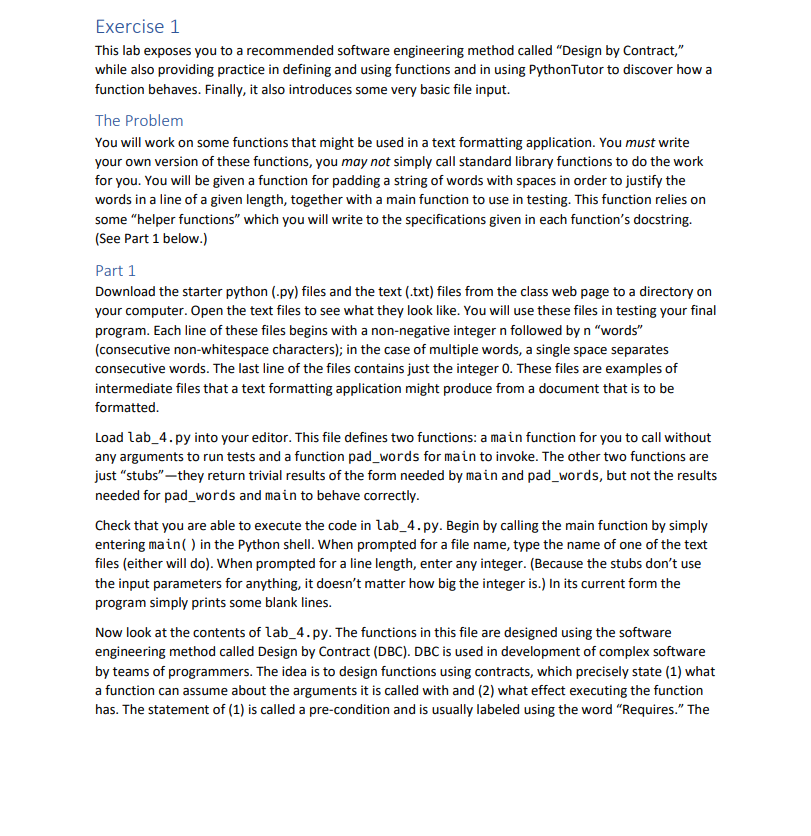
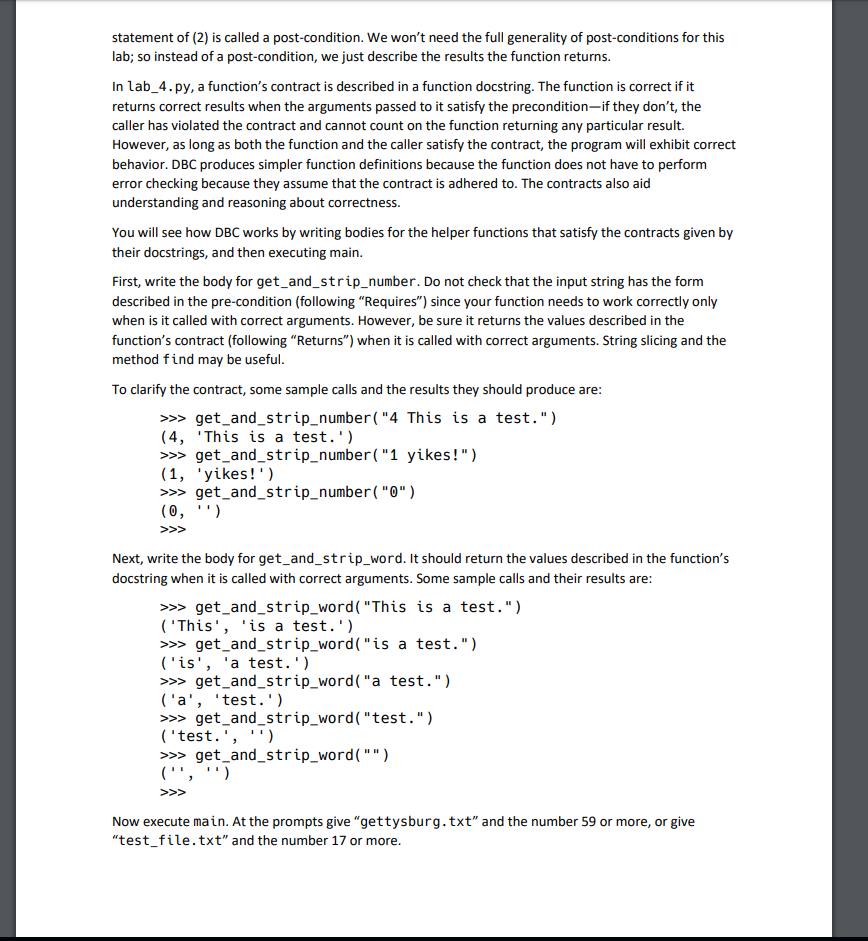
def get_and_strip_number(s): """Requires: -- string s consists of (the string representing) a non-negative integer n followed by a single space, and then n words, separated by a single space Returns: -- the leading integer n (as an int), and -- the "rest" of s, i.e., what is left after stripping off n and, if n>0, the space following it""" # replace this comment and the next statement with your function body return 0, ''
def get_and_strip_word(s): """Requires: -- string s has no leading spaces, and is either empty or consists of one or more words, separated by a single space Returns: -- first word of s, and -- the "rest" of s, i.e. what is left after stripping off the word and, if there is one, the space following the word""" # replace this comment and the next statement with your function body return '', '' def pad_words(s, num_words, final_len): """Requires: -- final_len > len(s) -- string s consists of num_words words, each separated by a single space Returns: -- string r, containing the words in s evenly padded with spaces to make len(r) == final_len""" if num_words
# there are at least 2 words, so at least one pigeon hole to fill (with spaces) num_pigeon_holes = num_words - 1 # the buckets (pigeon holes) are between words num_pigeons = final_len - (len(s) - num_pigeon_holes) # my pigeons are spaces pad_num = num_pigeons // num_pigeon_holes extra_num = num_pigeons % num_pigeon_holes # number of holes that get an extra pigeon working_str = '' # take care of the first num_pigeon_holes - extra_num holes for i in range(num_pigeon_holes - extra_num): word, s = get_and_strip_word(s) working_str += word + (pad_num * ' ') # insert pad_num spaces
# take care of the last extra_num holes for i in range(extra_num): word, s = get_and_strip_word(s) working_str += word + ((pad_num + 1) * ' ')
working_str += s return working_str
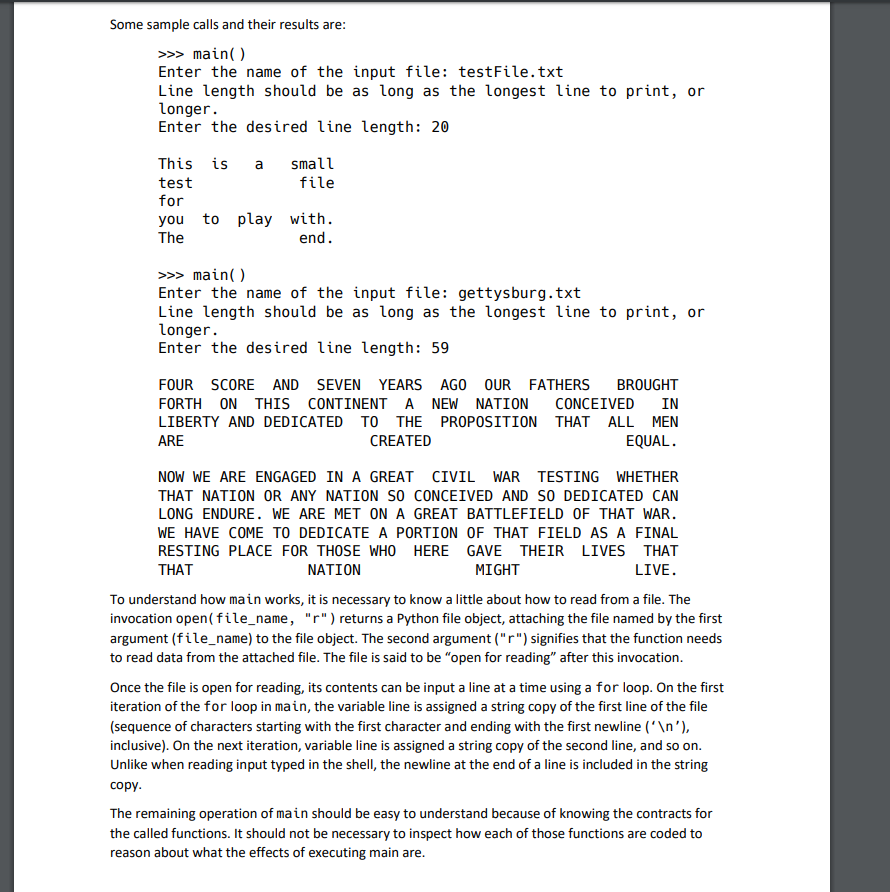
def main(): """Main program for testing some text formatting functions.""" file_name = input("Enter the name of the input file: ") file_obj = open(file_name, "r")
print("Line length should be as long as the longest line to print, or longer.") line_len = int(input("Enter the desired line length: ")) print()
for line in file_obj: line = line.strip() # strip the trailing ' ' n, words = get_and_strip_number(line) print(pad_words(words, n, line_len))
file_obj.close()
Text for test file
4 This is a small2 test file1 for 4 you to play with.02 The end.0
Text for test#2
9 FOUR SCORE AND SEVEN YEARS AGO OUR FATHERS BROUGHT 9 FORTH ON THIS CONTINENT A NEW NATION CONCEIVED IN 9 LIBERTY AND DEDICATED TO THE PROPOSITION THAT ALL MEN 3 ARE CREATED EQUAL. 0 11 NOW WE ARE ENGAGED IN A GREAT CIVIL WAR TESTING WHETHER 11 THAT NATION OR ANY NATION SO CONCEIVED AND SO DEDICATED CAN 12 LONG ENDURE. WE ARE MET ON A GREAT BATTLEFIELD OF THAT WAR. 13 WE HAVE COME TO DEDICATE A PORTION OF THAT FIELD AS A FINAL 10 RESTING PLACE FOR THOSE WHO HERE GAVE THEIR LIVES THAT 4 THAT NATION MIGHT LIVE. 0
Here is code for Part 2 of the assignment
def get_and_strip_number(s): # replace this comment and the next statement with your function body return 0, ''
def get_and_strip_word(s): # replace this comment and the next statement with your function body return '', '' def pad_words(s, num_words, final_len): if num_words
# there are at least 2 words, so at least one pigeon hole to fill (with spaces) num_pigeon_holes = num_words - 1 # the buckets (pigeon holes) are between words num_pigeons = final_len - (len(s) - num_pigeon_holes) # my pigeons are spaces pad_num = num_pigeons // num_pigeon_holes extra_num = num_pigeons % num_pigeon_holes # number of holes that get an extra pigeon working_str = '' # take care of the first num_pigeon_holes - extra_num holes for i in range(num_pigeon_holes - extra_num): word, s = get_and_strip_word(s) working_str += word + (pad_num * ' ') # insert pad_num spaces
# take care of the last extra_num holes for i in range(extra_num): word, s = get_and_strip_word(s) working_str += word + ((pad_num + 1) * ' ')
working_str += s return working_str
sentence = "This is a test." filled_sentence = pad_words(sentence, 4, 20) print(filled_sentence)
filled_sentence = pad_words("What?", 1, 30) print(filled_sentence)
print(pad_words("What's up?", 2, 30))
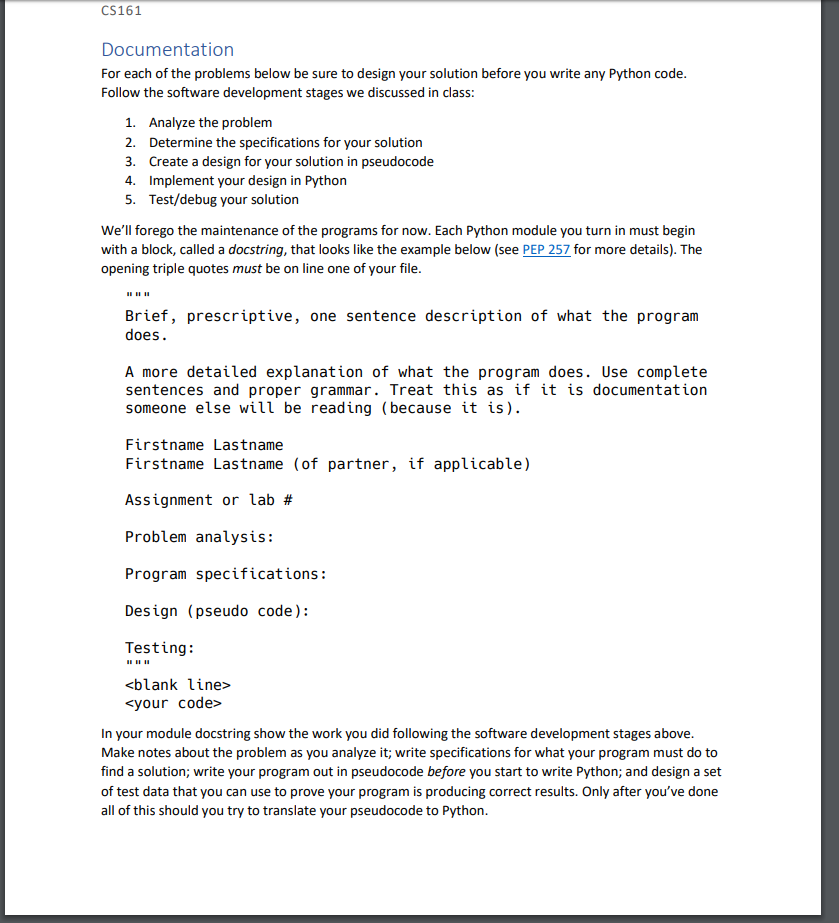
CS161 Documentation For each of the problems below be sure to design your solution before you write any Python code Follow the software development stages we discussed in class: 1. 2. 3. 4. 5. Analyze the problem Determine the specifications for your solution Create a design for your solution in pseudocode Implement your design in Python Test/debug your solution We'll forego the maintenance of the programs for now. Each Python module you turn in must begin with a block, called a docstring, that looks like the example below (see PEP 257 for more details). The opening triple quotes must be on line one of your file Brief, prescriptive, one sentence description of what the program does A more detailed explanation of what the program does. Use complete sentences and proper grammar. Treat this as if it is documentation someone else will be reading (because it is). Firstname Lastname Firstname Lastname (of partner, if applicable) Assignment or lab # Problem analysis: Program specifications: Design (pseudo code): Testing:
Step by Step Solution
There are 3 Steps involved in it

Get step-by-step solutions from verified subject matter experts
 Study Help