







Question: code in c + + Keeping in mind that you can only edit the main.cpp file 7 . 4 7 LAB: Triangle area comparison (
code in c Keeping in mind that you can only edit the main.cpp file
LAB: Triangle area comparison classes
LAB ACTIVITY
: LAB: Triangle area comparison classes
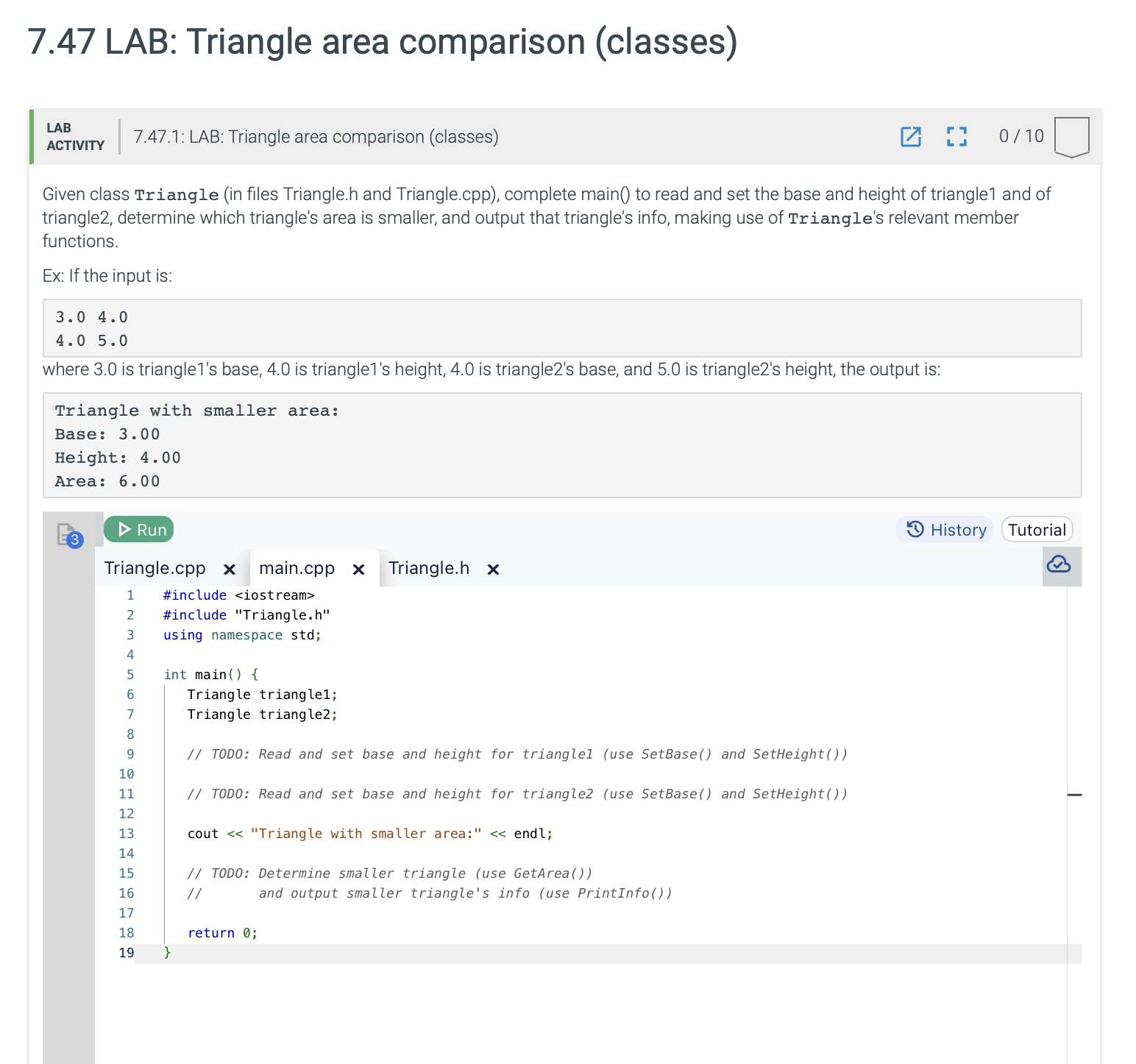
Given class Triangle in files Triangle.h and Triangle.cpp complete main to read and set the base and height of triangle and of triangle determine which triangle's area is smaller, and output that triangle's info, making use of Triangle's relevant member functions.
Ex: If the input is:
beginarrayll
&
&
endarray
where is triangles base, is triangles height, is triangles base, and is triangles height, the output is:
Triangle with smaller area:
Base:
Height:
Area:
Triangle.cpp main.cpp Triangle.h
#include
#include "Triangle.h
using namespace std;
int main
Triangle triangle;
Triangle triangle;
TODO: Read and set base and height for triangleuse SetBase and SetHeight
TODO: Read and set base and height for triangleuse SetBase and SetHeight
cout "Triangle with smaller area:" endl;
TODO: Determine smaller triangle use GetArea
and output smaller triangle's info use PrintInfo
return ;
Given class Triangle in files Triangle.h and Triangle.cpp complete main to read and set the base and height of triangle and of
triangle determine which triangle's area is smaller, and output that triangle's info, making use of Triangle's relevant member
functions.
Ex: If the input is:
::
where is triangles base, is triangles height, is triangles base, and is triangles height, the output is:
Triangle with smaller area:
Base:
Height:
Area:
Triangle.cpp readonly main.cpp Triangle.h
#include "Triangle.h
#include
#include
#include
using namespace std;
void Triangle::SetBasedouble userBase
base userBase;
void Triangle::SetHeightdouble userHeight
height userHeight;
double Triangle::GetArea const
return base height;
void Triangle::PrintInfo const
cout fixed setprecision;
cout "Base: base endl;
cout "Height: height endl;
cout "Area: GetArea endl;
LAB
: LAB: Triangle area comparison classes
Given class Triangle in files Triangle.h and Triangle.cpp complete main to read and set the base and height of triangle and of
triangle determine which triangle's area is smaller, and output that triangle's info, making use of Triangle's relevant member
functions.
Ex: If the input is:
::
where is triangles base, is triangles height, is triangles base, and is triangles height, the output is:
Triangle with smaller area:
Base:
Height:
Area:
Triangle.cpp main.cpp Triangle.h readonly
#ifndef TRIANGLEH
#define TRIANGLEH
class Triangle
private:
double base;
double height;
public:
void SetBasedouble userBase;
void SetHeightdouble userHeight;
double GetArea const;
void PrintInfo const;
;
#endif
Step by Step Solution
There are 3 Steps involved in it
1 Expert Approved Answer
Step: 1 Unlock

Question Has Been Solved by an Expert!
Get step-by-step solutions from verified subject matter experts
Step: 2 Unlock
Step: 3 Unlock
 Study Help