







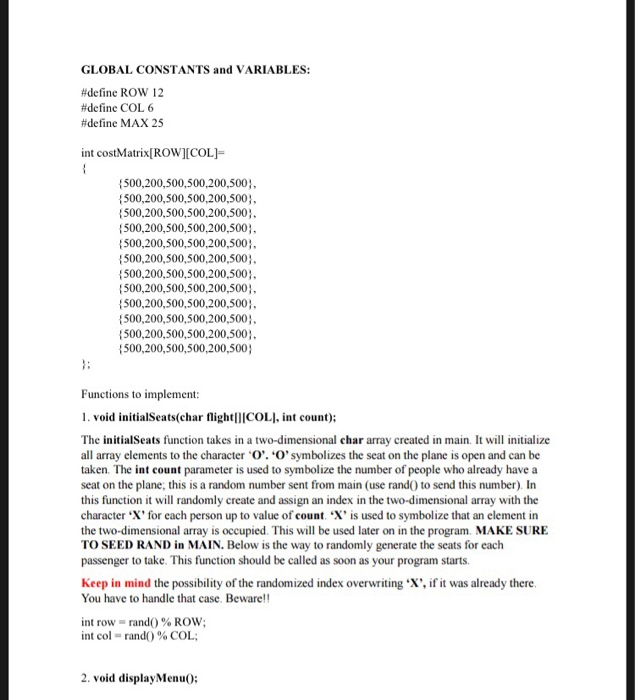
Question: Code in C language GLOBAL CONSTANTS and VARIABLES: #define ROW 12 #define COL 6 #define MAX 25 int costMatrix ROW][COL] 500,200,500,500,200,500 500,200,500,500,200,500 500,200,500,500.200,500 500,200,500,500,200,500 500,200,500,500,200.500
![#define COL 6 #define MAX 25 int costMatrix ROW][COL] 500,200,500,500,200,500 500,200,500,500,200,500 500,200,500,500.200,500](https://dsd5zvtm8ll6.cloudfront.net/si.experts.images/questions/2024/09/66f39bc93d52c_16066f39bc89725e.jpg)
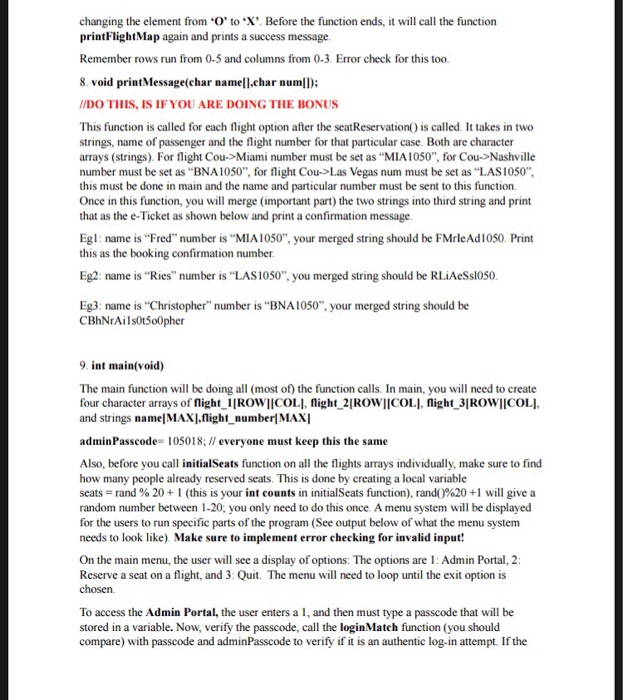
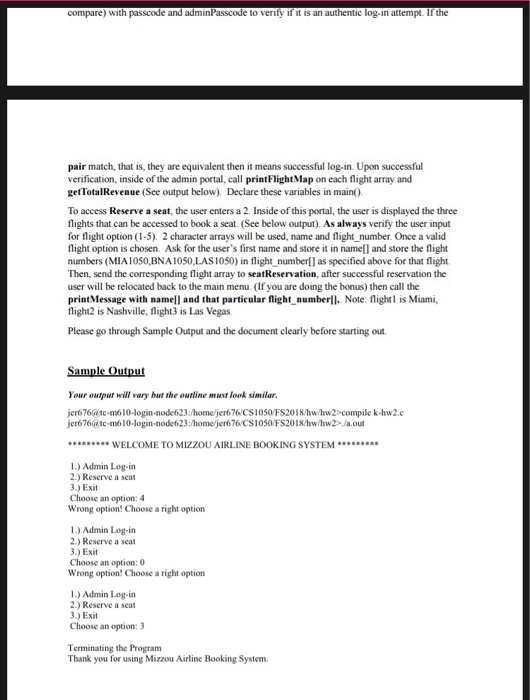
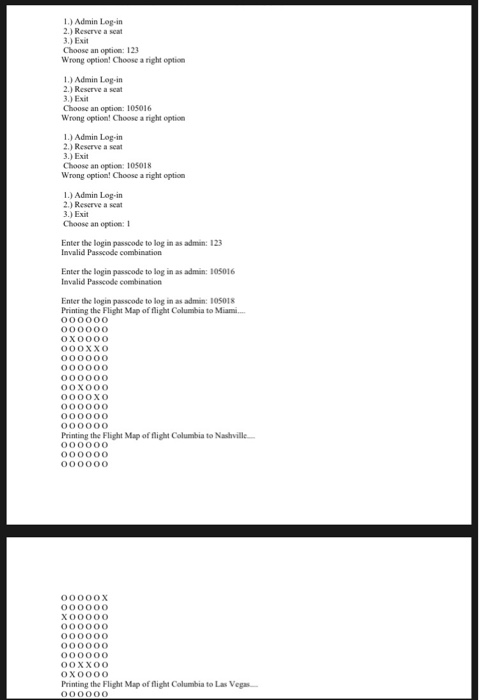
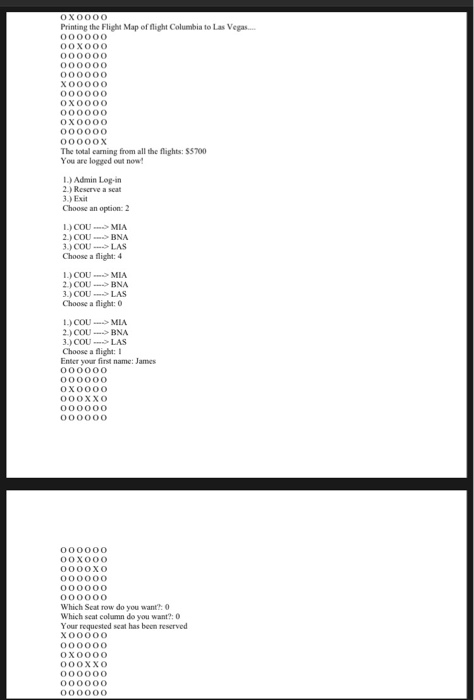
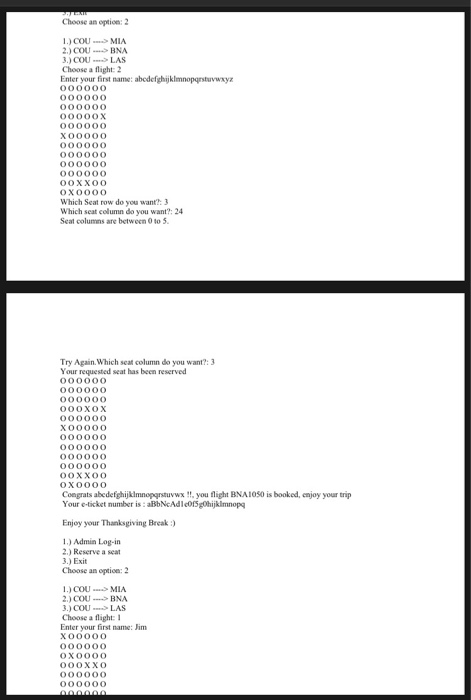
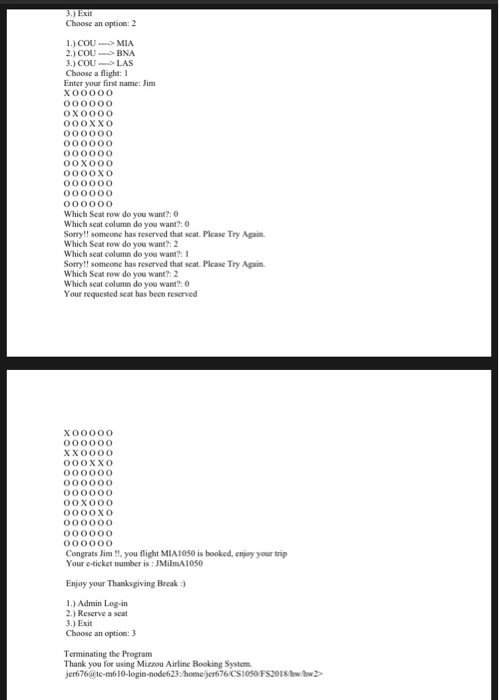
GLOBAL CONSTANTS and VARIABLES: #define ROW 12 #define COL 6 #define MAX 25 int costMatrix ROW][COL] 500,200,500,500,200,500 500,200,500,500,200,500 500,200,500,500.200,500 500,200,500,500,200,500 500,200,500,500,200.500 500,200,500,500,200,500 500,200,500,500,200,500 500,200,500,500,200,500 500,200,500,500,200,500; 500,200,500,500,200,500 500,200,500,500,200,500 500,200,500,500,200,500 Functions to implement 1. void initialSeats(char flightCOLI, int count); The initialSeats function takes in a two-dimensional char array created in main. It will initialize all array elements to the character O'. 'O'symbolizes the seat on the plane is open and can be taken. The int count parameter is used to symbolize the number of people who already have a seat on the plane this is a random number sent from main (use rand) to send this number). In this function it will randomly create and assign an index in the two-dimensional array with the character *X'for each person up to value of count. X' is used to symbolize that an element in the two-dimensional array is occupied. This will be used later on in the program. MAKE SURE TO SEED RAND in MAIN. Below is the way to randomly generate the seats for each passenger to take. This function should be called as soon as your program starts. Keep in mind the possibility of the randomized index overwriting X', if it was already there You have to handle that case. Beware!! int row a" rand() % ROW; int col = rand() % COL; 2. void displayMenu0: GLOBAL CONSTANTS and VARIABLES: #define ROW 12 #define COL 6 #define MAX 25 int costMatrix ROW][COL] 500,200,500,500,200,500 500,200,500,500,200,500 500,200,500,500.200,500 500,200,500,500,200,500 500,200,500,500,200.500 500,200,500,500,200,500 500,200,500,500,200,500 500,200,500,500,200,500 500,200,500,500,200,500; 500,200,500,500,200,500 500,200,500,500,200,500 500,200,500,500,200,500 Functions to implement 1. void initialSeats(char flightCOLI, int count); The initialSeats function takes in a two-dimensional char array created in main. It will initialize all array elements to the character O'. 'O'symbolizes the seat on the plane is open and can be taken. The int count parameter is used to symbolize the number of people who already have a seat on the plane this is a random number sent from main (use rand) to send this number). In this function it will randomly create and assign an index in the two-dimensional array with the character *X'for each person up to value of count. X' is used to symbolize that an element in the two-dimensional array is occupied. This will be used later on in the program. MAKE SURE TO SEED RAND in MAIN. Below is the way to randomly generate the seats for each passenger to take. This function should be called as soon as your program starts. Keep in mind the possibility of the randomized index overwriting X', if it was already there You have to handle that case. Beware!! int row a" rand() % ROW; int col = rand() % COL; 2. void displayMenu0
Step by Step Solution
There are 3 Steps involved in it

Get step-by-step solutions from verified subject matter experts
 Study Help