







Question: code in matlab pls help The first image run.jpg shows Citadel cadets out for a morning stroll. Your goal is to filter just the cadet
code in matlab pls help
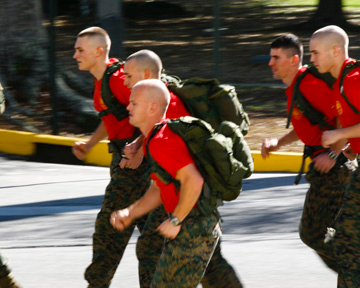
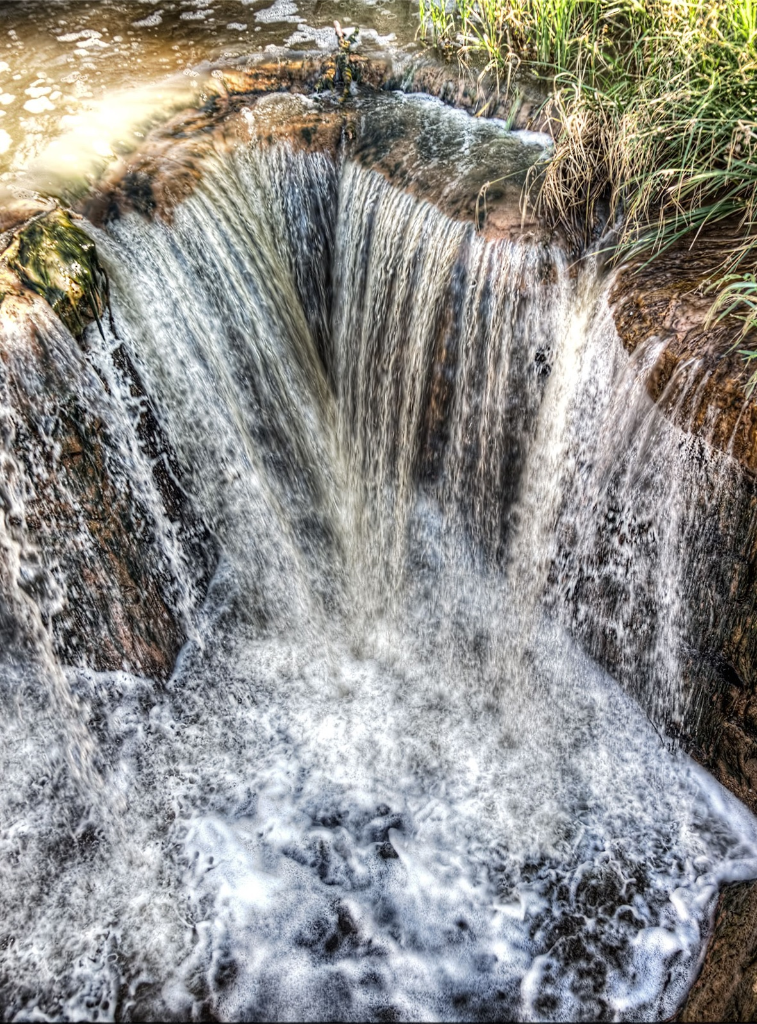
The first image run.jpg shows Citadel cadets out for a morning stroll. Your goal is to filter just the cadet in the foreground to make it look like this cadet is running faster than the others. Then filter the cadet in a different way to make it appear that the cadet is running slower than the rest of the group. (Photo source: citadel.edu) The second image water.jpg is a photograph of a waterfall taken at a fast shutter speed of 1/125 second. Your goal is to produce one image that makes the water look like it is falling faster and a second image where it appears the water is falling slower. (Photo source: everydayhdr.com) For each image, you should manually select just the region you want to filter using the roipoly command. In the first image, you should select the cadet in the foreground. In the second image, you should select the falling water. You can filter just the selected region using the command roifilt2. Note that unlike imfilter, the roifilt2 command only works on grayscale images. So you will have to process each RGB channel separately. for i=1:3; B(:,:,i) = roifilt2(w, A(:,:,i), D); end;
images:
Transcribed image text
Step by Step Solution
There are 3 Steps involved in it

Get step-by-step solutions from verified subject matter experts
 Study Help