







Question: code in peblio Activity #3 Using the starter code, add the following if statements: . If the mouse is on the left side of the
code in peblio
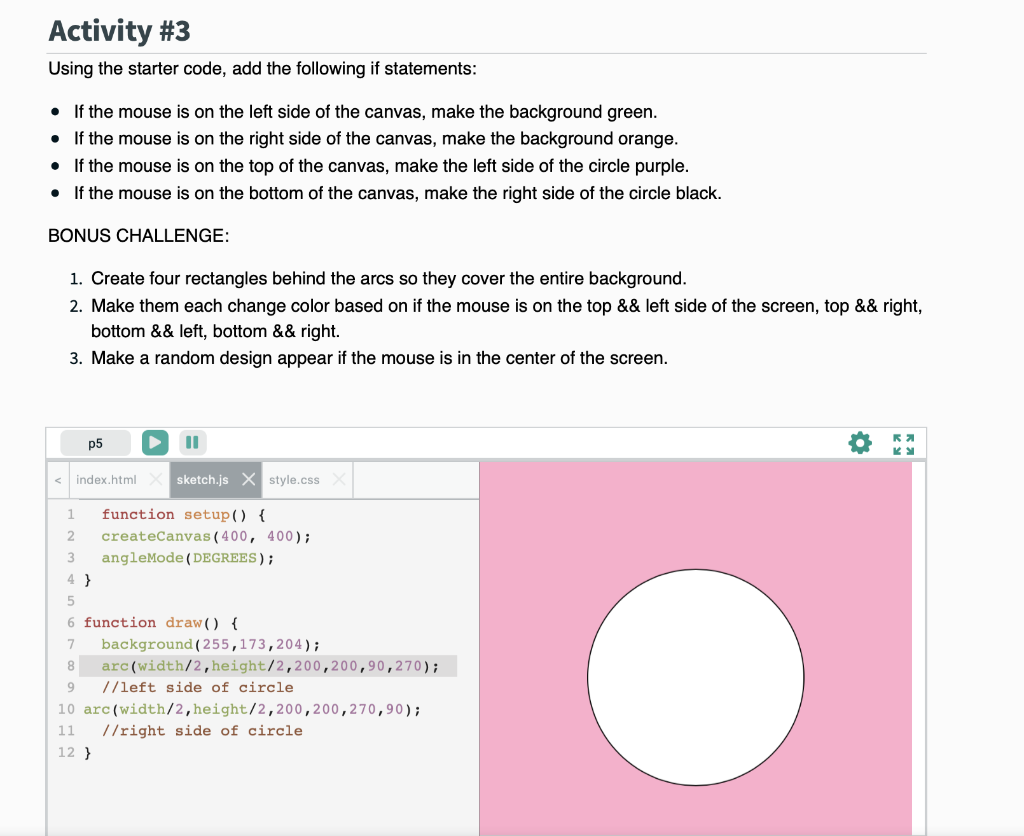
Activity #3 Using the starter code, add the following if statements: . If the mouse is on the left side of the canvas, make the background green. If the mouse is on the right side of the canvas, make the background orange. If the mouse is on the top of the canvas, make the left side of the circle purple. If the mouse is on the bottom of the canvas, make the right side of the circle black. BONUS CHALLENGE: 1. Create four rectangles behind the arcs so they cover the entire background. 2. Make them each change color based on if the mouse is on the top && left side of the screen, top && right, bottom && left, bottom && right. 3. Make a random design appear if the mouse is in the center of the screen. R p5 index.html sketch.js x style.css 1 function setup() { 2 createCanvas (400, 400); 3 angleMode (DEGREES) ; 4 } 5 6 function draw() { 7 background (255,173,204); 8 arc(width/2,height/2,200,200,90,270); 9 //left side of circle 10 arc(width/2, height/2,200,200,270,90); 11 //right side of circle 12 }
Step by Step Solution
There are 3 Steps involved in it

Get step-by-step solutions from verified subject matter experts
 Study Help