







Question: code in R Data can be found in R called AIRPORT Problems. (Please provide your R code and output. If the output is more
code in R Data can be found in R called " AIRPORT"
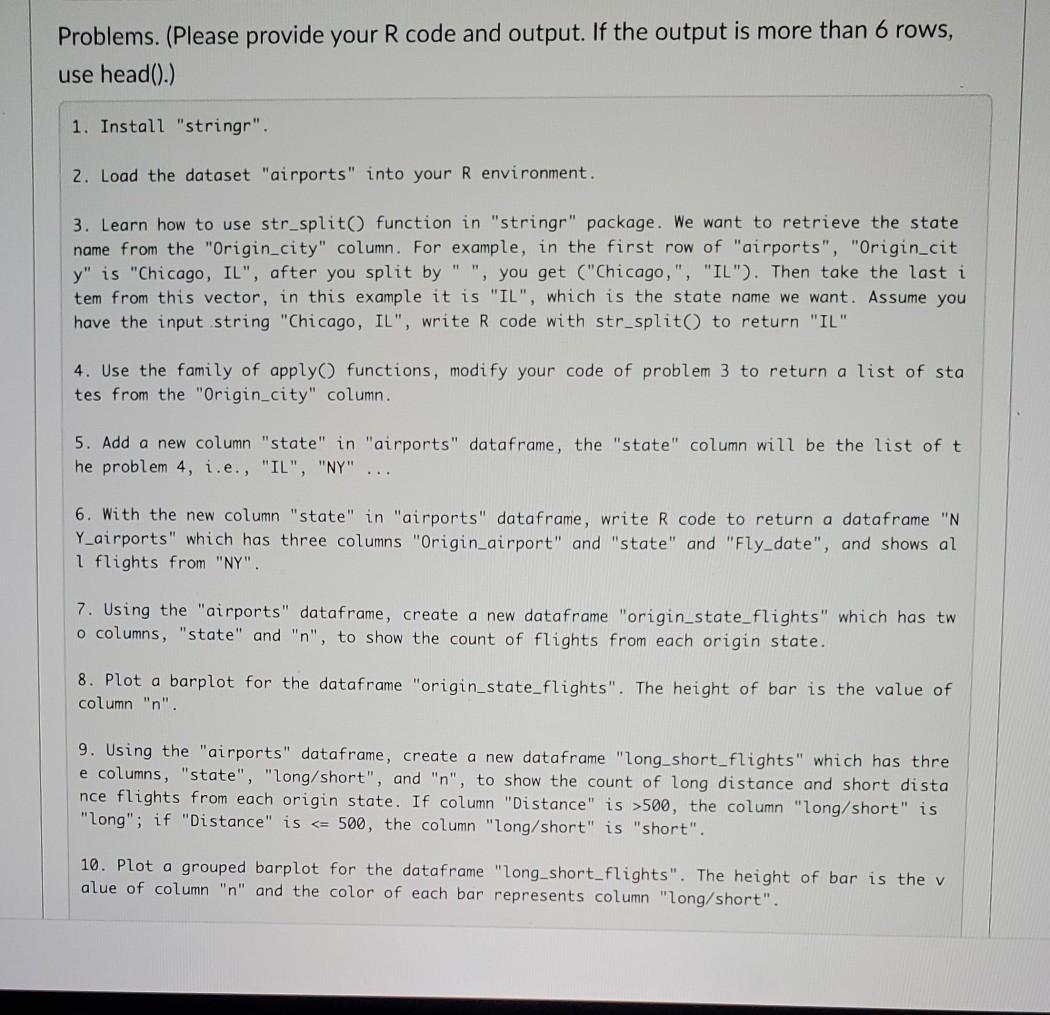
Problems. (Please provide your R code and output. If the output is more than 6 rows, use head().) 1. Install "stringr". 2. Load the dataset "airports" into your R environment. 3. Learn how to use str_split() function in "stringr" package. We want to retrieve the state name from the "Origin_city" column. For example, in the first row of "airports", "Origin_cit y" is "Chicago, IL", after you split by " ", you get ("Chicago,", "IL"). Then take the last i tem from this vector, in this example it is "IL", which is the state name we want. Assume you have the input string "Chicago, IL", write R code with str_split() to return "IL" 4. Use the family of apply functions, modify your code of problem 3 to return a list of sta tes from the "Origin_city" column. 5. Add a new column "state" in "airports" dataframe, the "state" column will be the list of t he problem 4, i.e., "IL", "NY" 6. With the new column "state" in "airports" dataframe, write R code to return a dataframe "N Y_airports" which has three columns "Origin_airport" and "state" and "Fly_date", and shows al 1 flights from "NY". 7. Using the "airports" dataframe, create a new dataframe "origin_state_flights" which has tw o columns, "state" and "n", to show the count of flights from each origin state. 8. Plot a barplot for the dataframe "origin_state_flights". The height of bar is the value of column "n". 9. Using the "airports" dataframe, create a new dataframe "long_short_flights" which has thre e columns, "state", "long/short", and "n", to show the count of long distance and short dista nce flights from each origin state. If column "Distance" is >500, the column "long/short" is "long"; if "Distance" is 500, the column "long/short" is "long"; if "Distance" is
Step by Step Solution
There are 3 Steps involved in it

Get step-by-step solutions from verified subject matter experts
 Study Help