







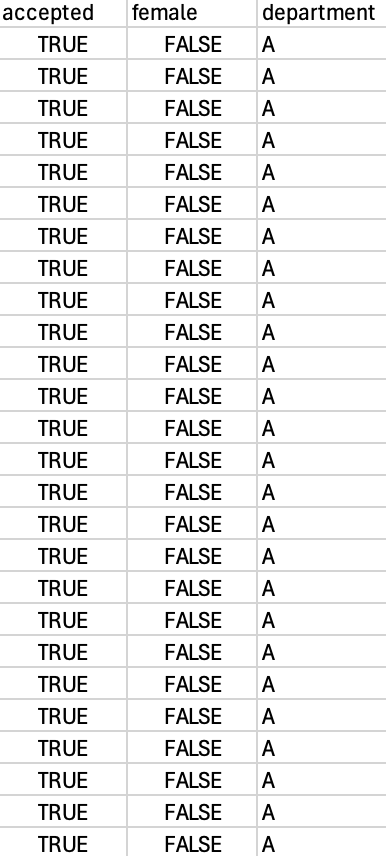
Question: Code in R Studio ( partial data included in photo with values ranging from True / False and A - F ) table [
Code in R Studio partial data included in photo with values ranging from TrueFalse and AFtableacceptedfemale,departmentTRUEFALSE,ATRUEFALSE,ATRUEFALSE,ATRUEFALSE,ATRUEFALSE,ATRUEFALSE,ATRUEFALSE,ATRUEFALSE,ATRUEFALSE,ATRUEFALSE,ATRUEFALSE,ATRUEFALSE,ATRUEFALSE,ATRUEFALSE,ATRUEFALSE,ATRUEFALSE,ATRUEFALSE,ATRUEFALSE,ATRUEFALSE,ATRUEFALSE,ATRUEFALSE,ATRUEFALSE,ATRUEFALSE,ATRUEFALSE,ATRUEFALSE,ATRUEFALSE,A: # Students who intend to use the predict function for these# problems are advised to consult the documentation in# predict.glm to determine how it is used for different types of # predictions in the context of logistic regression.# Do not edit the followingBerkeleyDataread.csvBerkeleyDatacsv# Do not edit the above# Fit a logistic regression model that predicts acceptance# based on the sex of the applicant.# Save the model as model.q# Note for autograder: You must fit this model using the format# glmvar~var dataBerkeleyData; do not rename variables in# the data frame.modelqglmaccepted~ dataBerkeleyData, family'binomial'# What are the logodds of being accepted for a male applicant?# Save your answer in the variable qaqaNA# What are the odds of being accepted for a female applicant?# Save your answer in the variable qbqbNA# What is the probability of being accepted for a male applicant?# Save your answer in the variable qcqcNA# What is the probability of being accepted for a female applicant?# Save your answer in the variable qdqdNA# Hidden answer Based on this model, without considering other variables, # does it appear that there is a statistically significant gender disparity # in the admissions of Berkeley?# Answer TRUE or FALSE# Save your answer in the variable qeqeNA
Step by Step Solution
There are 3 Steps involved in it
1 Expert Approved Answer
Step: 1 Unlock

Question Has Been Solved by an Expert!
Get step-by-step solutions from verified subject matter experts
Step: 2 Unlock
Step: 3 Unlock
 Study Help