







Question: Coding C++ with visual studio on mac For each question: Specify the question number even if code is provided. Do Not paste a snippet of
Coding C++ with visual studio on mac
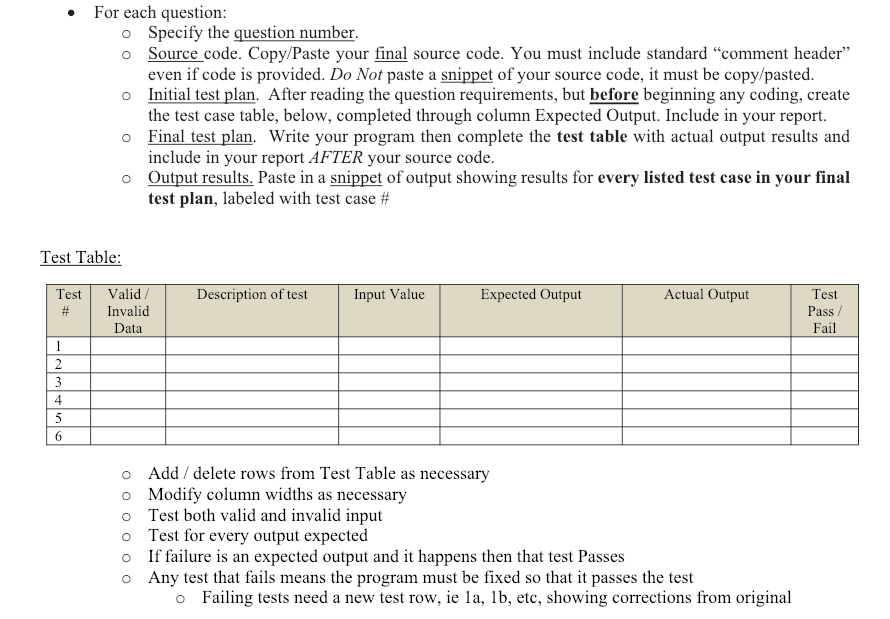
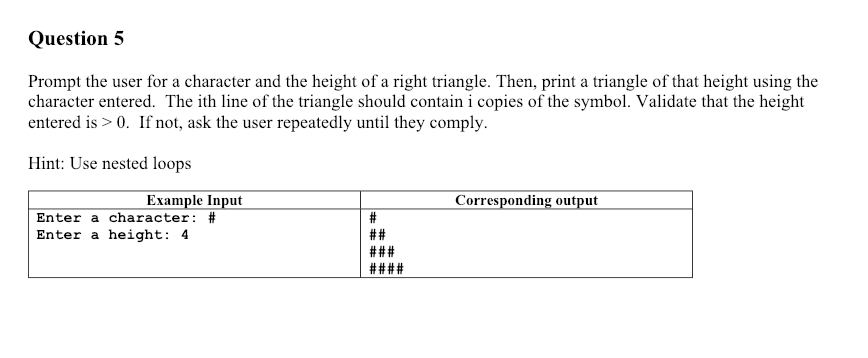
For each question: Specify the question number even if code is provided. Do Not paste a snippet of your source code, it must be copy/pasted the test case table, below, completed through column Expected Output. Include in your report. o o Source code. Copy/Paste your final source code. You must include standard "comment header" o Initial test plan. After reading the question requirements, but before beginning any coding, create o Final test plan. Write your program then complete the test table with actual output results and include in your report AFTER your source code Output results. Paste in a snippet of output showing results for every listed test case in your final test plan, labeled with test case # o Test Table: Test Pass Fail Test Valid/ Description of test Input Value Expected Output Actual Output Invalid Data 4 o o o o o o Add / delete rows from Test Table as necessary Modify column widths as necessary Test both valid and invalid input Test for every output expected If failure is an expected output and it happens then that test Passes Any test that fails means the program must be fixed so that it passes the test o Failing tests need a new test row, ie la, lb, etc, showing corrections from original Question 5 Prompt the user for a character and the height of a right triangle. Then, print a triangle of that height using the character entered. The ith line of the triangle should contain i copies of the symbol. Validate that the height entered is > 0. If not, ask the user repeatedly until they comply Hint: Use nested loops Example Input Corresponding output Enter a character: Enter a height: 4
Step by Step Solution
There are 3 Steps involved in it

Get step-by-step solutions from verified subject matter experts
 Study Help