







Question: Collapse Exercises Exercise 7: Test Scores Create a program in Python that will ask the user for 2 test scores. The program will then determine
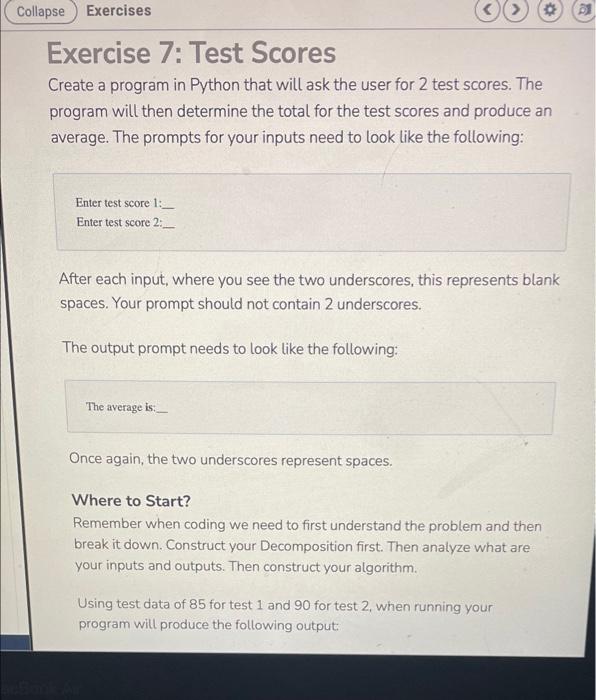
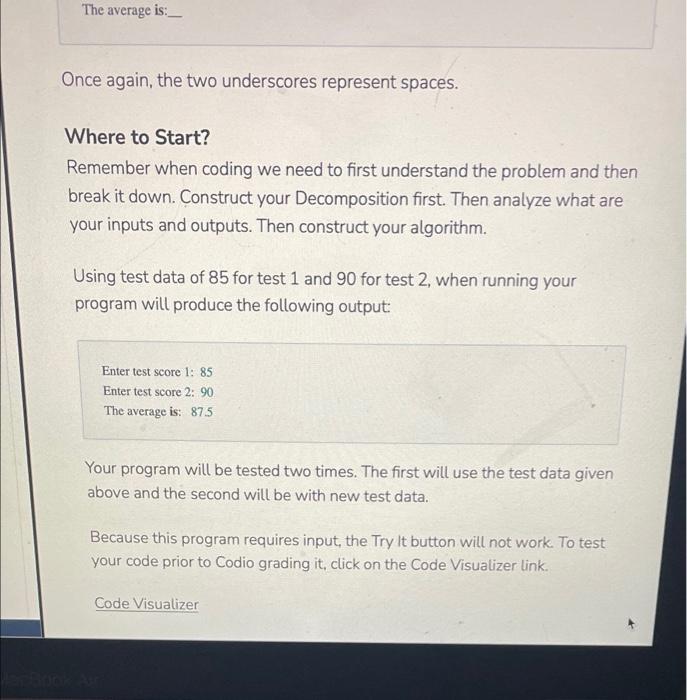
Collapse Exercises Exercise 7: Test Scores Create a program in Python that will ask the user for 2 test scores. The program will then determine the total for the test scores and produce an average. The prompts for your inputs need to look like the following: Enter test score 1: Enter test score 2. After each input, where you see the two underscores, this represents blank spaces. Your prompt should not contain 2 underscores. The output prompt needs to look like the following: The average is: Once again, the two underscores represent spaces. Where to Start? Remember when coding we need to first understand the problem and then break it down. Construct your Decomposition first. Then analyze what are your inputs and outputs. Then construct your algorithm. Using test data of 85 for test 1 and 90 for test 2 when running your program will produce the following output: The average is: _ Once again, the two underscores represent spaces. Where to Start? Remember when coding we need to first understand the problem and then break it down. Construct your Decomposition first. Then analyze what are your inputs and outputs. Then construct your algorithm. Using test data of 85 for test 1 and 90 for test 2, when running your program will produce the following output: Enter test score 1: 85 Enter test score 2: 90 The average is: 875 Your program will be tested two times. The first will use the test data given above and the second will be with new test data. Because this program requires input, the Try it button will not work. To test your code prior to Codio grading it, click on the Code Visualizer link. Code Visualizer
Step by Step Solution
There are 3 Steps involved in it

Get step-by-step solutions from verified subject matter experts
 Study Help