







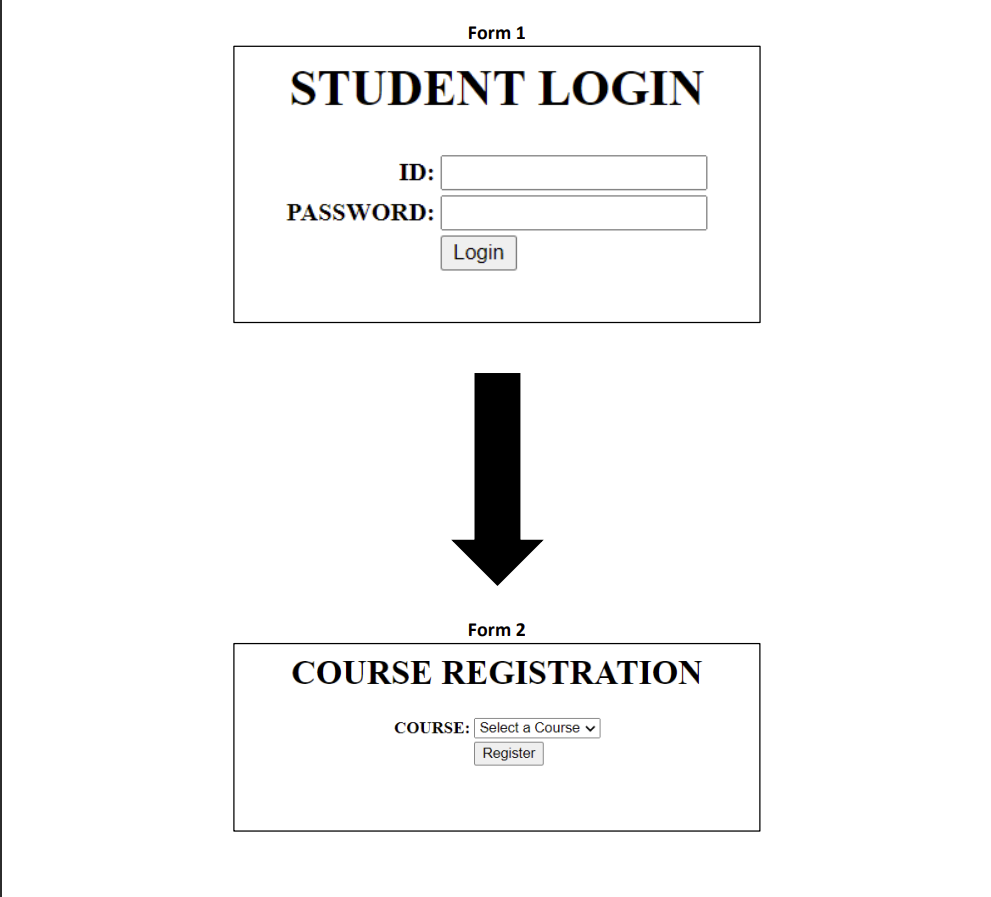
Question: Comment: Please use HTML,php, phpmyadmin on browser to carry out this activity. Please explain the code as well.Much apperciated Form 1 STUDENT LOGIN ID: PASSWORD:
Comment: Please use HTML,php, phpmyadmin on browser to carry out this activity. Please explain the code as well.Much apperciated
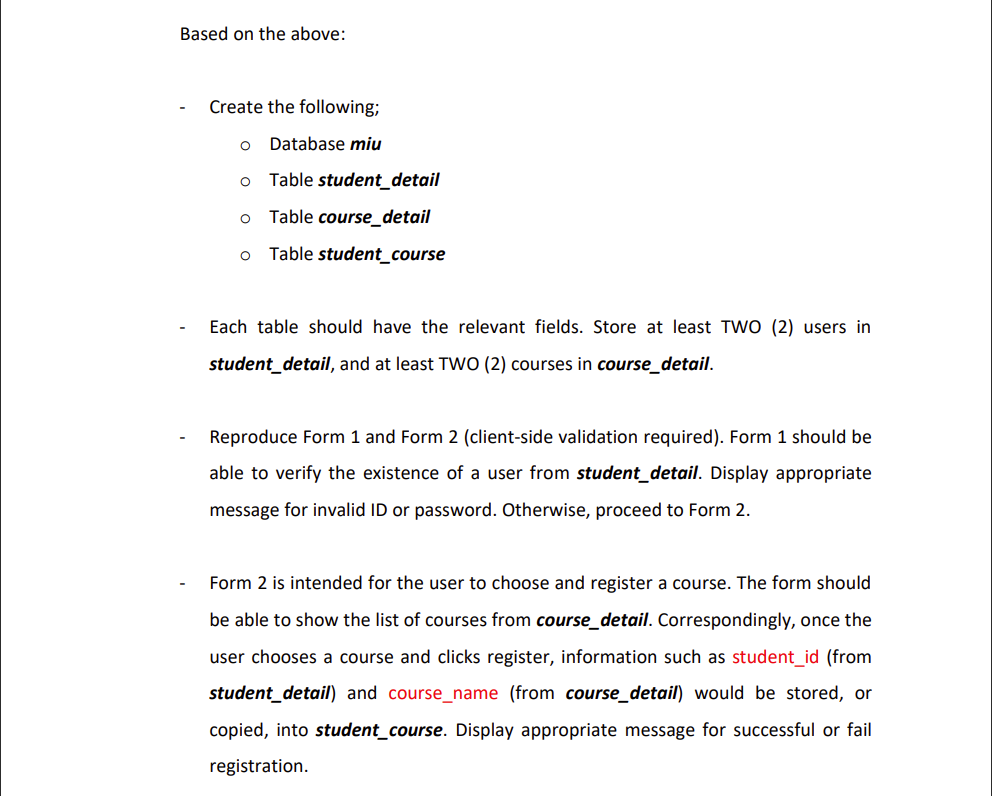
Form 1 STUDENT LOGIN ID: PASSWORD: Login Form 2 COURSE REGISTRATION COURSE: Select a Course v Based on the above: - Create the following; Database miu Table student_detail Table course_detail Table student_course - Each table should have the relevant fields. Store at least TWO (2) users in student_detail, and at least TWO (2) courses in course_detail. - Reproduce Form 1 and Form 2 (client-side validation required). Form 1 should be able to verify the existence of a user from student_detail. Display appropriate message for invalid ID or password. Otherwise, proceed to Form 2. - Form 2 is intended for the user to choose and register a course. The form should be able to show the list of courses from course_detail. Correspondingly, once the user chooses a course and clicks register, information such as student_id (from student_detail) and course_name (from course_detail) would be stored, or copied, into student_course. Display appropriate message for successful or fail registration
Step by Step Solution
There are 3 Steps involved in it

Get step-by-step solutions from verified subject matter experts
 Study Help