







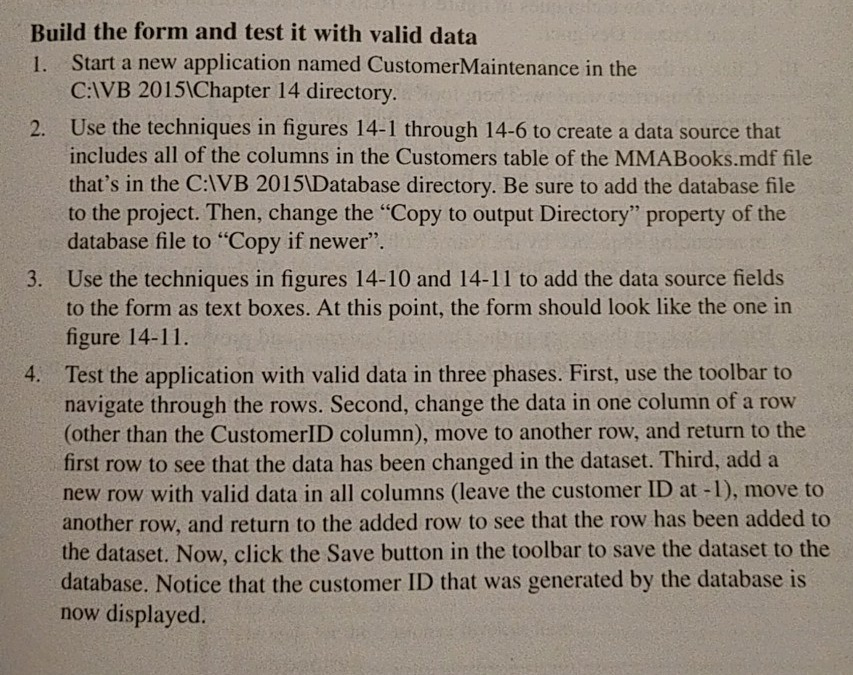
Question: Complete Exercise 14-2 page 487 numbers 1 4. Please provide your code for the program. Please create screenshots of all your steps (major steps) and
Complete Exercise 14-2 page 487 numbers 1 4.
Please provide your code for the program.
Please create screenshots of all your steps (major steps) and proof of numbers 1 4.
Coding Language: Visual Basic
IDE: Visual Studio 2015
(Please just make an mdf file named the "MMABooks.mdf" as a placeholder).
Referenced Figures:
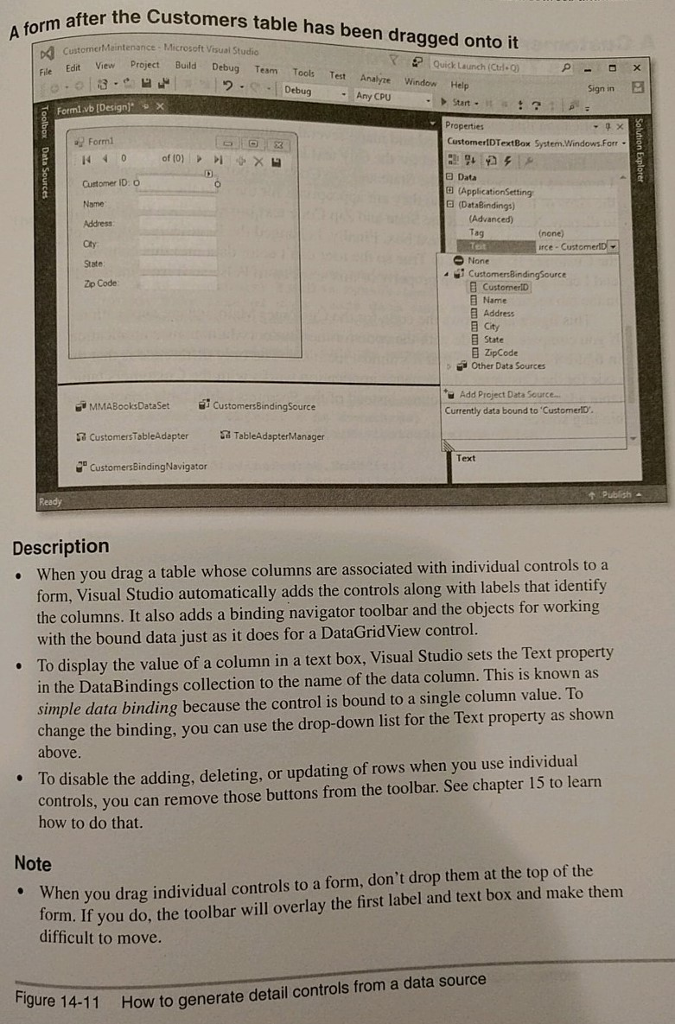
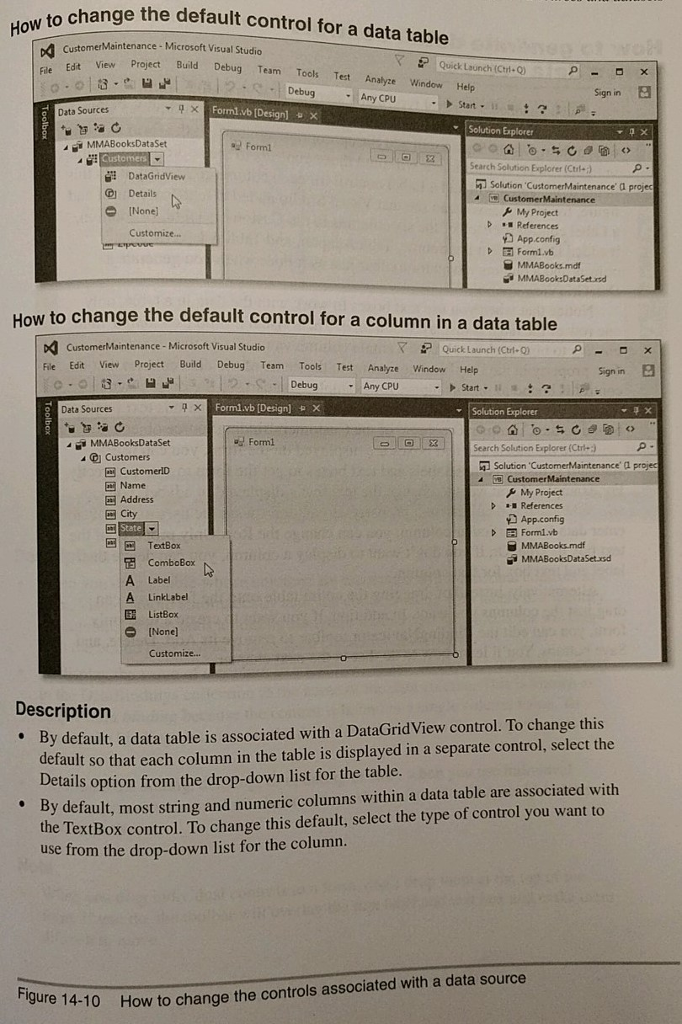
Build the form and test it with valid data 1. Start a new application named CustomerMaintenance in the C:IVB 2015 Chapter 14 directory Use the techniques in figures 14-1 through 14-6 to create a data source that includes all of the columns in the Customers table of the MMABooks.mdf file that's in the C:IVB 2015Database directory. Be sure to add the database file to the project. Then, change the "Copy to output Directory" property of the database file to "Copy if newer". Use the techniques in figures 14-10 and 14-11 to add the data source fields to the form as text boxes. At this point, the form should look like the one in figure 14-11 Test the application with valid data in three phases. First, use the toolbar to navigate through the rows. Second, change the data in one column of a row other than the CustomerID column), move to another row, and return to the first row to see that the data has been changed in the dataset. Third, add a new row with valid data in all columns (leave the customer ID at -1), move to another row, and return to the added row to see that the row has been added to the dataset. Now, click the Save button in the toolbar to save the dataset to the database. Notice that the customer ID that was generated by the database is now displayed. 2. 3. 4
Step by Step Solution
There are 3 Steps involved in it

Get step-by-step solutions from verified subject matter experts
 Study Help