







Question: Complete the following case programming assignment. To upload and submit the program and materials you created, click the Choose File button to find and select
Complete the following case programming assignment. To upload and submit the program and materials you created, click the Choose File button to find and select your saved documents. Make sure that the files are saved with your last name in the file name (Example: ch4_case1_Jones.doc). FACTORIAL CALCULATOR Create a requirements document and a Use Case Definition document and design a Windows application based on the case project shown in Figure 6-123:
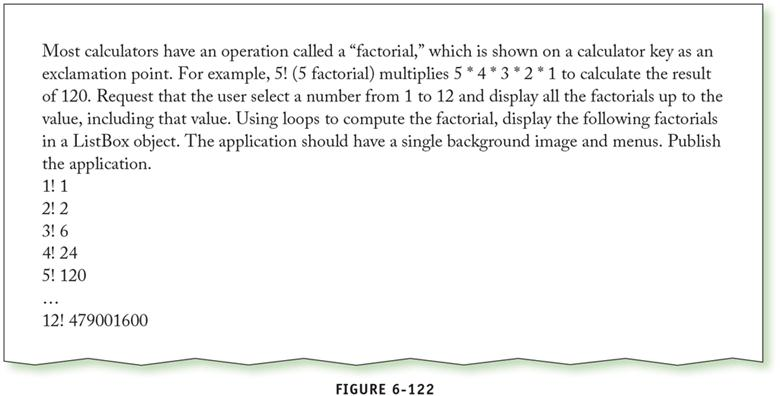
ration called a "factorial," which is shown on a calcul Most calculators have an operation called a "factorial," which is shown on a calculator key as an exclamation point. For example, 5! (5 factorial) multiplies 5 *4 3 2 1 to calculate the result of 120. Request that the user select a number from 1 to 12 and display all the factorials up to the value, including that value. Using loops to compute the factorial, display the following factorials in a ListBox object. The application should have a single background image and menus. Publish the application. 2! 2 3! 6 4! 24 5! 120 12! 479001600 FIGURE 6-122 ration called a "factorial," which is shown on a calcul Most calculators have an operation called a "factorial," which is shown on a calculator key as an exclamation point. For example, 5! (5 factorial) multiplies 5 *4 3 2 1 to calculate the result of 120. Request that the user select a number from 1 to 12 and display all the factorials up to the value, including that value. Using loops to compute the factorial, display the following factorials in a ListBox object. The application should have a single background image and menus. Publish the application. 2! 2 3! 6 4! 24 5! 120 12! 479001600 FIGURE 6-122
Step by Step Solution
There are 3 Steps involved in it

Get step-by-step solutions from verified subject matter experts
 Study Help