







Question: Complete the following exercises using the Eclipse IDE to produce working Java code. Coding Standards: When writing code in this unit you are required
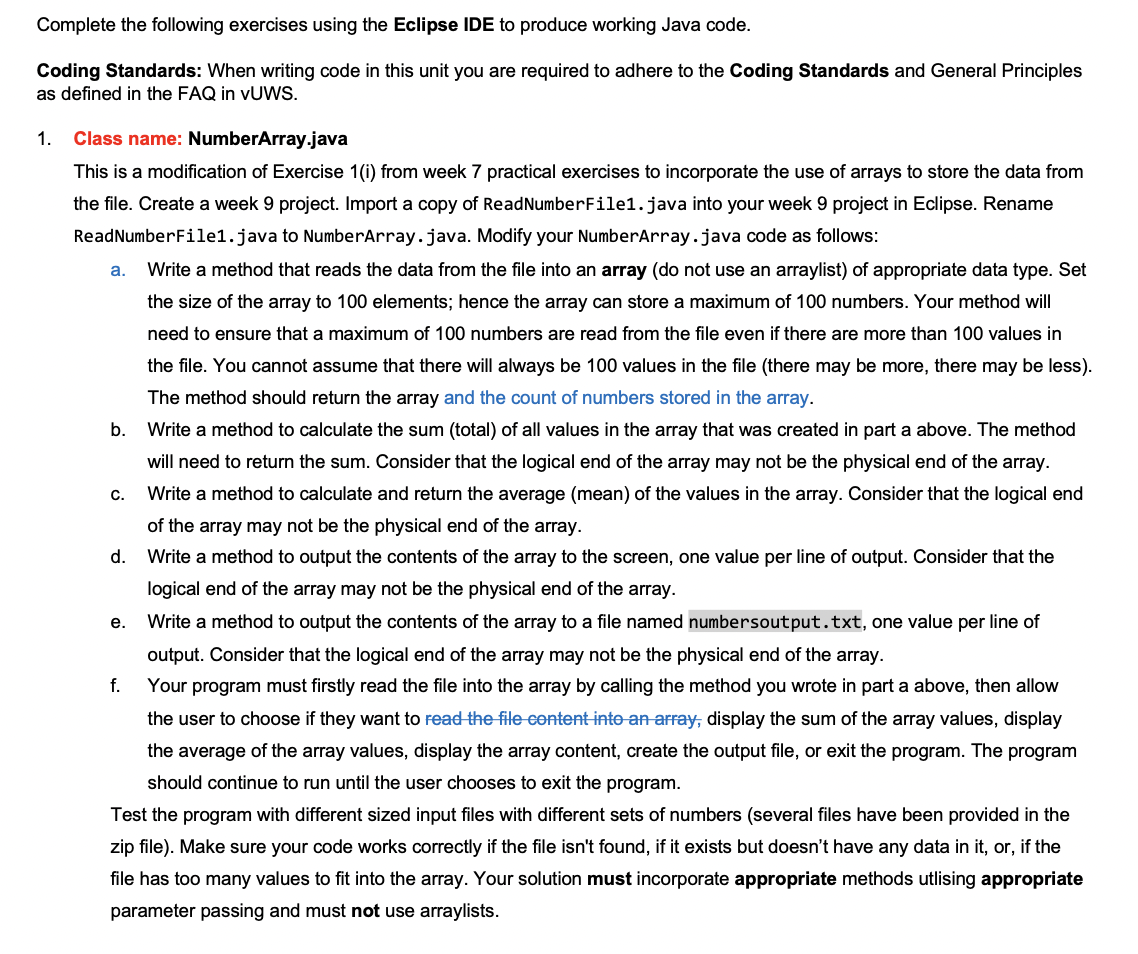
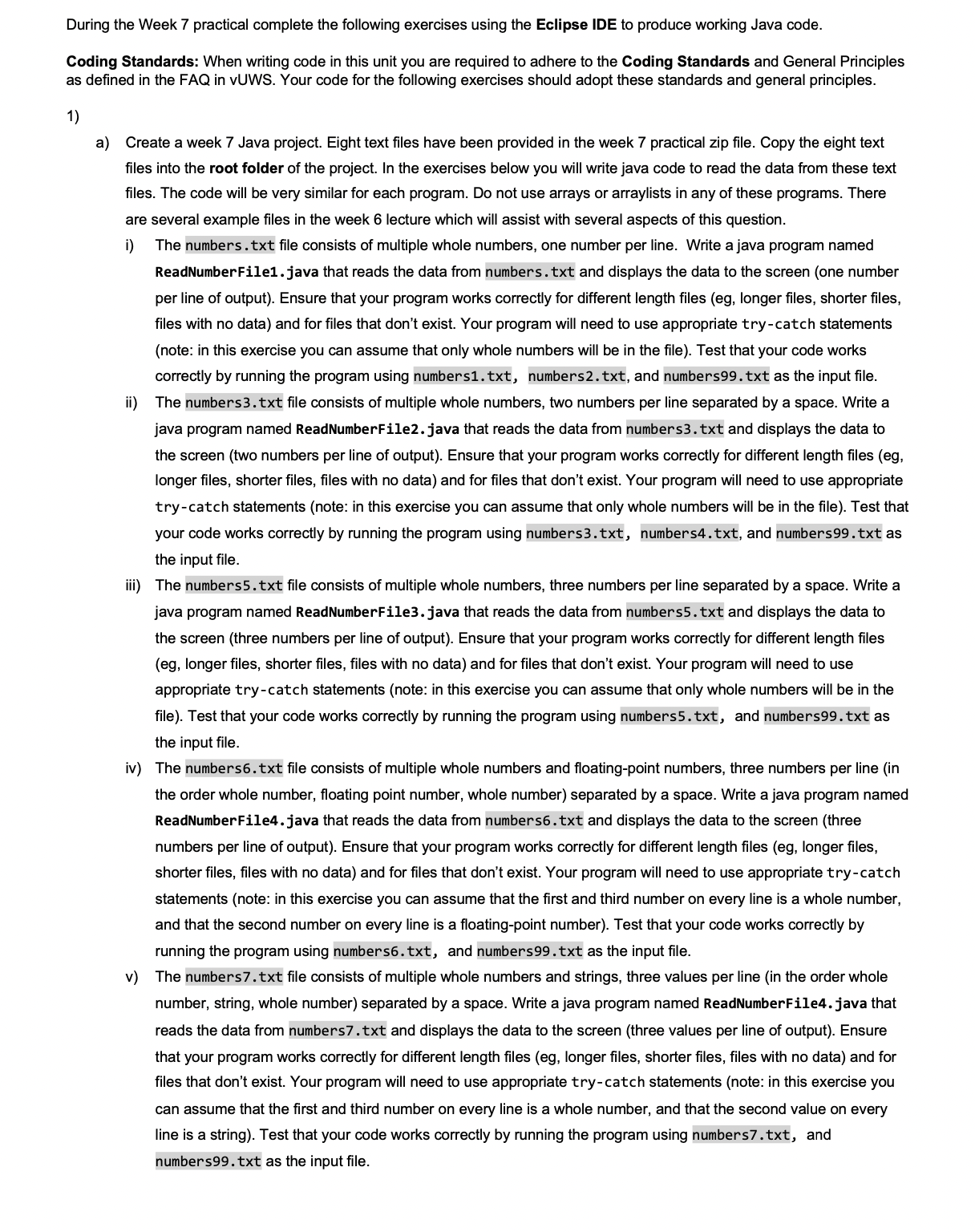
Complete the following exercises using the Eclipse IDE to produce working Java code. Coding Standards: When writing code in this unit you are required to adhere to the Coding Standards and General Principles as defined in the FAQ in VUWS. 1. Class name: NumberArray.java This is a modification of Exercise 1(i) from week 7 practical exercises to incorporate the use of arrays to store the data from the file. Create a week 9 project. Import a copy of ReadNumberFile1.java into your week 9 project in Eclipse. Rename ReadNumberFile1.java to NumberArray.java. Modify your NumberArray.java code as follows: Write a method that reads the data from the file into an array (do not use an arraylist) of appropriate data type. Set the size of the array to 100 elements; hence the array can store a maximum of 100 numbers. Your method will need to ensure that a maximum of 100 numbers are read from the file even if there are more than 100 values in a. b. C. d. e. f. the file. You cannot assume that there will always be 100 values in the file (there may be more, there may be less). The method should return the array and the count of numbers stored in the array. Write a method to calculate the sum (total) of all values in the array that was created in part a above. The method will need to return the sum. Consider that the logical end of the array may not be the physic end of the array. Write a method to calculate and return the average (mean) of the values in the array. Consider that the logical end of the array may not be the physical end of the array. Write a method to output the contents of the array to the screen, one value per line of output. Consider that the logical end of the array may not be the physical end of the array. Write a method to output the contents of the array to a file named numbersoutput.txt, one value per line of output. Consider that the logical end of the array may not be the physical end of the array. Your program must firstly read the file into the array by calling the method you wrote in part a above, then allow the user to choose if they want to read the file content into an array, display the sum of the array values, display the average of the array values, display the array content, create the output file, or exit the program. The program should continue to run until the user chooses to exit the program. Test the program with different sized input files with different sets of numbers (several files have been provided in the zip file). Make sure your code works correctly if the file isn't found, if it exists but doesn't have any data in it, or, if the file has too many values to fit into the array. Your solution must incorporate appropriate methods utlising appropriate parameter passing and must not use arraylists. During the Week 7 practical complete the following exercises using the Eclipse IDE to produce working Java code. Coding Standards: When writing code in this unit you are required to adhere to the Coding Standards and General Principles as defined in the FAQ in vUWS. Your code for the following exercises should adopt these standards and general principles. 1) a) Create a week 7 Java project. Eight text files have been provided in the week 7 practical zip file. Copy the eight text files into the root folder of the project. In the exercises below you will write java code to read the data from these text files. The code will be very similar for each program. Do not use arrays or arraylists in any of these programs. There are several example files in the week 6 lecture which will assist with several aspects of this question. i) ii) The numbers.txt file consists of multiple whole numbers, one number per line. Write a java program named ReadNumberFile1.java that reads the data from numbers.txt and displays the data to the screen (one number per line of output). Ensure that your program works correctly for different length files (eg, longer files, shorter files, files with no data) and for files that don't exist. Your program will need to use appropriate try-catch statements (note: in this exercise you can assume that only whole numbers will be in the file). Test that your code works correctly by running the program using numbers1.txt, numbers2.txt, and numbers99.txt as the input file. The numbers3.txt file consists of multiple whole numbers, two numbers per line separated by a space. Write a java program named ReadNumberFile2.java that reads the data from numbers3.txt and displays the data to the screen (two numbers per line of output). Ensure that your program works correctly for different length files (eg, longer files, shorter files, files with no data) and for files that don't exist. Your program will need to use appropriate try-catch statements (note: in this exercise you can assume that only whole numbers will be in the file). Test that your code works correctly by running the program using numbers3.txt, numbers4.txt, and numbers99.txt as the input file. iii) The numbers5.txt file consists of multiple whole numbers, three numbers per line separated by a space. Write a java program named ReadNumberFile3.java that reads the data from numbers5.txt and displays the data to the screen (three numbers per line of output). Ensure that your program works correctly for different length files (eg, longer files, shorter files, files with no data) and for files that don't exist. Your program will need to use appropriate try-catch statements (note: in this exercise you can assume that only whole numbers will be in the file). Test that your code works correctly by running the program using numbers5.txt, and numbers99.txt as the input file. iv) The numbers6.txt file consists of multiple whole numbers and floating-point numbers, three numbers per line (in the order whole number, floating point number, whole number) separated by a space. Write a java program named ReadNumberFile4.java that reads the data from numbers6.txt and displays the data to the screen (three numbers per line of output). Ensure that your program works correctly for different length files (eg, longer files, shorter files, files with no data) and for files that don't exist. Your program will need to use appropriate try-catch statements (note: in this exercise you can assume that the first and third number on every line is a whole number, and that the second number on every line is a floating-point number). Test that your code works correctly by running the program using numbers6.txt, and numbers99.txt as the input file. v) The numbers7.txt file consists of multiple whole numbers and strings, three values per line (in the order whole number, string, whole number) separated by a space. Write a java program named ReadNumberFile4.java that reads the data from numbers7.txt and displays the data to the screen (three values per line of output). Ensure that your program works correctly for different length files (eg, longer files, shorter files, files with no data) and for files that don't exist. Your program will need to use appropriate try-catch statements (note: in this exercise you can assume that the first and third number on every line is a whole number, and that the second value on every line is a string). Test that your code works correctly by running the program using numbers7.txt, and numbers99.txt as the input file.
Step by Step Solution
There are 3 Steps involved in it
java import javaioFile import javaioFileNotFoundException import javaioFileWriter import javaioIOException import javautilScanner public class NumberArray private static final int ARRAYSIZE 100 privat... View full answer

Get step-by-step solutions from verified subject matter experts
 Study Help