







Question: Complete the following Menu Windows Form program. Write the code for the Calculate menu according to the following instructions. The user should enter the marks
Complete the following Menu Windows Form program. Write the code for the Calculate menu according to the following instructions.
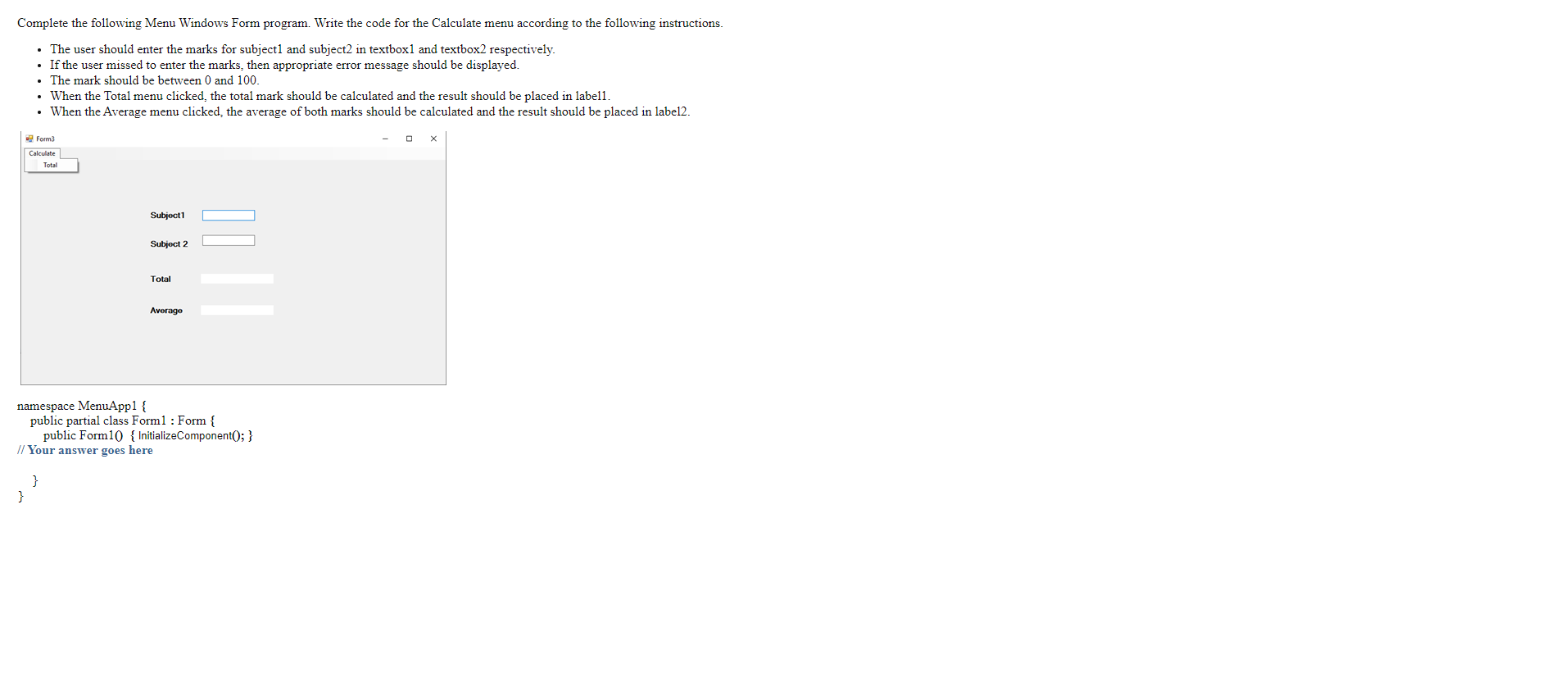
- The user should enter the marks for subject1 and subject2 in textbox1 and textbox2 respectively.
- If the user missed to enter the marks, then appropriate error message should be displayed.
- The mark should be between 0 and 100.
- When the Total menu clicked, the total mark should be calculated and the result should be placed in label1.
- When the Average menu clicked, the average of both marks should be calculated and the result should be placed in label2.
Complete the following Menu Windows Form program. Write the code for the Calculate menu according to the following instructions. The user should enter the marks for subject and subject2 in textboxl and textbox2 respectively. If the user missed to enter the marks, then appropriate error message should be displayed. The mark should be between 0 and 100. . When the Total menu clicked, the total mark should be calculated and the result should be placed in labell. When the Average menu clicked, the average of both marks should be calculated and the result should be placed in label2. Form3 Calculate Total Subject 1 Subjoct 2 Total Averago namespace MenuApp1 { public partial class Form1 : Form { public Form1() { InitializeComponent(); } // Your answer goes here }
Step by Step Solution
There are 3 Steps involved in it

Get step-by-step solutions from verified subject matter experts
 Study Help