







Question: Complete the following program requirements: - Create Alias tag names using the Local I/O tag that is outlined in the brackets 0 1. If the
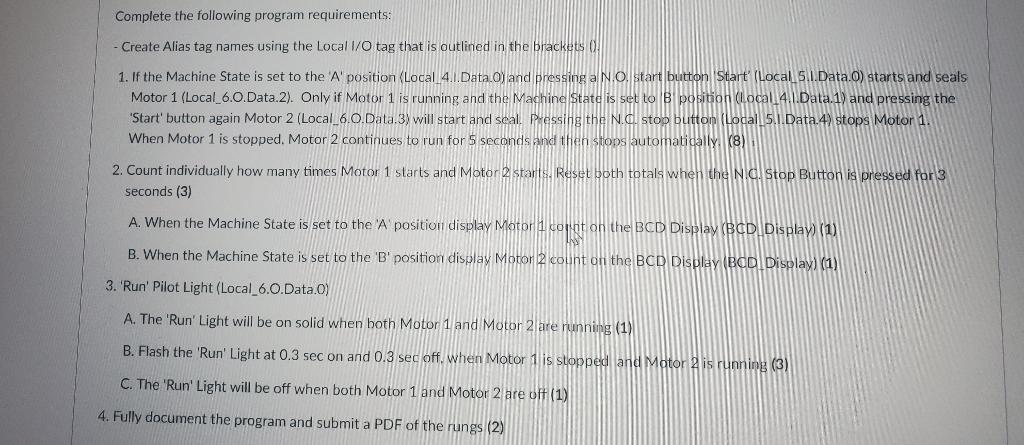
Complete the following program requirements: - Create Alias tag names using the Local I/O tag that is outlined in the brackets 0 1. If the Machine State is set to the 'A' position (Local 4. 1.Data.0) and pressing a N.O, start button Start' (Local 5.1.Data.o) starts and seals Motor 1 (Local_6.0.Data.2). Only if Motor 1 is running and the Machine State is set to B position (Local 4.1.Data.1) and pressing the 'Start' button again Motor 2 (Local_6.0.Data.3) will start and seal. Pressing the N. d. stop button (Local 5.1 Data 4) stops Motor 1. When Motor 1 is stopped. Motor 2 continues to run for 5 seconds and then stops automatically (8) 2. Count individually how many times Motor 1 starts and Motor 2 starts. Reset both totals when the Nid. Stop Button is pressed for 3 seconds (3) A. When the Machine State is set to the 'A position display Motor i corint on the BCD Display (BCD Display (1) B. When the Machine State is set to the 'B' position display Motor 2 count on the BCD Display (BCD Display) (1) 3. 'Run' Pilot Light (Local_6.0.Data.) A. The 'Run' Light will be on solid when both Motor 1 and Motor 2 are running (1) B. Flash the 'Run' Light at 0.3 sec on and 0.3 sec off. when Motor 1 is stopped and Motor 2 is running (3) C. The 'Run' Light will be off when both Motor 1 and Motor 2 are oft (1) 4. Fully document the program and submit a PDF of the rungs (2) Complete the following program requirements: - Create Alias tag names using the Local I/O tag that is outlined in the brackets 0 1. If the Machine State is set to the 'A' position (Local 4. 1.Data.0) and pressing a N.O, start button Start' (Local 5.1.Data.o) starts and seals Motor 1 (Local_6.0.Data.2). Only if Motor 1 is running and the Machine State is set to B position (Local 4.1.Data.1) and pressing the 'Start' button again Motor 2 (Local_6.0.Data.3) will start and seal. Pressing the N. d. stop button (Local 5.1 Data 4) stops Motor 1. When Motor 1 is stopped. Motor 2 continues to run for 5 seconds and then stops automatically (8) 2. Count individually how many times Motor 1 starts and Motor 2 starts. Reset both totals when the Nid. Stop Button is pressed for 3 seconds (3) A. When the Machine State is set to the 'A position display Motor i corint on the BCD Display (BCD Display (1) B. When the Machine State is set to the 'B' position display Motor 2 count on the BCD Display (BCD Display) (1) 3. 'Run' Pilot Light (Local_6.0.Data.) A. The 'Run' Light will be on solid when both Motor 1 and Motor 2 are running (1) B. Flash the 'Run' Light at 0.3 sec on and 0.3 sec off. when Motor 1 is stopped and Motor 2 is running (3) C. The 'Run' Light will be off when both Motor 1 and Motor 2 are oft (1) 4. Fully document the program and submit a PDF of the rungs (2)
Step by Step Solution
There are 3 Steps involved in it

Get step-by-step solutions from verified subject matter experts
 Study Help