







Question: Complete the implementation of the setup and process functions. Download and use this SDK which contains functions that will be used throughout this exercise: https://www.dropbox.com/s/5dgvvu4siezucx9/sdk.zip?dl=0
Complete the implementation of the setup and process functions.
Download and use this SDK which contains functions that will be used throughout this exercise:https://www.dropbox.com/s/5dgvvu4siezucx9/sdk.zip?dl=0
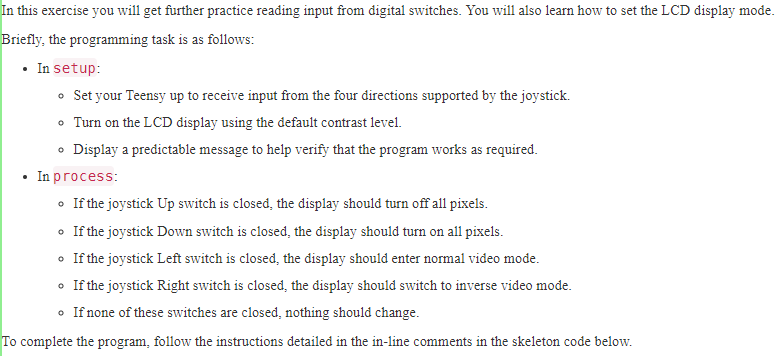
It is OK to assume that the LCD has been restored to the basic instruction set before your process function is called. This is the normal behaviour of lcd_init.
Complete using the following code:
#include
#include
#include
#include
#include
#include
#include "lcd_model.h"
void setup( void ) {
set_clock_speed(CPU_8MHz);
// (a) Enable input from the Left, Right, Up, and Down switches
// of the joystick.
// (b) Initialise the LCD display using the default contrast setting.
// (c) Use one of the functions declared in "graphics.h" to display
// your student number, "j482619374", using the background colour,
// positioning the left edge of the text at 10 and the nominal top
// of the text at 15.
// (d) Use one of the functions declared in "graphics.h" to copy
// the contents of the screen buffer to the LCD.
}
void process( void ) {
// (e) Determine if the Up joystick switch is closed.
// If it is, set the LCD display to turn off all pixels.
// (f) OTHERWISE, determine if the Down joystick switch
// is closed. If it is, set the LCD display to turn on all pixels.
// (g) OTHERWISE, determine if the Left joystick switch
// is closed. If it is, set the LCD display to enter normal video mode.
// (h) OTHERWISE, determine if the Right joystick switch
// is closed. If it is, set the LCD display to switch to inverse video mode.
// If none of the joystick switches are closed, do nothing.
// (Hint: do not insert any more instructions.)
}
int main(void) {
setup();
for ( ;; ) {
process();
_delay_ms(100);
}
return 0;
}
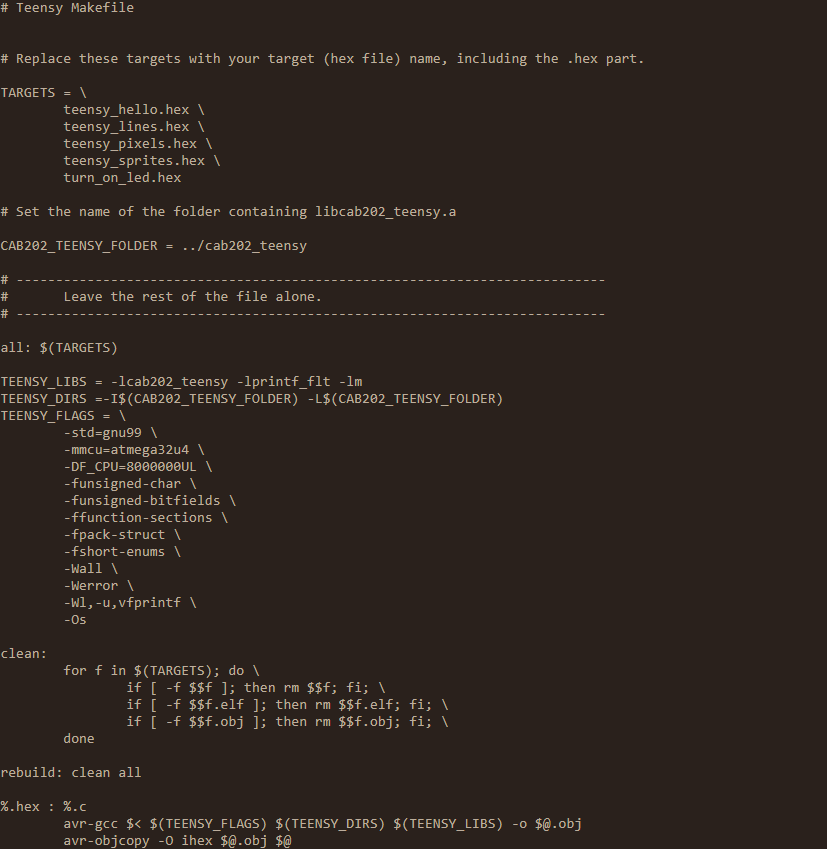
You may want to add a target to the Makefile provided below to make it easy to build your program.
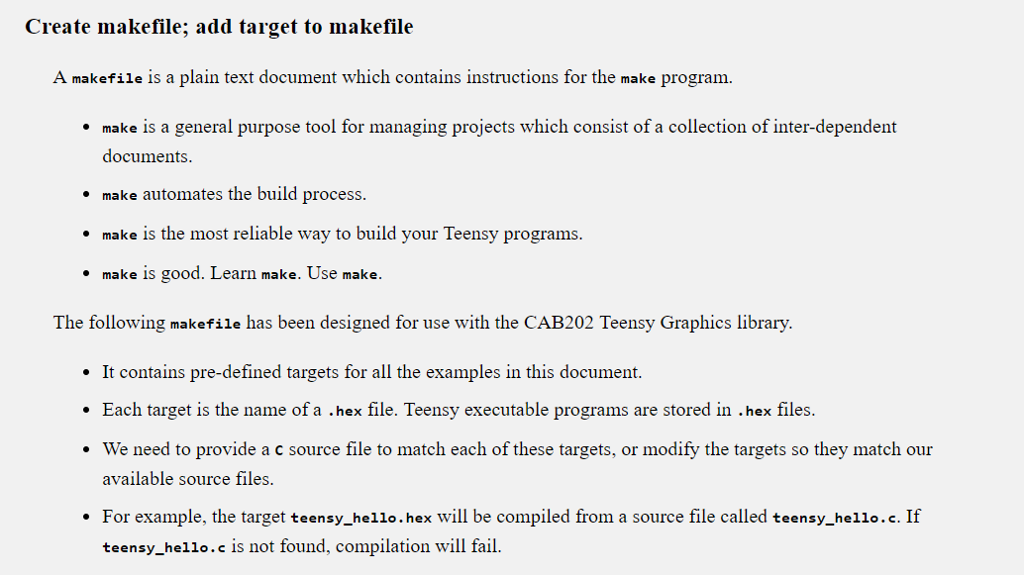
In this exercise you will get further practice reading input from digital switches. You will also learn how to set the LCD display mode Briefly, the programming task is as follows: In setup: o Set your Teensy up to receive input from the four directions supported by the joystick. o Turn on the LCD display using the default contrast level. o Display a predictable message to help verify that the program works as required In process o If the joystick Up switch is closed, the display should turn off all pixels. o If the joystick Down switch is closed, the display should turn on all pixels. If the joystick Left switch is closed, the display should enter normal video mode. o If the joystick Right switch is closed, the display should switch to inverse video mode. o If none of these switches are closed, nothing should change. To complete the program, follow the instructions detailed in the in-line comments in the skeleton code below. In this exercise you will get further practice reading input from digital switches. You will also learn how to set the LCD display mode Briefly, the programming task is as follows: In setup: o Set your Teensy up to receive input from the four directions supported by the joystick. o Turn on the LCD display using the default contrast level. o Display a predictable message to help verify that the program works as required In process o If the joystick Up switch is closed, the display should turn off all pixels. o If the joystick Down switch is closed, the display should turn on all pixels. If the joystick Left switch is closed, the display should enter normal video mode. o If the joystick Right switch is closed, the display should switch to inverse video mode. o If none of these switches are closed, nothing should change. To complete the program, follow the instructions detailed in the in-line comments in the skeleton code below
Step by Step Solution
There are 3 Steps involved in it

Get step-by-step solutions from verified subject matter experts
 Study Help