







Question: Complete the implementation of the tennis_dialog function. This function implements a recommender system which helps the user decide if they should play tennis this weekend.
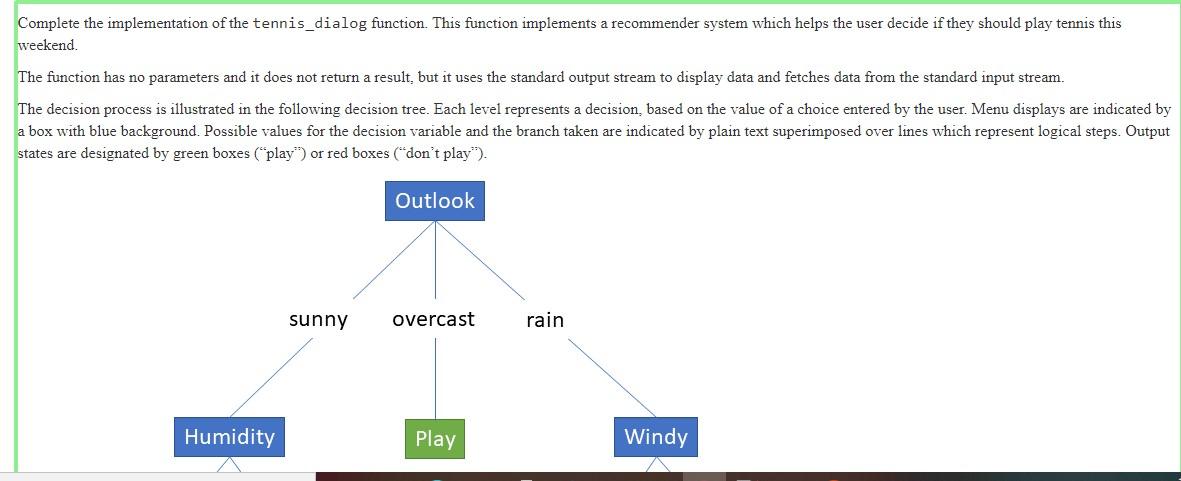
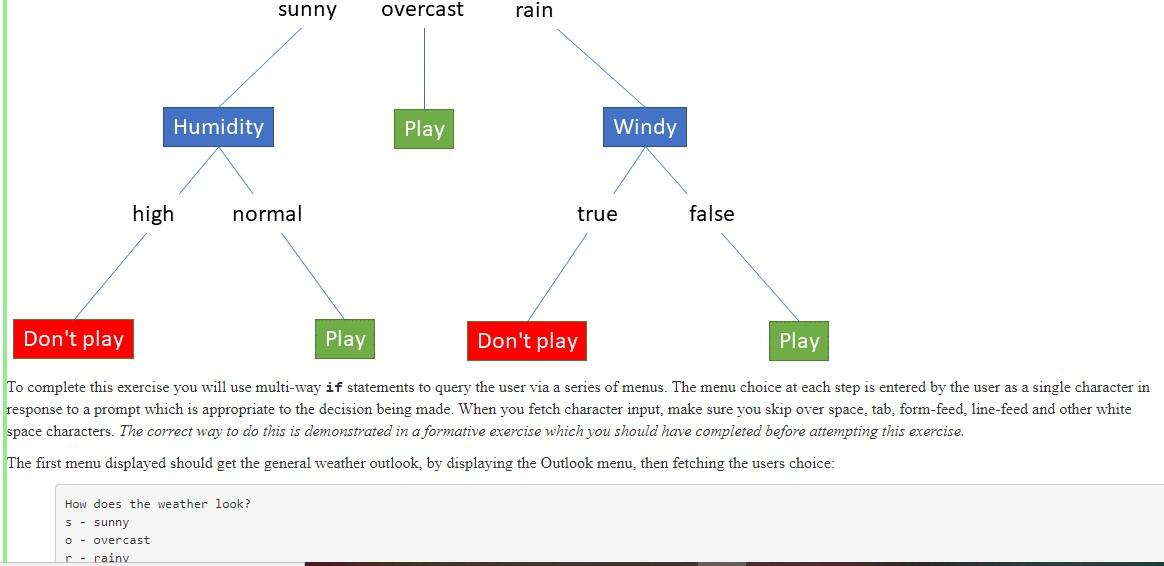
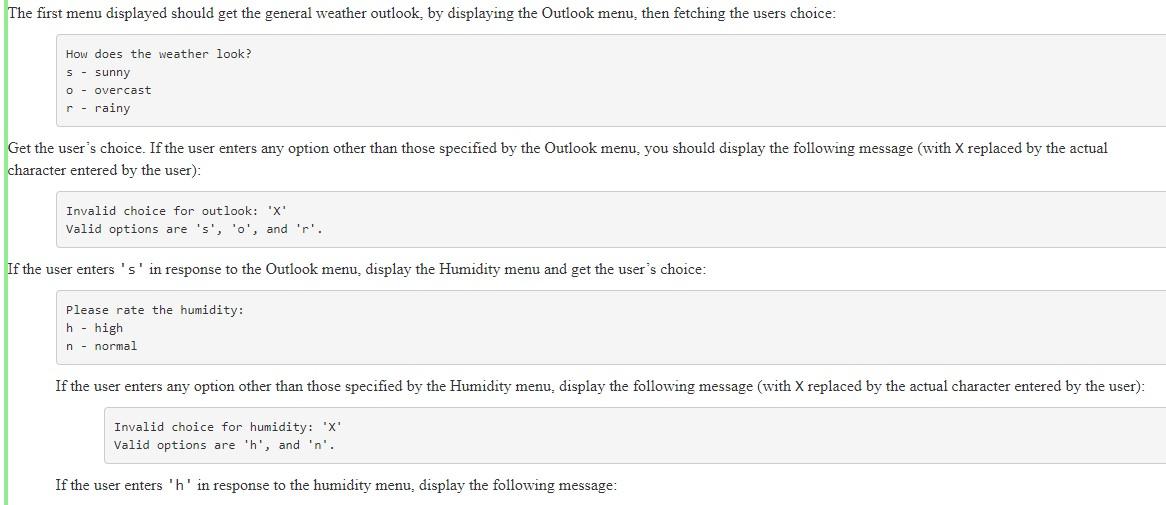
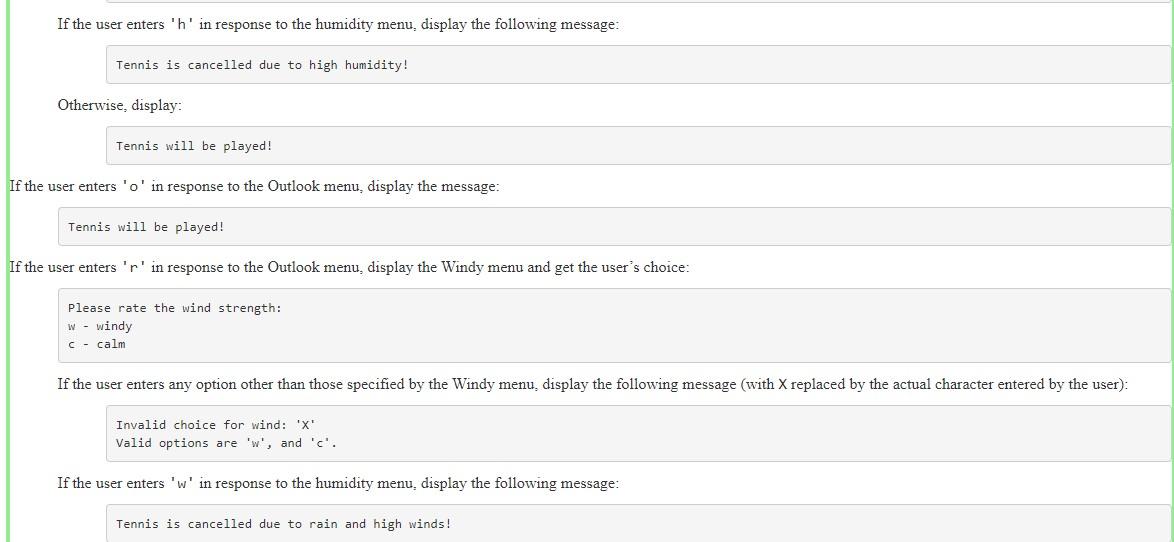
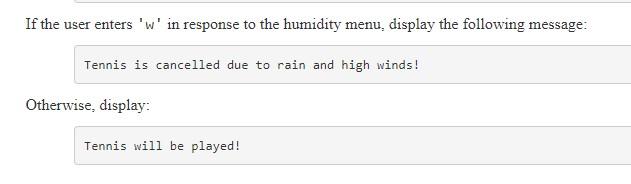
Complete the implementation of the tennis_dialog function. This function implements a recommender system which helps the user decide if they should play tennis this weekend. The function has no parameters and it does not return a result, but it uses the standard output stream to display data and fetches data from the standard input stream. The decision process is illustrated in the following decision tree. Each level represents a decision, based on the value of a choice entered by the user. Menu displays are indicated by a box with blue background. Possible values for the decision variable and the branch taken are indicated by plain text superimposed over lines which represent logical steps. Output states are designated by green boxes (play) or red boxes (don't play). Outlook sunny overcast rain Humidity Play Windy sunny overcast rain Humidity Play Windy high normal true false Don't play Play Don't play Play To complete this exercise you will use multi-way if statements to query the user via a series of menus. The menu choice at each step is entered by the user as a single character in response to a prompt which is appropriate to the decision being made. When you fetch character input, make sure you skip over space, tab, form-feed, line-feed and other white space characters. The correct way to do this is demonstrated in a formative exercise which you should have completed before attempting this exercise. The menu displayed should get the general weather outlook, by displaying the Outlook menu, then fetching the users choice: How does the weather look? 5 - sunny - Overcast - rainy The first menu displayed should get the general weather outlook, by displaying the Outlook menu then fetching the users choice: How does the weather look? S - sunny O - Overcast r- rainy Get the user's choice. If the user enters any option other than those specified by the Outlook menu, you should display the following message (with X replaced by the actual character entered by the user): Invalid choice for outlook: 'X' Valid options are 's', 'o', and 'r'. If the user enters 's' in response to the Outlook menu, display the Humidity menu and get the user's choice: Please rate the humidity: h - high n - normal If the user enters any option other than those specified by the Humidity menu, display the following message (with X replaced by the actual character entered by the user): Invalid choice for humidity: 'X Valid options are th', and 'n'. If the user enters 'h' in response to the humidity menu, display the following message: If the user enters 'h' in response to the humidity menu, display the following message: Tennis is cancelled due to high humidity! Otherwise, display: Tennis will be played! If the user enters 'o' in response to the Outlook menu, display the message: Tennis will be played! If the user enters 'r' in response to the Outlook menu, display the Windy menu and get the user's choice: Please rate the wind strength: w - windy C- calm If the user enters any option other than those specified by the Windy menu, display the following message (with X replaced by the actual character entered by the user): Invalid choice for wind: 'X' Valid options are 'w', and 'c'. If the user enters 'w' in response to the humidity menu, display the following message: Tennis is cancelled due to rain and high winds! If the user enters 'w' in response to the humidity menu, display the following message: Tennis is cancelled due to rain and high winds! Otherwise, display: Tennis will be played! Complete the implementation of the tennis_dialog function. This function implements a recommender system which helps the user decide if they should play tennis this weekend. The function has no parameters and it does not return a result, but it uses the standard output stream to display data and fetches data from the standard input stream. The decision process is illustrated in the following decision tree. Each level represents a decision, based on the value of a choice entered by the user. Menu displays are indicated by a box with blue background. Possible values for the decision variable and the branch taken are indicated by plain text superimposed over lines which represent logical steps. Output states are designated by green boxes (play) or red boxes (don't play). Outlook sunny overcast rain Humidity Play Windy sunny overcast rain Humidity Play Windy high normal true false Don't play Play Don't play Play To complete this exercise you will use multi-way if statements to query the user via a series of menus. The menu choice at each step is entered by the user as a single character in response to a prompt which is appropriate to the decision being made. When you fetch character input, make sure you skip over space, tab, form-feed, line-feed and other white space characters. The correct way to do this is demonstrated in a formative exercise which you should have completed before attempting this exercise. The menu displayed should get the general weather outlook, by displaying the Outlook menu, then fetching the users choice: How does the weather look? 5 - sunny - Overcast - rainy The first menu displayed should get the general weather outlook, by displaying the Outlook menu then fetching the users choice: How does the weather look? S - sunny O - Overcast r- rainy Get the user's choice. If the user enters any option other than those specified by the Outlook menu, you should display the following message (with X replaced by the actual character entered by the user): Invalid choice for outlook: 'X' Valid options are 's', 'o', and 'r'. If the user enters 's' in response to the Outlook menu, display the Humidity menu and get the user's choice: Please rate the humidity: h - high n - normal If the user enters any option other than those specified by the Humidity menu, display the following message (with X replaced by the actual character entered by the user): Invalid choice for humidity: 'X Valid options are th', and 'n'. If the user enters 'h' in response to the humidity menu, display the following message: If the user enters 'h' in response to the humidity menu, display the following message: Tennis is cancelled due to high humidity! Otherwise, display: Tennis will be played! If the user enters 'o' in response to the Outlook menu, display the message: Tennis will be played! If the user enters 'r' in response to the Outlook menu, display the Windy menu and get the user's choice: Please rate the wind strength: w - windy C- calm If the user enters any option other than those specified by the Windy menu, display the following message (with X replaced by the actual character entered by the user): Invalid choice for wind: 'X' Valid options are 'w', and 'c'. If the user enters 'w' in response to the humidity menu, display the following message: Tennis is cancelled due to rain and high winds! If the user enters 'w' in response to the humidity menu, display the following message: Tennis is cancelled due to rain and high winds! Otherwise, display: Tennis will be played
Step by Step Solution
There are 3 Steps involved in it

Get step-by-step solutions from verified subject matter experts
 Study Help