







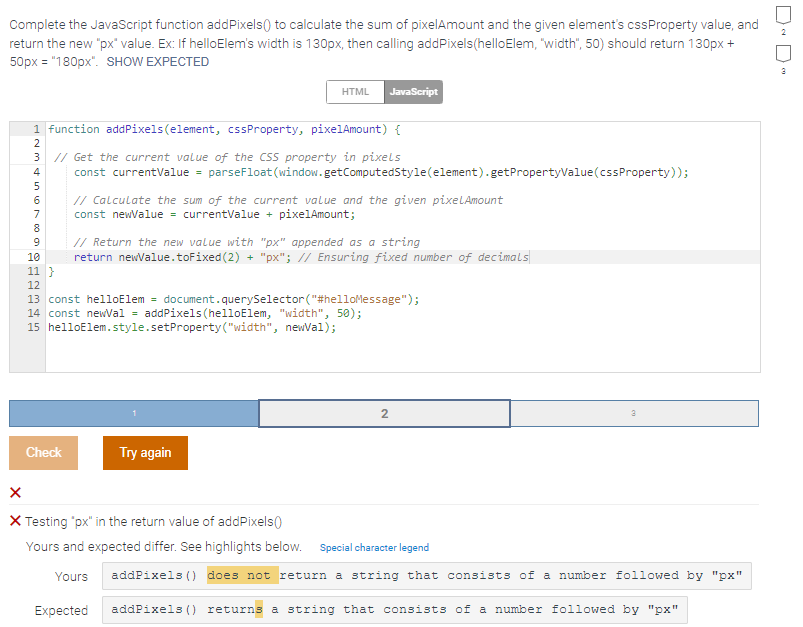
Question: Complete the JavaScript function addPixels ( ) to calculate the sum of pixelAmount and the given element's cssProperty value, and return the new px
Complete the JavaScript function addPixels to calculate the sum of pixelAmount and the given element's cssProperty value, and return the new px value. Ex: If helloElem's width is px then calling addPixelshelloElem "width", should return px px pxComplete the JavaScript function addPixels to calculate the sum of pixelAmount and the given element's cssProperty value, and
return the new px value. Ex: If helloElem's width is px then calling addPixelshelloElem "width", should return px
px SHOW EXPECTED
function addPixelselement cssProperty, pixelAmount
Get the current value of the CSS property in pixels
const currentValue parseFloatwindowgetComputedStyleelementgetPropertyValuecssProperty;
Calculate the sum of the current value and the given pixelAmount
const newalue currentValue pixelAmount;
Return the new value with px appended as a string
return newValue.tofixedpx; Ensuring fixed number of decimals
const helloElem document.querySelector#helloMessage";
const newVal addPixelshelloElem "width", ;
helloElem.style.setPropertywidth newal;
Testing px in the return value of addPixels
Yours and expected differ. See highlights below.
Special character legend
Yours addpixels does not return a string that consists of a number followed by px
Expected addPixels returns a string that consists of a number followed by px
Step by Step Solution
There are 3 Steps involved in it
1 Expert Approved Answer
Step: 1 Unlock

Question Has Been Solved by an Expert!
Get step-by-step solutions from verified subject matter experts
Step: 2 Unlock
Step: 3 Unlock
 Study Help