







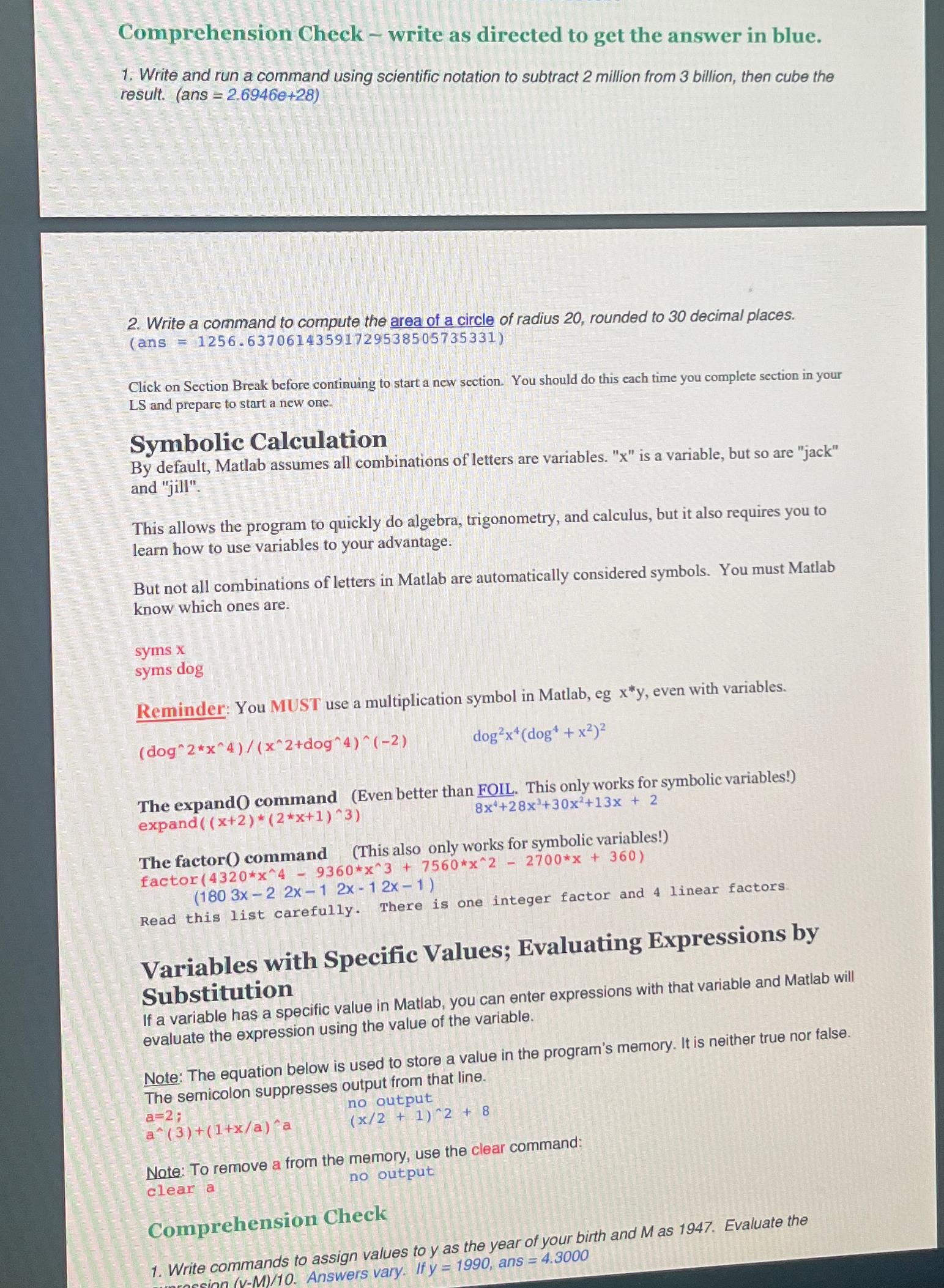
Question: Comprehension Check - write as directed to get the answer in blue. Write and run a command using scientific notation to subtract 2 million from
Comprehension Check write as directed to get the answer in blue.
Write and run a command using scientific notation to subtract million from billion, then cube the result. ans
Write a command to compute the area of a circle of radius rounded to decimal places. ans
Click on Section Break before continuing to start a new section. You should do this each time you complete section in your LS and prepare to start a new one.
Symbolic Calculation
By default, Matlab assumes all combinations of letters are variables. is a variable, but so are "jack" and "jill".
This allows the program to quickly do algebra, trigonometry, and calculus, but it also requires you to learn how to use variables to your advantage.
But not all combinations of letters in Matlab are automatically considered symbols. You must Matlab know which ones are.
syms
syms dog
Reminder: You MUST use a multiplication symbol in Matlab, eg even with variables.
The expandO command Even better than FOIL. This only works for symbolic variables! expand
This also only works for symbolic variables!
The factor command
factor
Read this list carefully. There is one integer factor and linear factors.
Variables with Specific Values; Evaluating Expressions by Substitution
If a variable has a specific value in Matlab, you can enter expressions with that variable and Matlab will evaluate the expression using the value of the variable.
Note: The equation below is used to store a value in the program's memory. It is neither true nor false.
The semicolon suppresses output from that line.
;
no output
;
Note: To remove a from the memory, use the clear command:
clear a no output
Comprehension Check
Write commands to assign values to as the year of your birth and as Evaluate the
Step by Step Solution
There are 3 Steps involved in it
1 Expert Approved Answer
Step: 1 Unlock

Question Has Been Solved by an Expert!
Get step-by-step solutions from verified subject matter experts
Step: 2 Unlock
Step: 3 Unlock
 Study Help