







Question: Computer Network Java Client import java.io.IOException ; import java.net.DatagramPacket ; import java.net.DatagramSocket ; import java.net.InetSocketAddress ; import java.net. SocketAddress; /* UDPEchoClient.java A simple echo client
Computer Network "Java"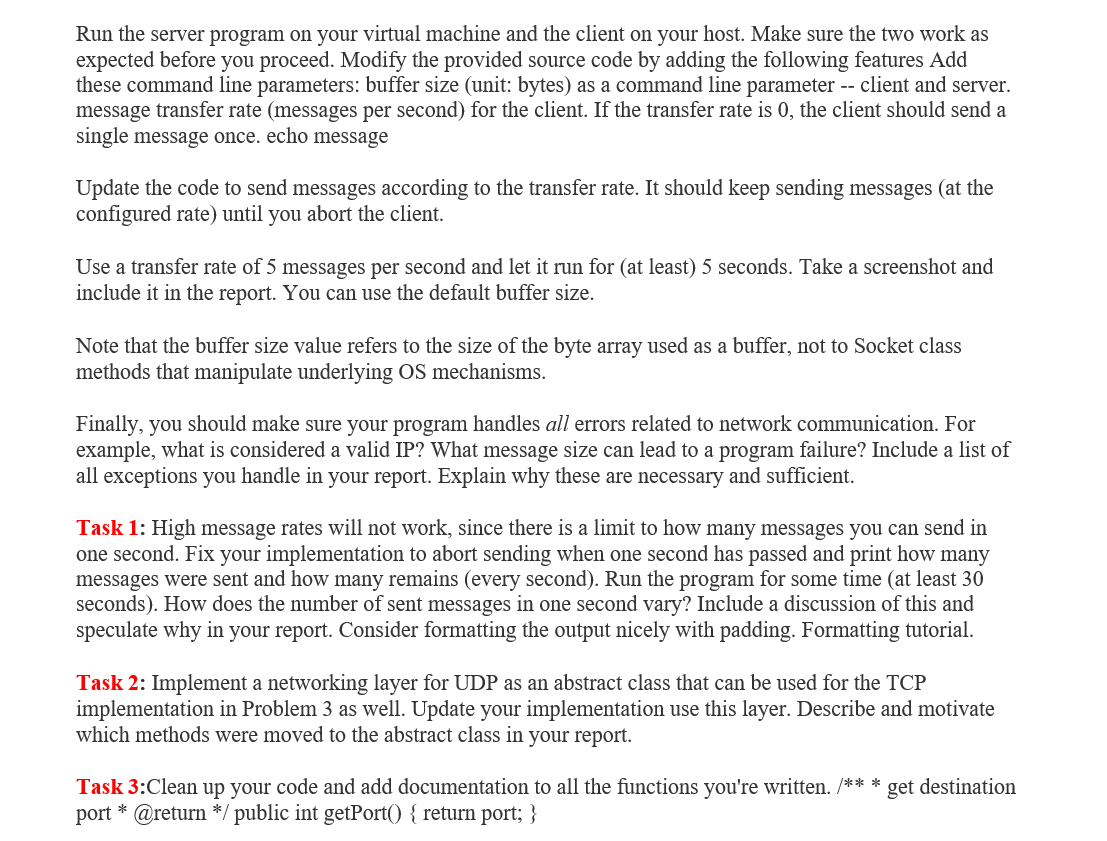
Client
import java.io.IOException; import java.net.DatagramPacket; import java.net.DatagramSocket; import java.net.InetSocketAddress; import java.net.SocketAddress; /* UDPEchoClient.java A simple echo client with no error handling */ public class UDPEchoClient { public static final int BUFSIZE= 1024; public static final int MYPORT= 0; public static final String MSG= "An Echo Message!"; public static void main(String[] args) throws IOException { byte[] buf= new byte[BUFSIZE]; if (args.length != 2) { System.err.printf("usage: %s server_name port ", args[1]); System.exit(1); } /* Create socket */ DatagramSocket socket= new DatagramSocket(null); /* Create local endpoint using bind() */ SocketAddress localBindPoint= new InetSocketAddress(MYPORT); socket.bind(localBindPoint); /* Create remote endpoint */ SocketAddress remoteBindPoint= new InetSocketAddress(args[0], Integer.valueOf(args[1])); /* Create datagram packet for sending message */ DatagramPacket sendPacket= new DatagramPacket(MSG.getBytes(), MSG.length(), remoteBindPoint); /* Create datagram packet for receiving echoed message */ DatagramPacket receivePacket= new DatagramPacket(buf, buf.length); /* Send and receive message*/ socket.send(sendPacket); socket.receive(receivePacket); /* Compare sent and received message */ String receivedString= new String(receivePacket.getData(), receivePacket.getOffset(), receivePacket.getLength()); if (receivedString.compareTo(MSG) == 0) System.out.printf("%d bytes sent and received ", receivePacket.getLength()); else System.out.printf("Sent and received msg not equal! "); socket.close(); } }
####################################################################
Server
import java.io.IOException; import java.net.DatagramPacket; import java.net.DatagramSocket; import java.net.InetSocketAddress; import java.net.SocketAddress; /* UDPEchoServer.java A simple echo server with no error handling */ public class UDPEchoServer { public static final int BUFSIZE= 1024; public static final int MYPORT= 4950; public static void main(String[] args) throws IOException { byte[] buf= new byte[BUFSIZE]; /* Create socket */ DatagramSocket socket= new DatagramSocket(null); /* Create local bind point */ SocketAddress localBindPoint= new InetSocketAddress(MYPORT); socket.bind(localBindPoint); while (true) { /* Create datagram packet for receiving message */ DatagramPacket receivePacket= new DatagramPacket(buf, buf.length); /* Receiving message */ socket.receive(receivePacket); /* Create datagram packet for sending message */ DatagramPacket sendPacket= new DatagramPacket(receivePacket.getData(), receivePacket.getLength(), receivePacket.getAddress(), receivePacket.getPort()); /* Send message*/ socket.send(sendPacket); System.out.printf("UDP echo request from %s", receivePacket.getAddress().getHostAddress()); System.out.printf(" using port %d ", receivePacket.getPort()); } } }
Run the server program on your virtual machine and the client on your host. Make sure the two work as expected before you proceed. Modify the provided source code by adding the following features Add these command line parameters: buffer size (unit: bytes) as a command line parameter -- client and server. message transfer rate (messages per second) for the client. If the transfer rate is 0, the client should send a single message once. echo message Update the code to send messages according to the transfer rate. It should keep sending messages (at the configured rate) until you abort the client. Use a transfer rate of 5 messages per second and let it run for (at least) 5 seconds. Take a screenshot and include it in the report. You can use the default buffer size. Note that the buffer size value refers to the size of the byte array used as a buffer, not to Socket class methods that manipulate underlying OS mechanisms. Finally, you should make sure your program handles all errors related to network communication. For example, what is considered a valid IP? What message size can lead to a program failure? Include a list of all exceptions you handle in your report. Explain why these are necessary and sufficient. Task 1: High message rates will not work, since there is a limit to how many messages you can send in one second. Fix your implementation to abort sending when one second has passed and print how many messages were sent and how many remains (every second). Run the program for some time (at least 30 seconds). How does the number of sent messages in one second vary? Include a discussion of this and speculate why in your report. Consider formatting the output nicely with padding. Formatting tutorial. Task 2: Implement a networking layer for UDP as an abstract class that can be used for the TCP implementation in Problem 3 as well. Update your implementation use this layer. Describe and motivate which methods were moved to the abstract class in your report. Task 3:Clean up your code and add documentation to all the functions you're written. /*** get destination port * @return */ public int get Port() { return port; } Run the server program on your virtual machine and the client on your host. Make sure the two work as expected before you proceed. Modify the provided source code by adding the following features Add these command line parameters: buffer size (unit: bytes) as a command line parameter -- client and server. message transfer rate (messages per second) for the client. If the transfer rate is 0, the client should send a single message once. echo message Update the code to send messages according to the transfer rate. It should keep sending messages (at the configured rate) until you abort the client. Use a transfer rate of 5 messages per second and let it run for (at least) 5 seconds. Take a screenshot and include it in the report. You can use the default buffer size. Note that the buffer size value refers to the size of the byte array used as a buffer, not to Socket class methods that manipulate underlying OS mechanisms. Finally, you should make sure your program handles all errors related to network communication. For example, what is considered a valid IP? What message size can lead to a program failure? Include a list of all exceptions you handle in your report. Explain why these are necessary and sufficient. Task 1: High message rates will not work, since there is a limit to how many messages you can send in one second. Fix your implementation to abort sending when one second has passed and print how many messages were sent and how many remains (every second). Run the program for some time (at least 30 seconds). How does the number of sent messages in one second vary? Include a discussion of this and speculate why in your report. Consider formatting the output nicely with padding. Formatting tutorial. Task 2: Implement a networking layer for UDP as an abstract class that can be used for the TCP implementation in Problem 3 as well. Update your implementation use this layer. Describe and motivate which methods were moved to the abstract class in your report. Task 3:Clean up your code and add documentation to all the functions you're written. /*** get destination port * @return */ public int get Port() { return port; }
Step by Step Solution
There are 3 Steps involved in it

Get step-by-step solutions from verified subject matter experts
 Study Help