







Question: Computer Science: Java Programming(OOP) Please answer all the questions below Please answer all the questions below Please answer all the questions below Q1 Profile -
Computer Science: Java Programming(OOP)
Please answer all the questions below
Please answer all the questions below
Please answer all the questions below
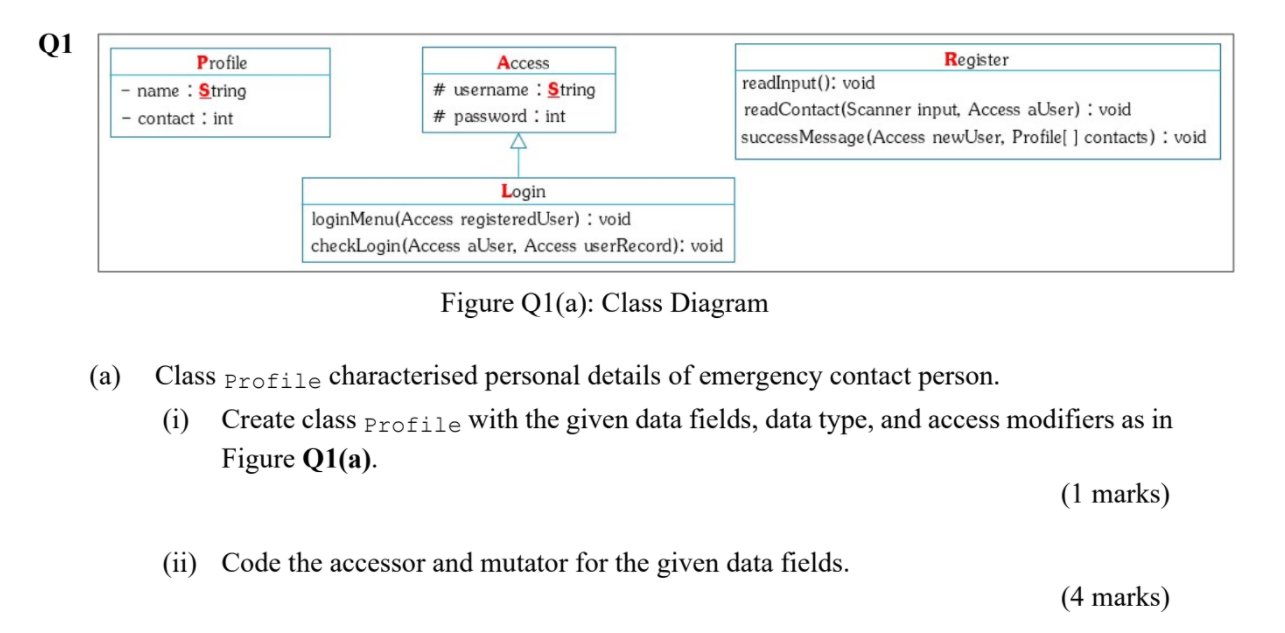
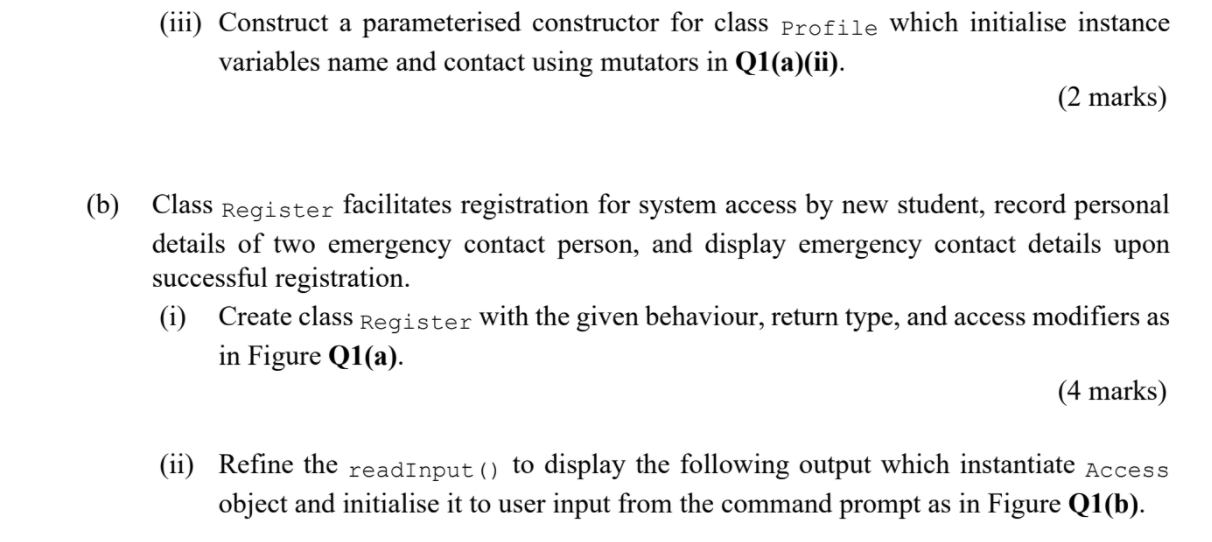
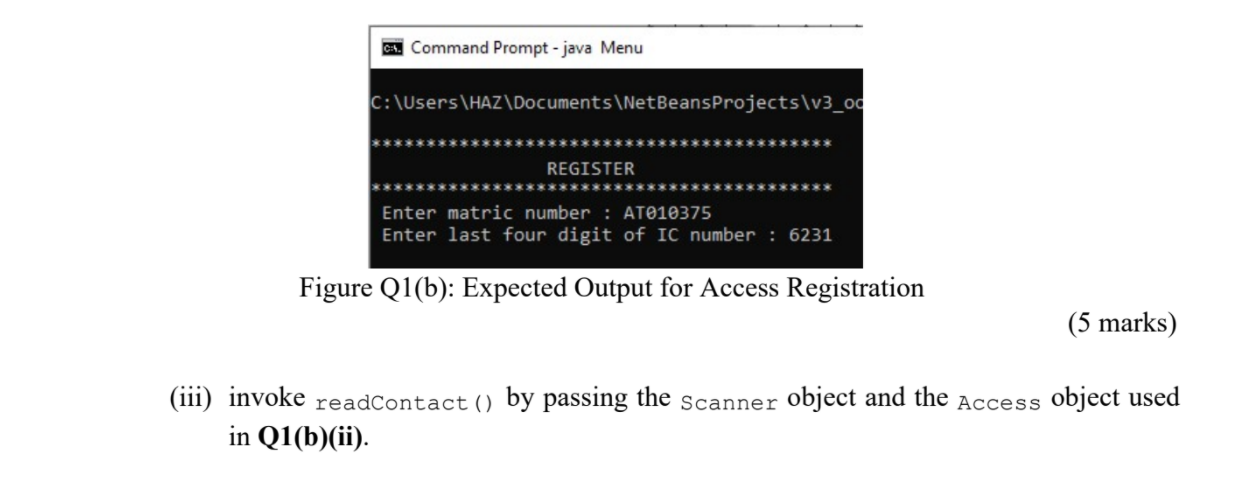
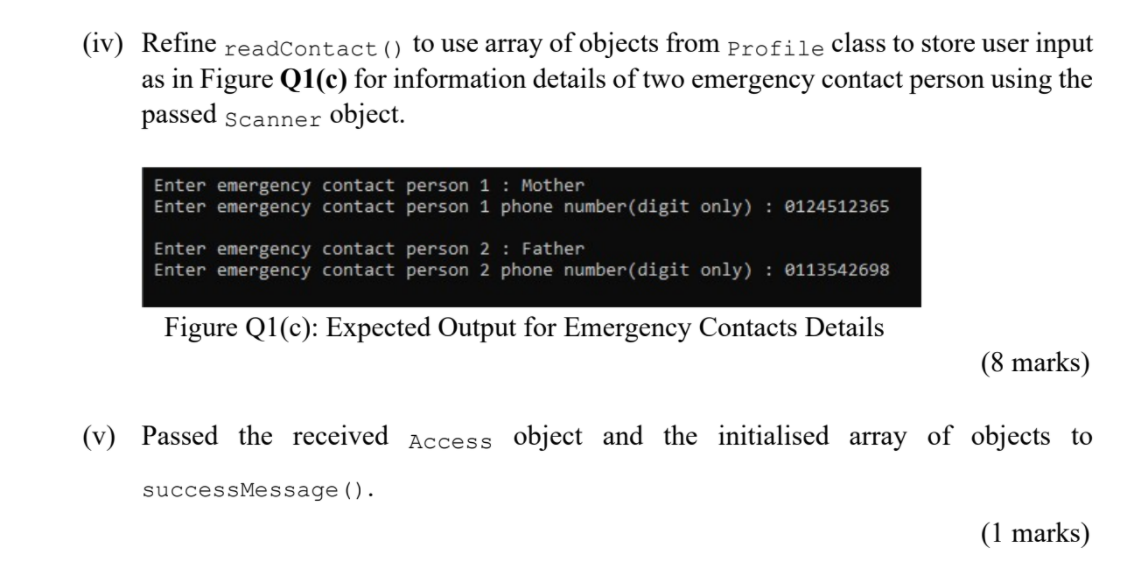
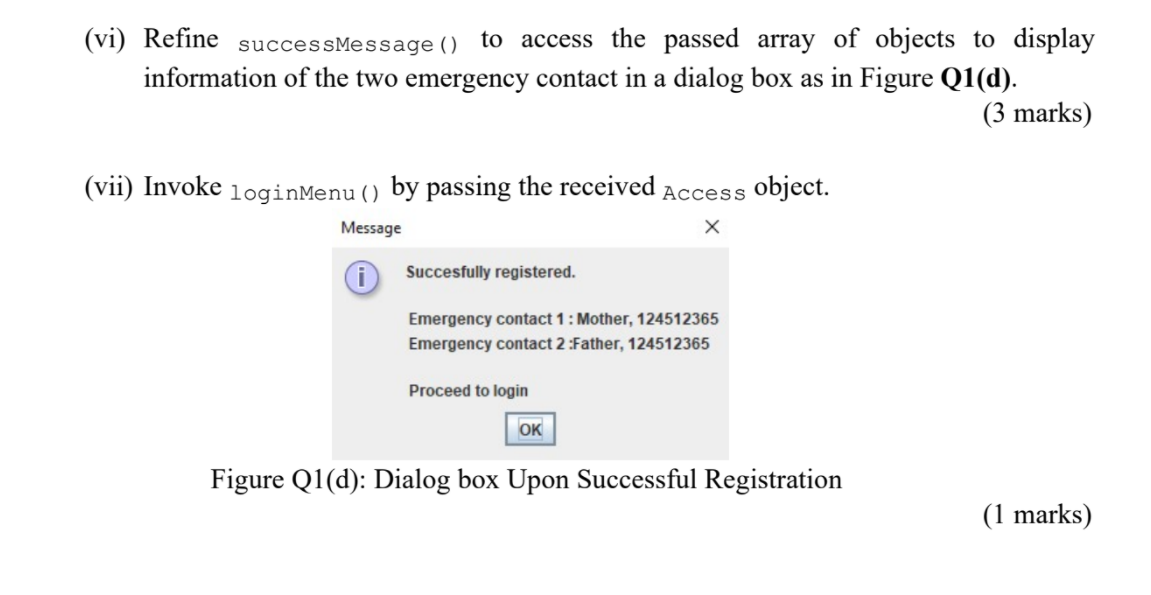
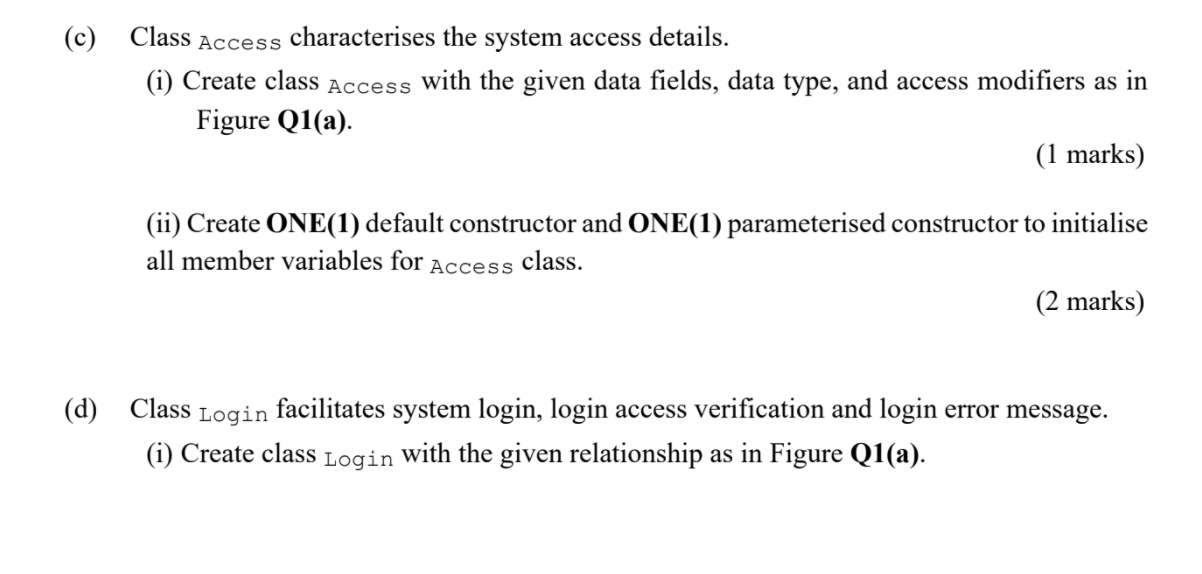
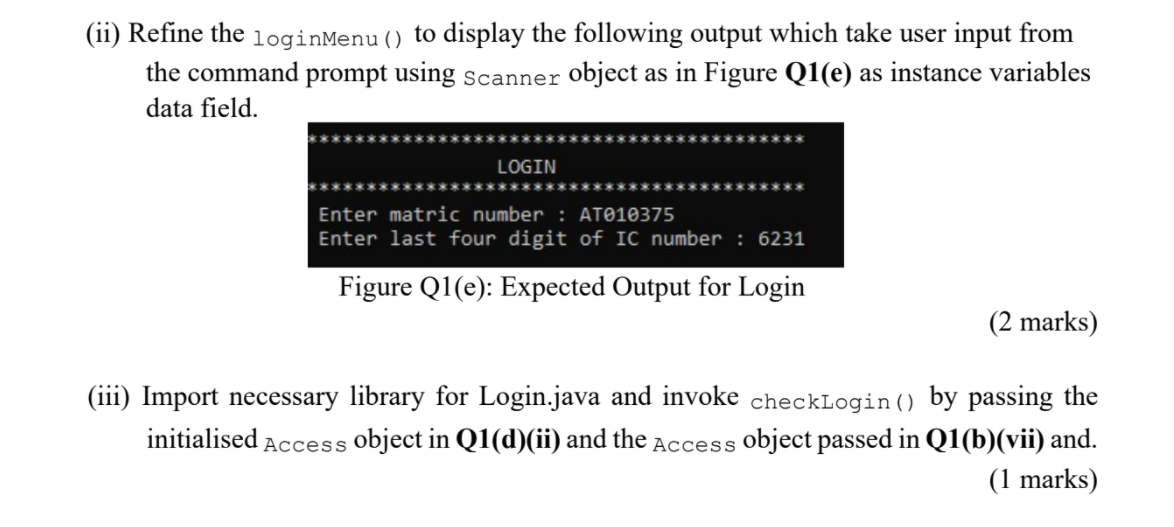
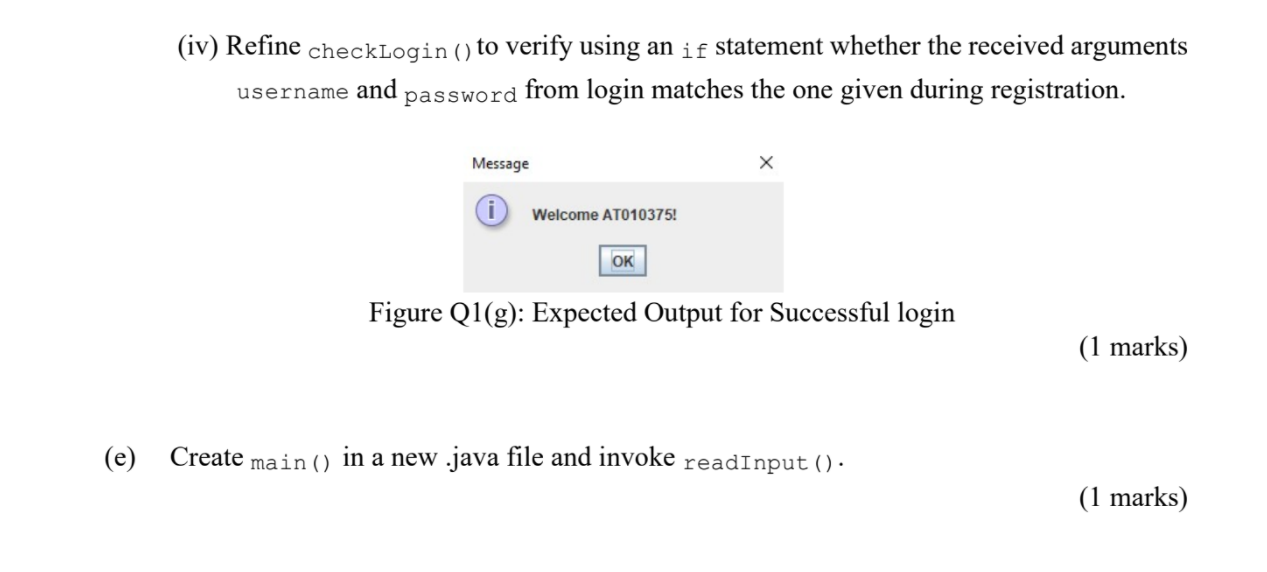
Q1 Profile - name : String - contact : int Access # username : String # password: int Register readlnput(): void read Contact(Scanner input, Access aUser) : void success Message (Access newUser, Profile | contacts) : void Login loginMenu(Access registeredUser) : void checkLogin(Access aUser, Access userRecord): void Figure Q1(a): Class Diagram (a) Class Profile characterised personal details of emergency contact person. (i) Create class Profile with the given data fields, data type, and access modifiers as in Figure Q1(a). (1 marks) (ii) Code the accessor and mutator for the given data fields. (4 marks) (iii) Construct a parameterised constructor for class Profile which initialise instance variables name and contact using mutators in Q1(a)(ii). (2 marks) (b) Class Register facilitates registration for system access by new student, record personal details of two emergency contact person, and display emergency contact details upon successful registration. (i) Create class Register with the given behaviour, return type, and access modifiers as in Figure Q1(a). (4 marks) (ii) Refine the readInput () to display the following output which instantiate Access object and initialise it to user input from the command prompt as in Figure Q1(b). Command Prompt - java Menu C:\Users\HAZ\Documents\NetBeansProjects\v3_o REGISTER Enter matric number : AT010375 Enter last four digit of IC number : 6231 Figure Q1(b): Expected Output for Access Registration (5 marks) (iii) invoke readContact () by passing the Scanner object and the Access object used in Q1(b)(ii). (iv) Refine readContact() to use array of objects from Profile class to store user input as in Figure Q1(c) for information details of two emergency contact person using the passed Scanner object. Enter emergency contact person 1 : Mother Enter emergency contact person 1 phone number(digit only) : 0124512365 Enter emergency contact person 2 : Father Enter emergency contact person 2 phone number(digit only) : 0113542698 Figure Q1(c): Expected Output for Emergency Contacts Details (8 marks) (v) Passed the received Access object and the initialised array of objects to success Message (). (1 marks) (vi) Refine successMessage () to access the passed array of objects to display information of the two emergency contact in a dialog box as in Figure Q1(d). (3 marks) (vii) Invoke loginMenu () by passing the received Access object. Message X i Succesfully registered. Emergency contact 1 : Mother, 124512365 Emergency contact 2 :Father, 124512365 Proceed to login OK Figure Q1(d): Dialog box Upon Successful Registration (1 marks) (c) Class Access characterises the system access details. (i) Create class Access with the given data fields, data type, and access modifiers as in Figure Q1(a). (1 marks) (ii) Create ONE(1) default constructor and ONE(1) parameterised constructor to initialise all member variables for class. (2 marks) Access (d) Class Login facilitates system login, login access verification and login error message. (i) Create class Login with the given relationship as in Figure Q1(a). (ii) Refine the loginMenu () to display the following output which take user input from the command prompt using Scanner object as in Figure Q1(e) as instance variables data field. LOGIN Enter matric number : AT010375 Enter last four digit of IC number : 6231 Figure Q1(e): Expected Output for Login (2 marks) (iii) Import necessary library for Login.java and invoke checklogin() by passing the initialised Access object in Q1(d)(ii) and the Access object passed in Q1(b)(vii) and. (1 marks) (iv) Refine checkLogin () to verify using an if statement whether the received arguments username and password from login matches the one given during registration. Message Welcome AT010375! OK Figure Q1(g): Expected Output for Successful login (1 marks) (e) Create main() in a new .java file and invoke readInput () (1 marks)
Step by Step Solution
There are 3 Steps involved in it

Get step-by-step solutions from verified subject matter experts
 Study Help