







Question: Computer Science MAE 1024 HW7: Understanding number systems using Excel 15 points Instructions Create one *.xlsx file and submit on Canvas Follow the instructions closely
Computer Science
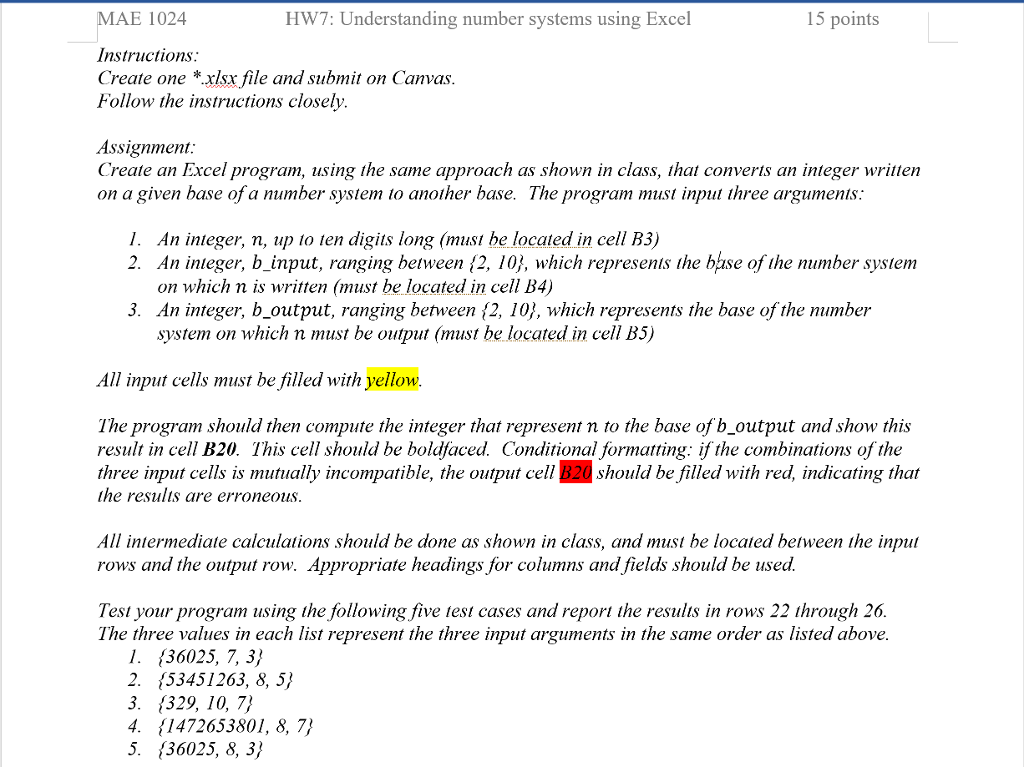
MAE 1024 HW7: Understanding number systems using Excel 15 points Instructions Create one *.xlsx file and submit on Canvas Follow the instructions closely Assignment Create an Excel program, using the same approach as shown in class, that converts an integer written on a given base of a number system to another base. The program must input three argumenis I. An integer, n, up to ten digits long (ust be located in cell B3) 2. An inieger, b_input, ranging between {2, 10), which represents the base of the number system on which n is written (must be located in cell B4) An integer, b_output, ranging between (2, 10j, which represents the base of the number system on which n must be output (must be located in cell B5) 3. All input cells must be filled with yellow The program should then compute the integer that represent n to the base of b_output and show this result in cell B20. This cell should be boldfaced. Conditional formatting: if the combinations of the three input cells is mutually incompatible, the output cell B20 should be filled with red, indicating that the resulis are erroneous All intermediate calculations should be done as shown in class, and must be located between the input rows and the output row. Appropriate headings for columns and fields should be used. Test your program using the following five test cases and repor the results in rows 22 through 26 The three values in each list represent the three input arguments in the same order as listed above 1. 36025, 7, 3/ 2. (53451263, 8, 5) 3. (329, 10, 7) 4. {1472653801, 8, 7/' 5. 36025, 8, 3/
Step by Step Solution
There are 3 Steps involved in it

Get step-by-step solutions from verified subject matter experts
 Study Help