







Question: Computer science question on inheritance, polymorphism and javafx. Tasks: Part 1: You own a store and people can buy products that are then shipped to
Computer science question on inheritance, polymorphism and javafx.
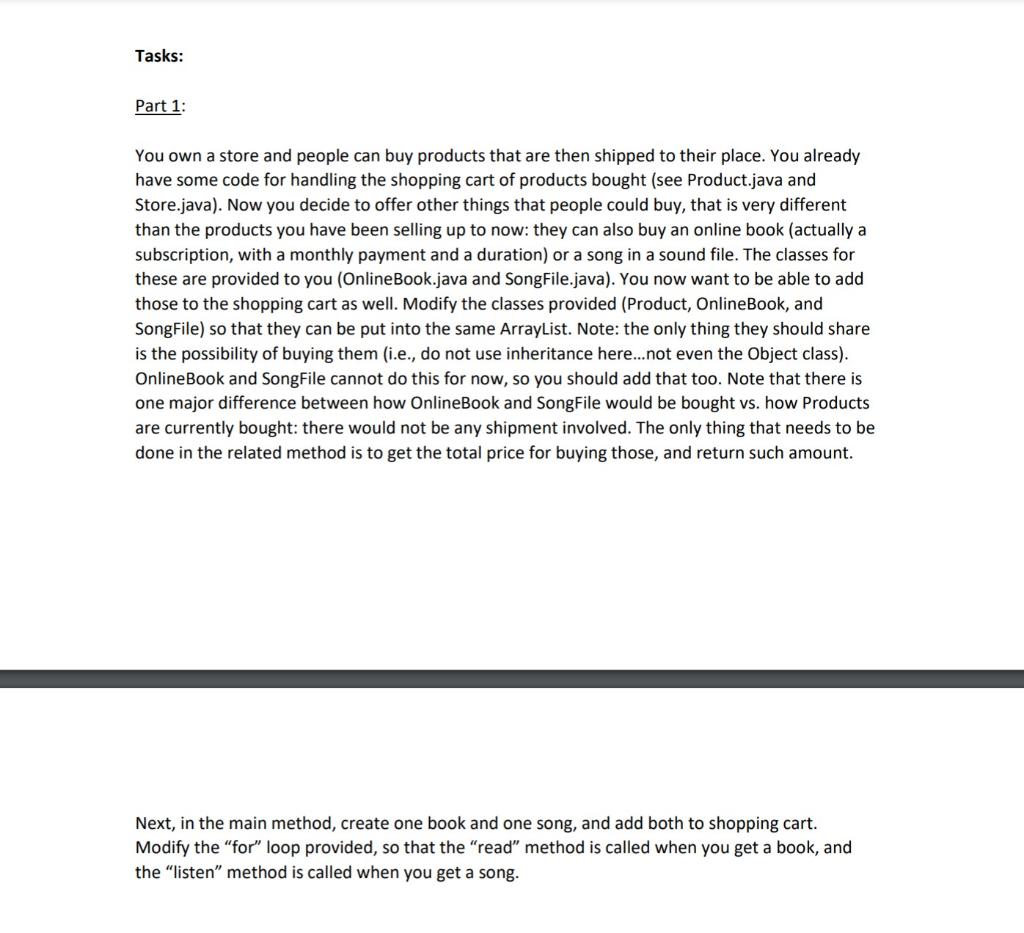
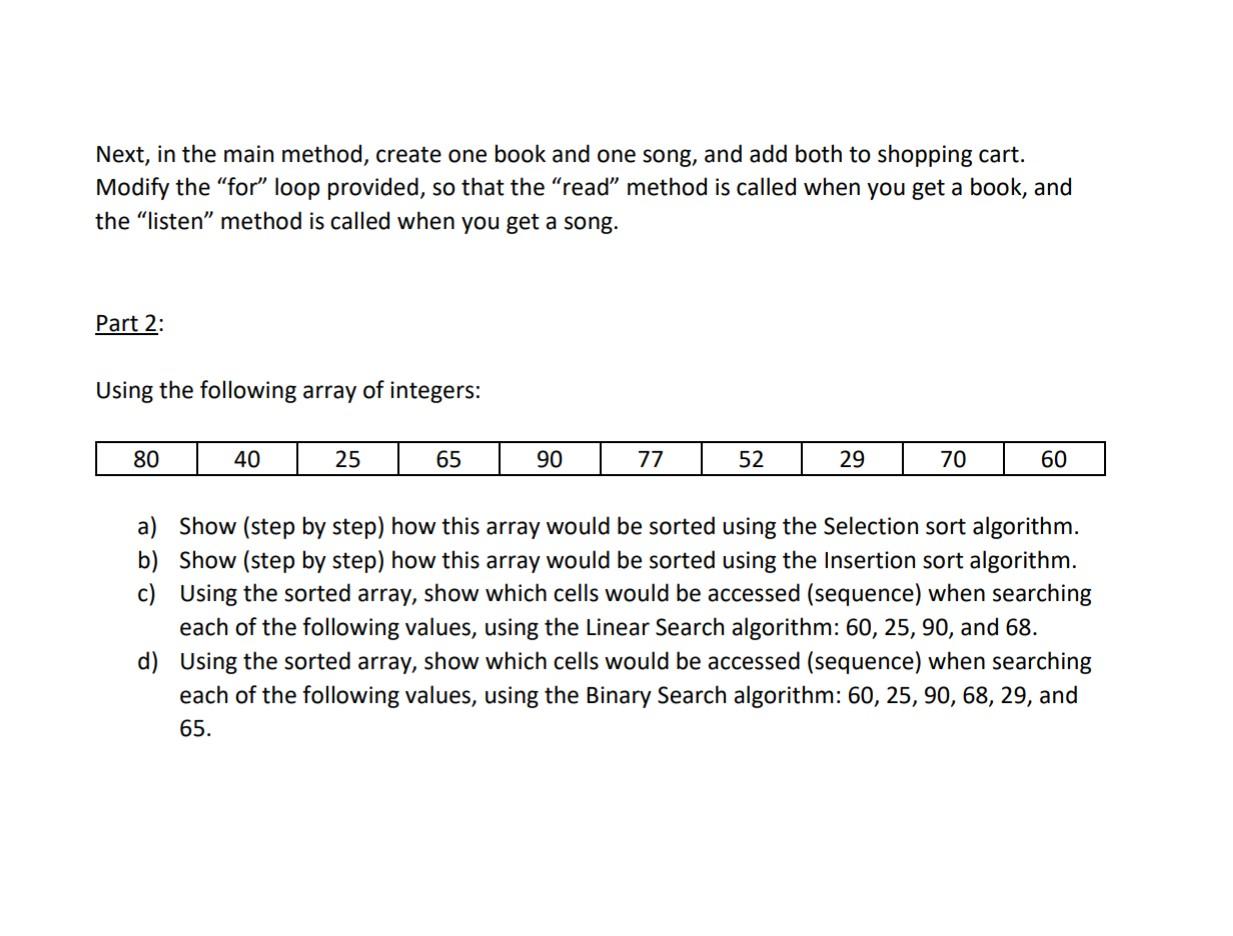
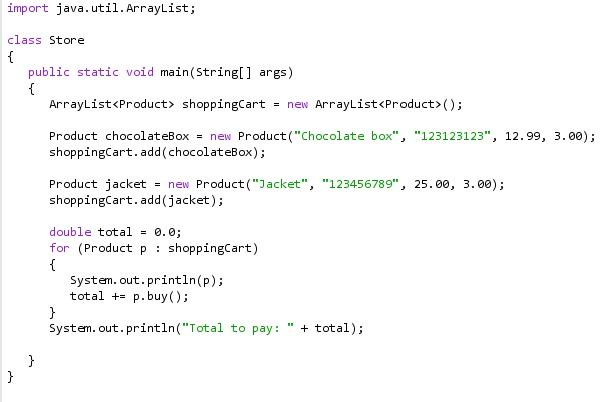
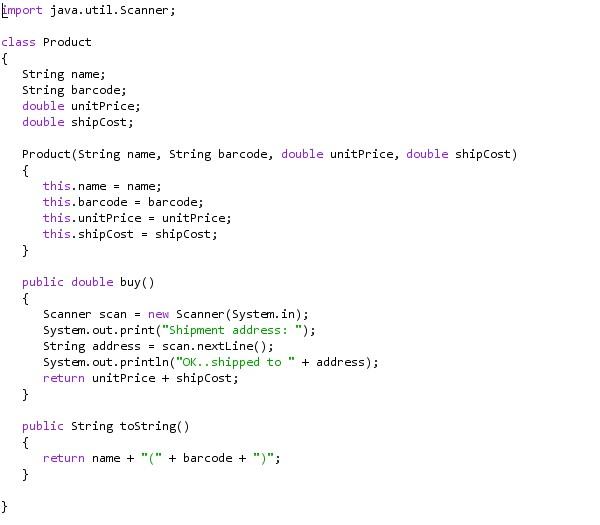
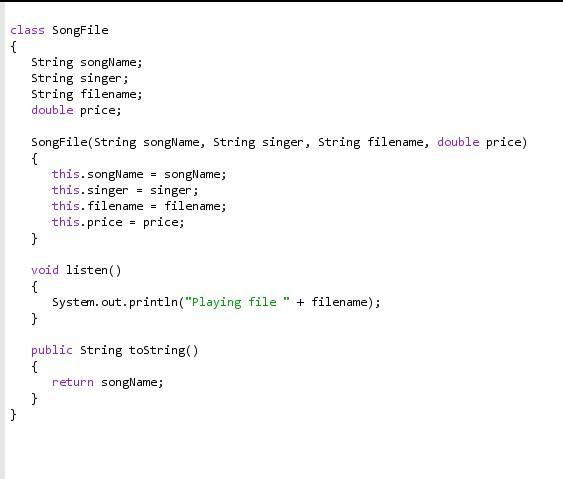
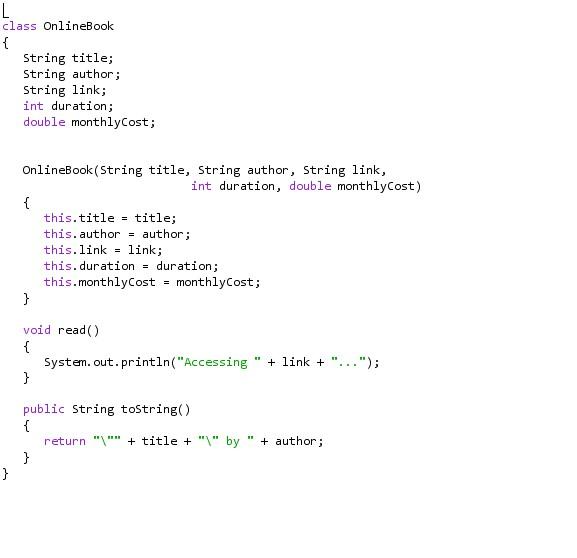
Tasks: Part 1: You own a store and people can buy products that are then shipped to their place. You already have some code for handling the shopping cart of products bought (see Product.java and Store.java). Now you decide to offer other things that people could buy, that is very different than the products you have been selling up to now: they can also buy an online book (actually a subscription, with a monthly payment and a duration) or a song in a sound file. The classes for these are provided to you (Online Book.java and SongFile.java). You now want to be able to add those to the shopping cart as well. Modify the classes provided (Product, Online Book, and SongFile) so that they can be put into the same ArrayList. Note: the only thing they should share is the possibility of buying them (i.e., do not use inheritance here.. not even the object class). Online Book and SongFile cannot do this for now, so you should add that too. Note that there is one major difference between how OnlineBook and SongFile would be bought vs. how Products are currently bought: there would not be any shipment involved. The only thing that needs to be done in the related method is to get the total price for buying those, and return such amount. Next, in the main method, create one book and one song, and add both to shopping cart. Modify the "for" loop provided, so that the "read" method is called when you get a book, and the "listen" method is called when you get a song. Next, in the main method, create one book and one song, and add both to shopping cart. Modify the "for loop provided, so that the read" method is called when you get a book, and the listen" method is called when you get a song. Part 2: Using the following array of integers: 80 40 25 65 90 77 52 29 70 60 a) Show (step by step) how this array would be sorted using the Selection sort algorithm. b) Show (step by step) how this array would be sorted using the Insertion sort algorithm. c) Using the sorted array, show which cells would be accessed (sequence) when searching each of the following values, using the Linear Search algorithm: 60, 25, 90, and 68. d) Using the sorted array, show which cells would be accessed (sequence) when searching each of the following values, using the Binary Search algorithm: 60, 25, 90, 68, 29, and 65. import java.util. ArrayList; class Store { public static void main(String[] args) { ArrayList
Step by Step Solution
There are 3 Steps involved in it

Get step-by-step solutions from verified subject matter experts
 Study Help