







Question: Computing Capltal Budgeting Methods Laurman, Inc. Is considering a new project and has provided the detalls of the project. The Controller has asked you to
Computing Capltal Budgeting Methods
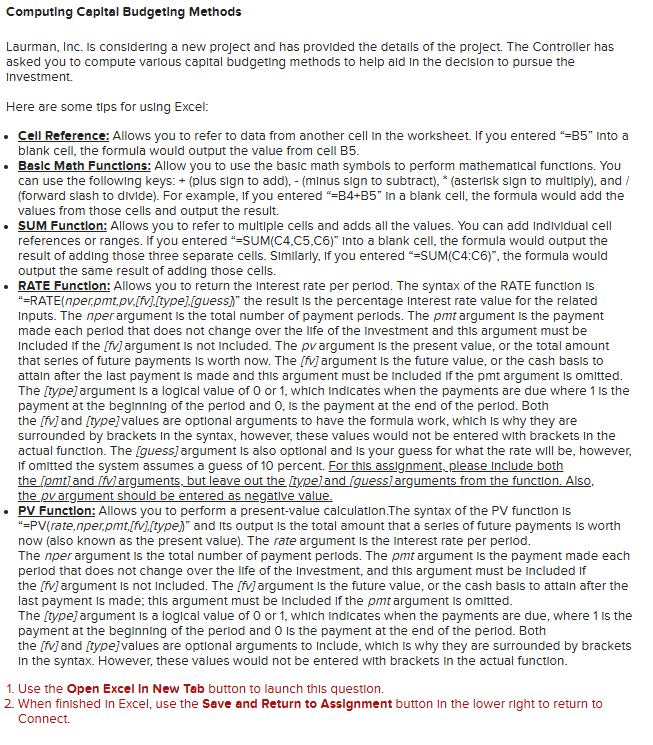
Laurman, Inc. Is considering a new project and has provided the detalls of the project. The Controller has asked you to compute varlous capital budgeting methods to help ald in the decision to pursue the Investment.
Here are some tips for using Excel:
Cell Reference: Allows you to refer to data from another cell in the worksheet. If you entered B into a blank cell, the formula would output the value from cell B
Basic Math Functions: Allow you to use the basic math symbols to perform mathematical functions. You can use the following keys: plus sign to addminus sign to subtractasterisk sign to multiply and forward slash to divide For example, If you entered BB in a blank cell, the formula would add the values from those cells and output the result.
quad SUM Function: Allows you to refer to multiple cells and adds all the values. You can add Individual cell references or ranges. If you entered S U MC C C Into a blank cell, the formula would output the result of adding those three separate cells. Similarly, If you entered SUMC:C the formula would output the same result of adding those cells.
RATE Function: Allows you to return the interest rate per perlod. The syntax of the RATE function is RATEnperpmtpvfJtypeguess the result is the percentage interest rate value for the related inputs. The nper argument is the total number of payment perlods. The pmt argument is the payment made each perlod that does not change over the life of the investment and this argument must be included if the fv argument is not included. The p v argument is the present value, or the total amount that serles of future payments is worth now. The fV argument is the future value, or the cash basis to attain after the last payment is made and this argument must be included if the pmt argument is omitted. The type argument is a logical value of or which indicates when the payments are due where is the payment at the beginning of the perlod and is the payment at the end of the perlod. Both the fV and typevalues are optional arguments to have the formula work, which is why they are surrounded by brackets in the syntax, however, these values would not be entered with brackets in the actual function. The guess argument is also optional and is your guess for what the rate will be however, If omitted the system assumes a guess of percent. For this assignment, please include both the pmtand fv arguments, but leave out the typeand guessarguments from the function. Also, the p v argument should be entered as negative value.
PV Function: Allows you to perform a presentvalue calculation.The syntax of the PV function is PVratenper,pmtfVtype and its output is the total amount that a serles of future payments is worth now also known as the present value The rate argument is the interest rate per perlod.
The nper argument is the total number of payment perlods. The pmt argument is the payment made each perlod that does not change over the life of the investment, and this argument must be included if the fv argument is not included. The fV argument is the future value, or the cash basis to attain after the last payment is made; this argument must be included if the pmt argument is omitted.
The type argument is a logical value of or which Indicates when the payments are due, where is the payment at the beginning of the perlod and is the payment at the end of the perlod. Both the fV and type values are optional arguments to Include, which is why they are surrounded by brackets In the syntax. However, these values would not be entered with brackets in the actual function.
Use the Open Excel In New Tab button to launch this question.
When finished in Excel, use the Save and Return to Assignment button in the lower right to return to Connect.
Laurman, Inc. is considering the following project:
Use cells A to C from the given information to complete this question. Negative amounts or amounts to be deducted should be input and displayed as negative values.
Compute the annual net cash inflow from the project.
Complete the table to compute the net present value of the investment.
SHOW ALL EXCEL FORMULAS FOR EACH BLANK
Step by Step Solution
There are 3 Steps involved in it
1 Expert Approved Answer
Step: 1 Unlock

Question Has Been Solved by an Expert!
Get step-by-step solutions from verified subject matter experts
Step: 2 Unlock
Step: 3 Unlock
 Study Help