







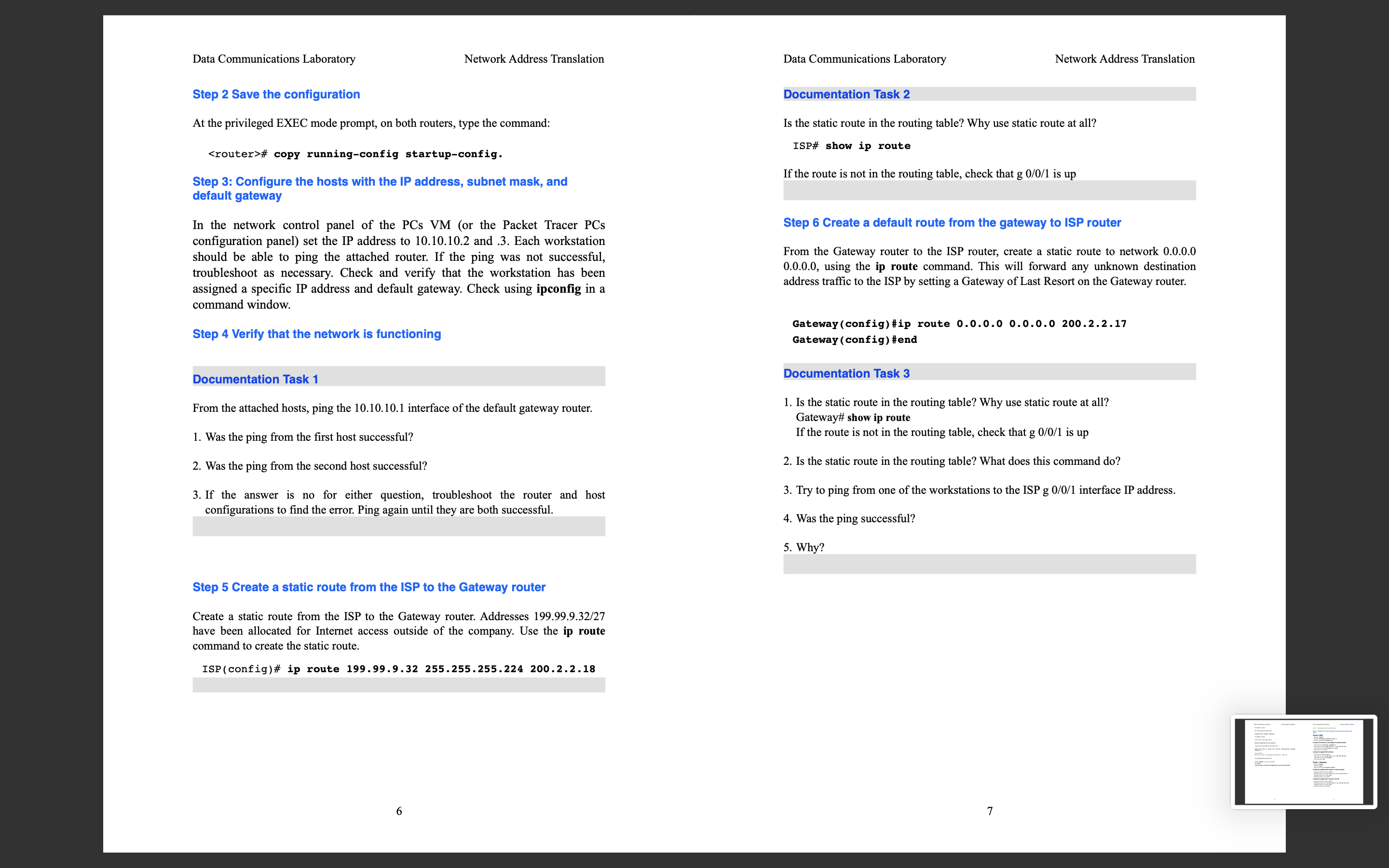
Question: Configuring Network Address Translation (NAT) Documentation Task 1 . From the attached hosts, ping the Fast Ethernet on 10.10.10.1 interface of the default gateway router.
Configuring Network Address Translation (NAT)
Documentation Task 1.
From the attached hosts, ping the Fast Ethernet on 10.10.10.1 interface of the default gateway router.
- Was the ping from the first host successful?
- Was the ping from the second host successful?
- If the answer is no for either question, troubleshoot the router and host configurations to find the error. Ping again until they are both successful.
Documentation Task 2.
Is the static route in the routing table? Why use static route at all?
ISP# show ip route
If the route is not in the routing table, check that g0/0/1 is up
Documentation Task 3.
- Is the static route in the routing table? Why use static route at all? ISP# show ip route If the route is not in the routing table, check that g 0/0/1 is up
- Is the static route in the routing table? What does this command do?
- Try to ping from one of the workstations to the ISP g 0/0/1 interface IP address.
- Was the ping successful?
- Why?
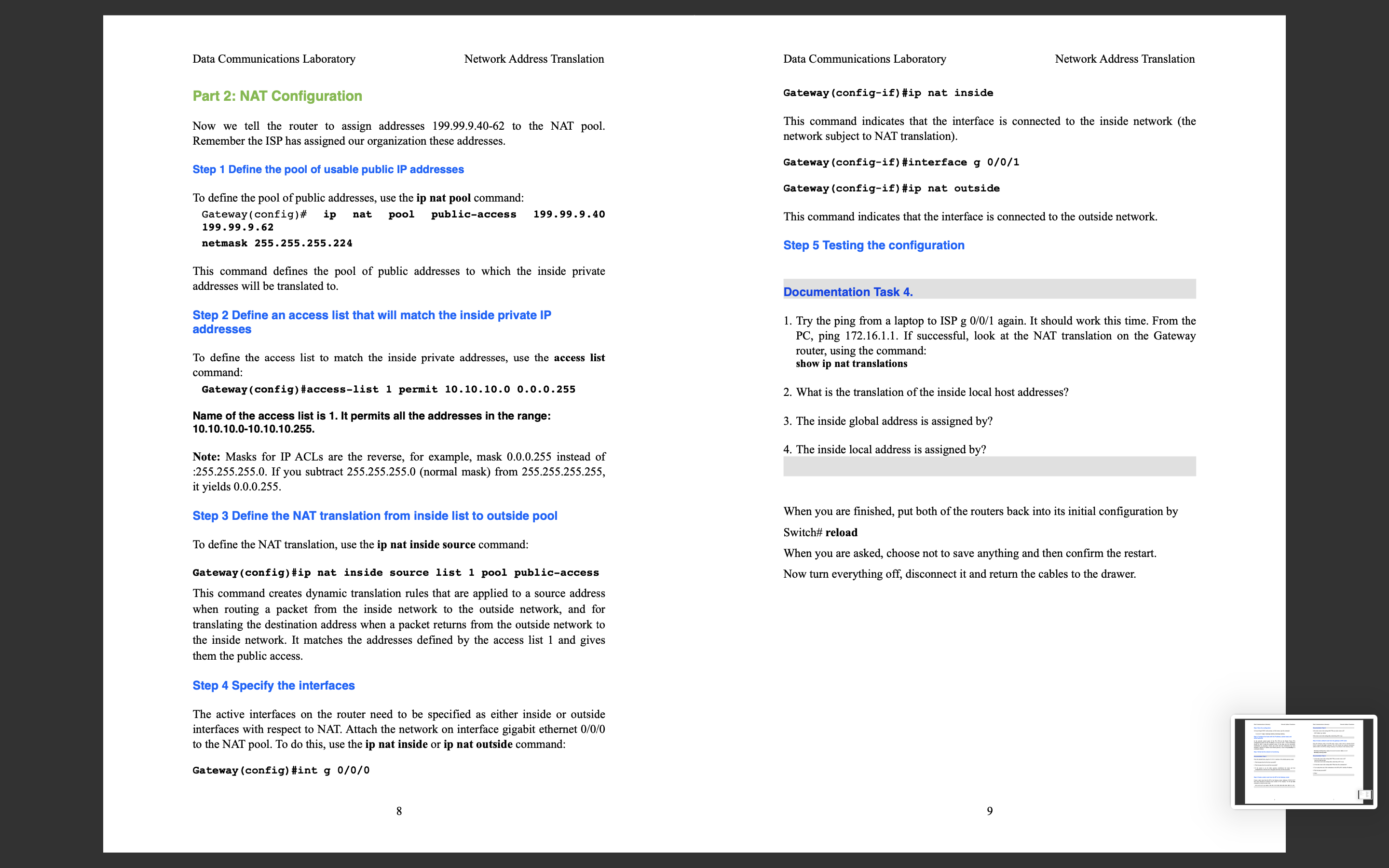
Documentation Task 4.
- Try the ping from a laptop to ISP g 0/0/1 again. It should work this time. From the PC, ping 172.16.1.1. If successful, look at the NAT translation on the Gateway router, using the command:?show ip nat translations
- What is the translation of the inside local host addresses?
- The inside global address is assigned by?
- The inside local address is assigned by?
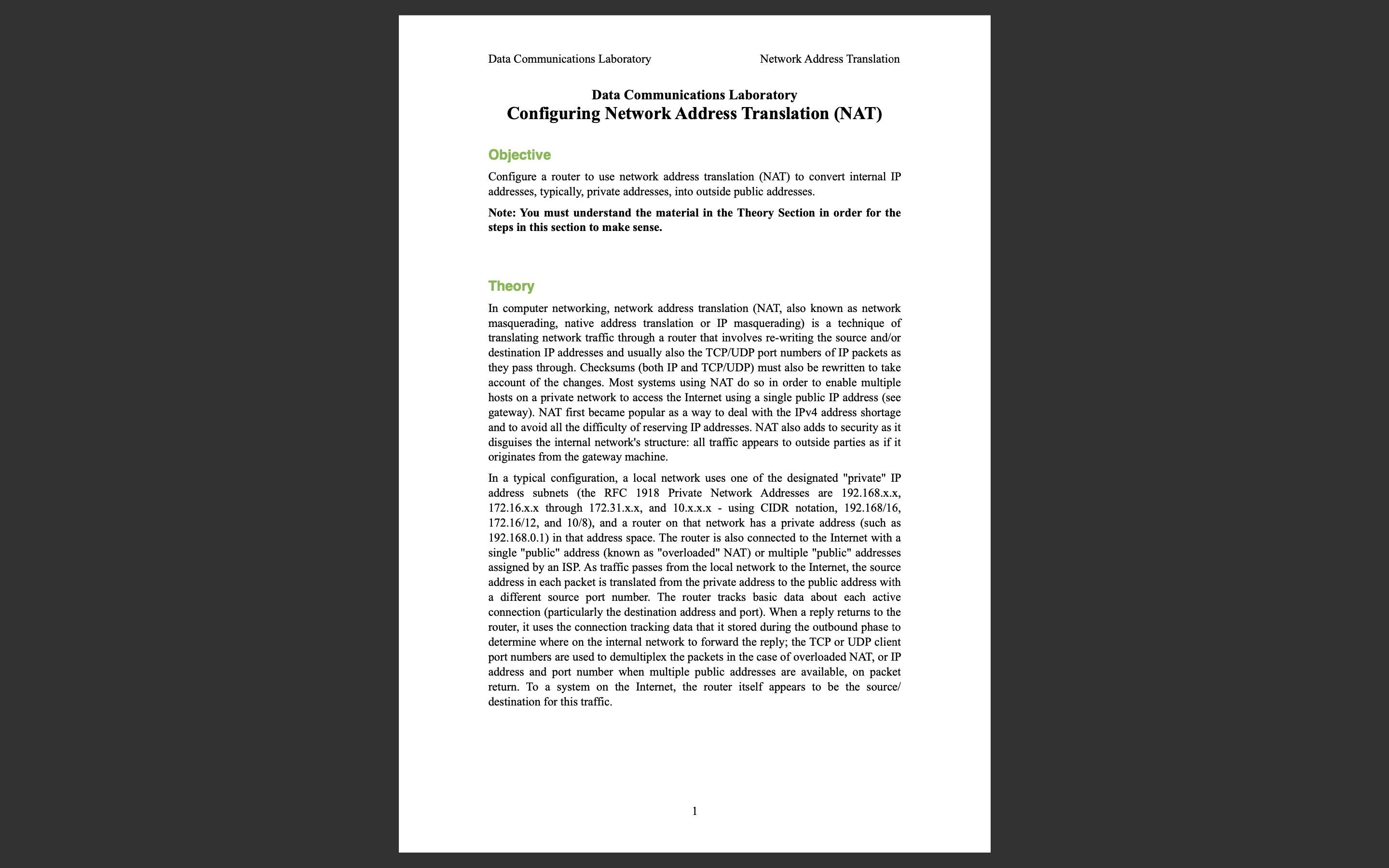
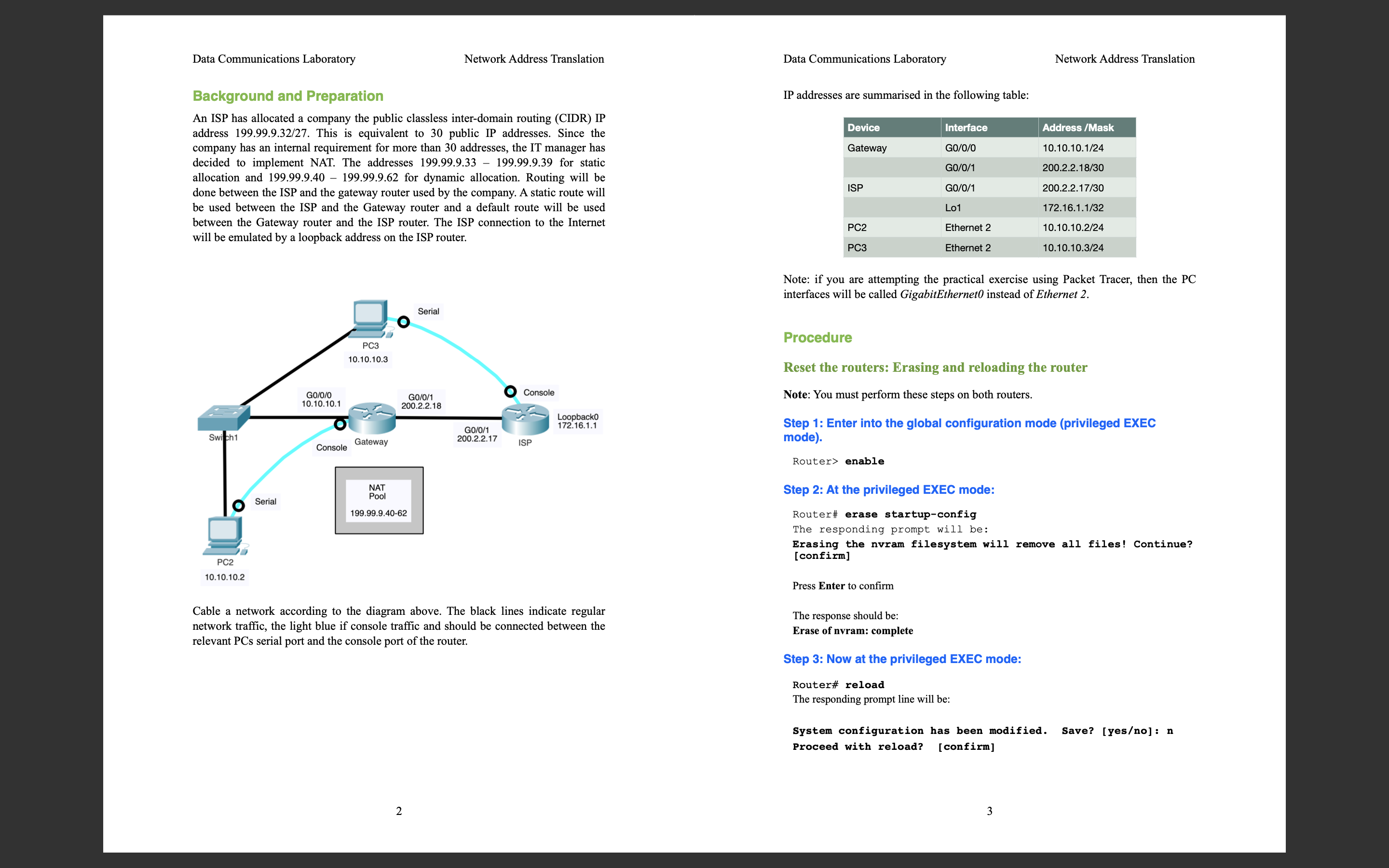
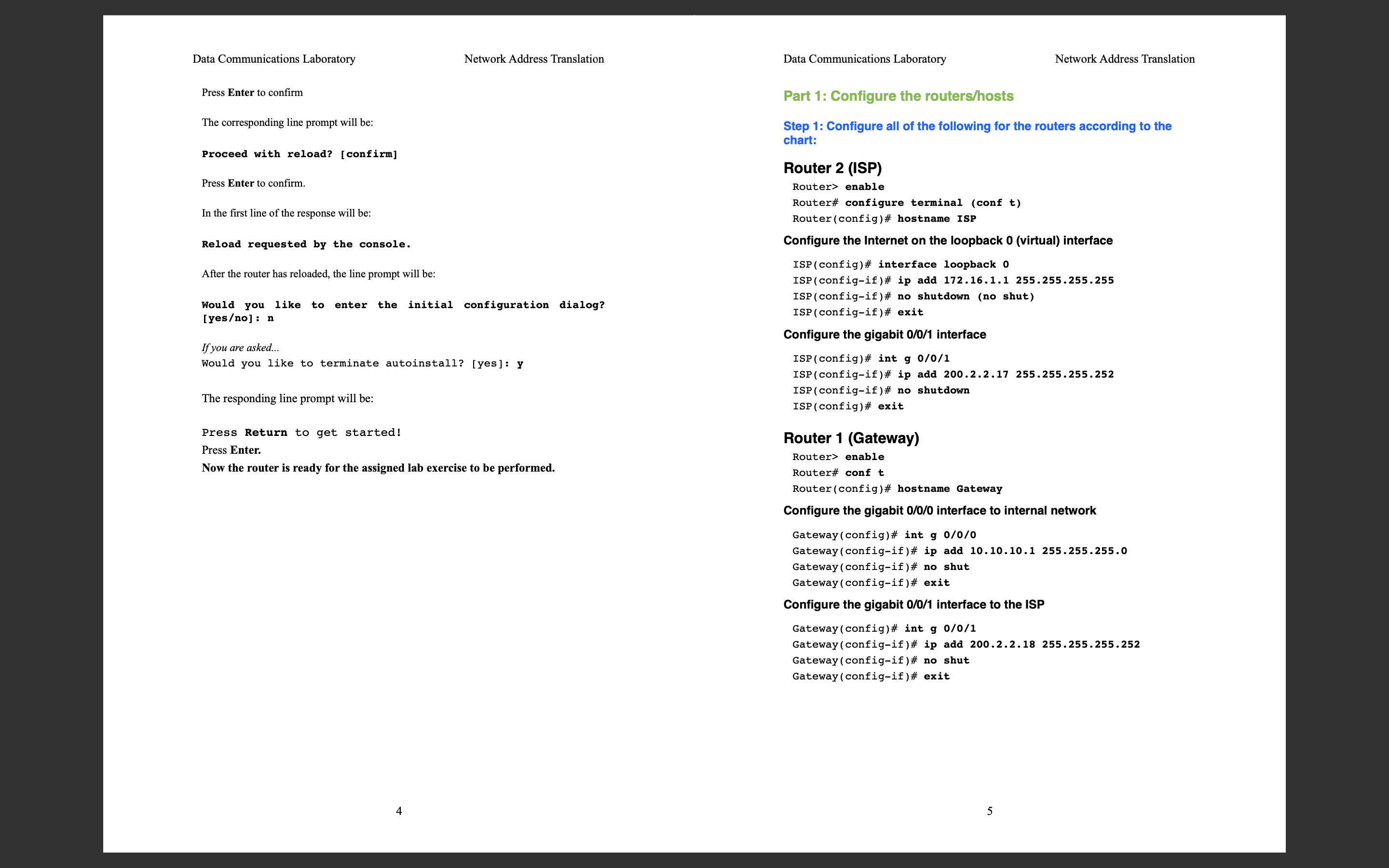
Data Communications Laboratory Network Address Translation Data Communications Laboratory Configuring Network Address Translation (NAT) Objective Configure a router to use network address translation (NAT) to convert internal IP addresses, typically, private addresses, into outside public addresses. Note: You must understand the material in the Theory Section in order for the steps in this section to make sense. Theory In computer networking, network address translation (NAT, also known as network masquerading, native address translation or IP masquerading) is a technique of translating network traffic through a router that involves re-writing the source and/or destination IP addresses and usually also the TCP/UDP port numbers of IP packets as they pass through. Checksums (both IP and TCP/UDP) must also be rewritten to take account of the changes. Most systems using NAT do so in order to enable multiple hosts on a private network to access the Internet using a single public IP address (see gateway). NAT first became popular as a way to deal with the IPv4 address shortage and to avoid all the difficulty of reserving IP addresses. NAT also adds to security as it disguises the internal network's structure: all traffic appears to outside parties as if it originates from the gateway machine. In a typical configuration, a local network uses one of the designated "private" IP address subnets (the RFC 1918 Private Network Addresses are 192.168.x.x, 172.16.x.x through 172.31.x.x, and 10.x.x.x - using CIDR notation, 192.168/16, 172.16/12, and 10/8), and a router on that network has a private address (such as 192.168.0.1) in that address space. The router is also connected to the Internet with a single "public" address (known as "overloaded" NAT) or multiple "public" addresses assigned by an ISP. As traffic passes from the local network to the Internet, the source address in each packet is translated from the private address to the public address with a different source port number. The router tracks basic data about each active connection (particularly the destination address and port). When a reply returns to the router, it uses the connection tracking data that it stored during the outbound phase to determine where on the internal network to forward the reply; the TCP or UDP client port numbers are used to demultiplex the packets in the case of overloaded NAT, or IP address and port number when multiple public addresses are available, on packet return. To a system on the Internet, the router itself appears to be the source/ destination for this traffic. 1
Step by Step Solution
There are 3 Steps involved in it
Documentation Task 1 1 Ping from the First Host Host A Attempt to ping the Fast Ethernet interface 1010101 of the default gateway router from Host A N... View full answer

Get step-by-step solutions from verified subject matter experts
 Study Help