







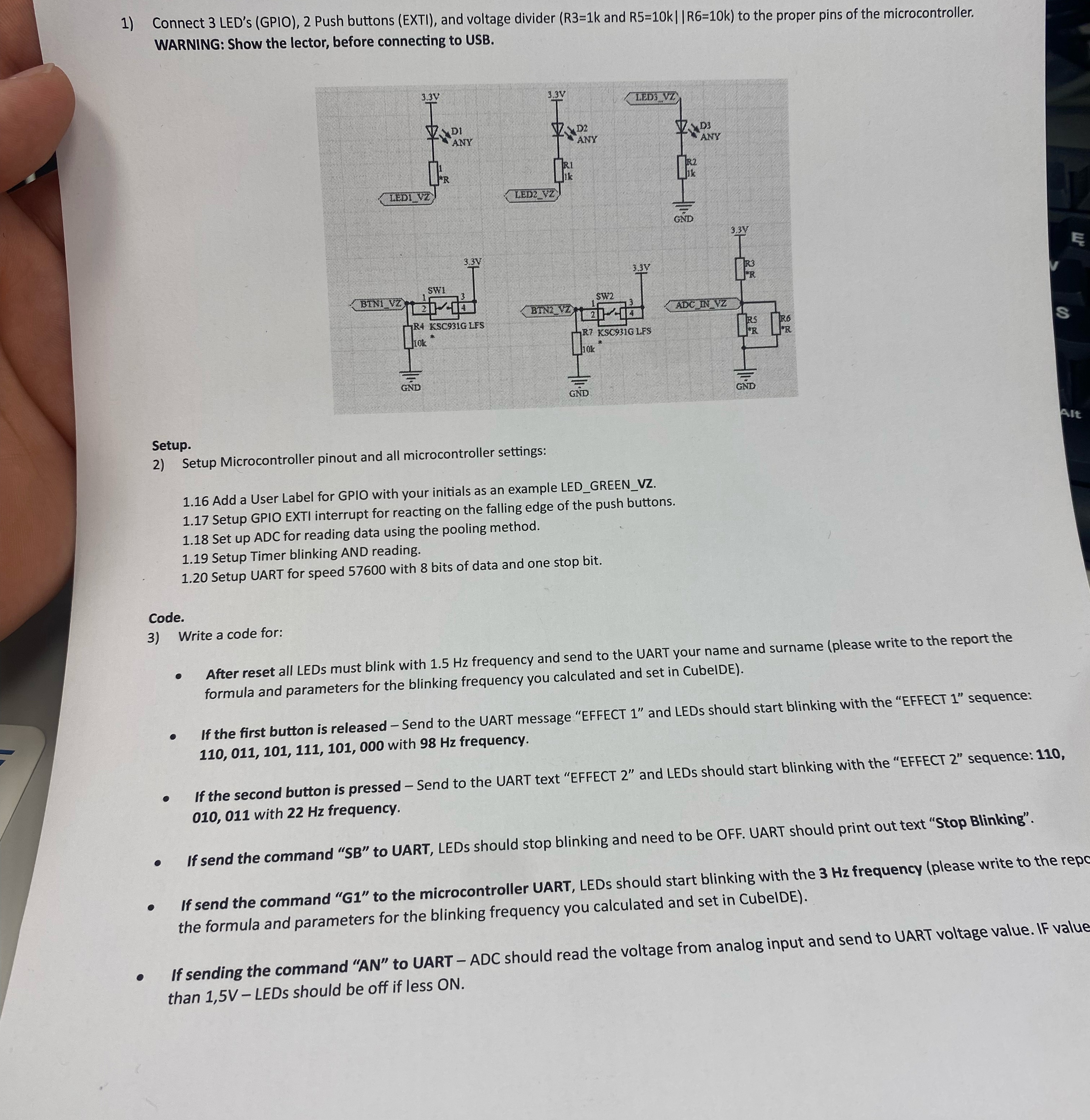
Question: Connect 3 LED's ( GPIO ) , 2 Push buttons ( EXTI ) , and voltage divider ( R 3 = 1 k and R
Connect LED's GPIO Push buttons EXTI and voltage divider and to the proper pins of the microcontroller. WARNING: Show the lector, before connecting to USB.
Setup.
Setup Microcontroller pinout and all microcontroller settings:
Add a User Label for GPIO with your initials as an example LEDGREENVZ
Setup GPIO EXTI interrupt for reacting on the falling edge of the push buttons.
Set up ADC for reading data using the pooling method.
Setup Timer blinking AND reading.
Setup UART for speed with bits of data and one stop bit.
Code.
Write a code for:
After reset all LEDs must blink with frequency and send to the UART your name and surname please write to the report the formula and parameters for the blinking frequency you calculated and set in CubelDE
If the first button is released Send to the UART message "EFFECT and LEDs should start blinking with the "EFFECT sequence: with frequency.
If the second button is pressed Send to the UART text "EFFECT and LEDs should start blinking with the "EFFECT sequence: with frequency.
If send the command SB to UART, LEDs should stop blinking and need to be OFF. UART should print out text "Stop Blinking".
If send the command G to the microcontroller UART, LEDs should start blinking with the frequency please write to the repo the formula and parameters for the blinking frequency you calculated and set in CubelDE
If sending the command AN to UART ADC should read the voltage from analog input and send to UART voltage value. IF value than LEDs should be off if less ON
Step by Step Solution
There are 3 Steps involved in it
1 Expert Approved Answer
Step: 1 Unlock

Question Has Been Solved by an Expert!
Get step-by-step solutions from verified subject matter experts
Step: 2 Unlock
Step: 3 Unlock
 Study Help