







Question: Connect to the database use $_SERVER method to access action information Write the following functions get_students() // to get all records of students get_student($id=0) //
Connect to the database
use $_SERVER method to access action information
Write the following functions
get_students() // to get all records of students
get_student($id=0) // to get the record of the student with the provided ID
insert_student()
PLease guide me how to perform these steps?
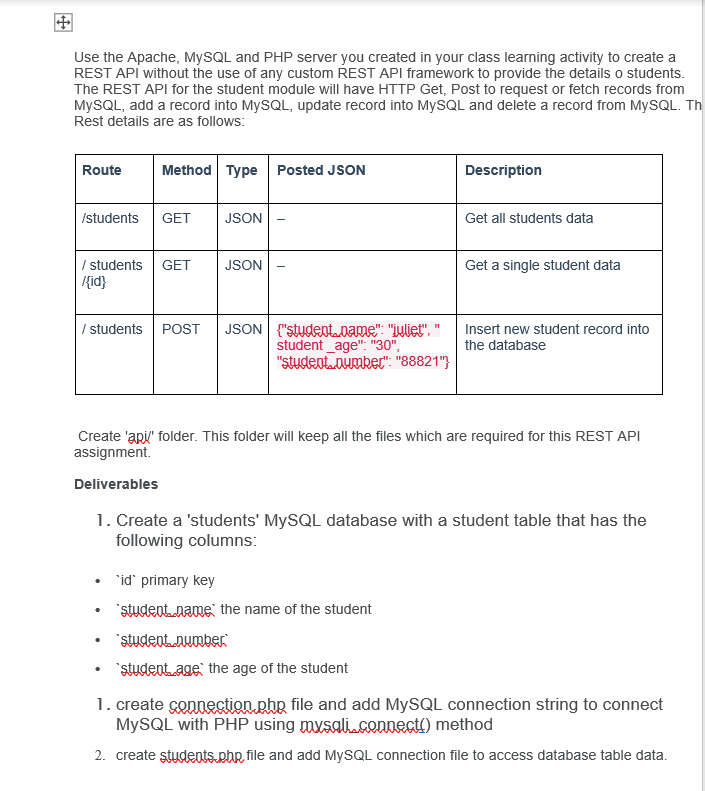
Use the Apache, MySQL and PHP server you created in your class learning activity to create a REST API without the use of any custom REST API framework to provide the details o students. The REST API for the student module will have HTTP Get, Post to request or fetch records from MySQL, add a record into MySQL, update record into MySQL and delete a record from MySQL. Th Rest details are as follows: Route Method Type Posted JSON Description /students GET JSON Get all students data JSON / students GET /{id} Get a single student data / students POST JSON"student.name": "juliet", student_age": "30" "studentenumber": "88821"} Insert new student record into the database Create 'apil' folder. This folder will keep all the files which are required for this REST API assignment Deliverables 1. Create a 'students' MySQL database with a student table that has the following columns id" primary key 'student.name the name of the student student number studentage the age of the student 1. create connection.php file and add MySQL connection string to connect MySQL with PHP using maxsali cennesti) method 2. create students.php file and add MySQL connection file to access database table data
Step by Step Solution
There are 3 Steps involved in it

Get step-by-step solutions from verified subject matter experts
 Study Help