







Question: Consider a datagram network using 8-bit host addresses. Suppose a router uses longest prefix matching and has the following forwarding table: Prefix 11 Match
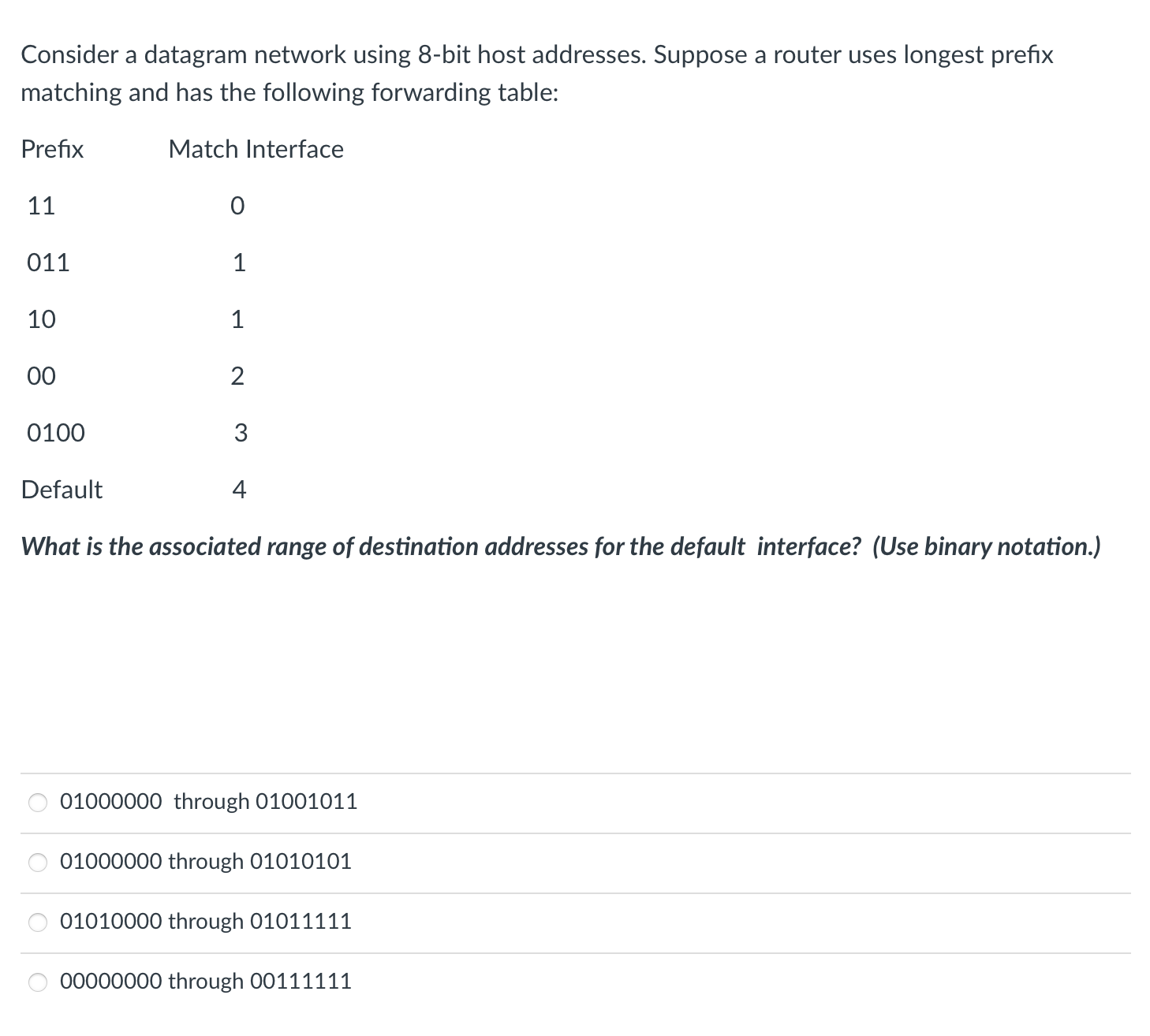
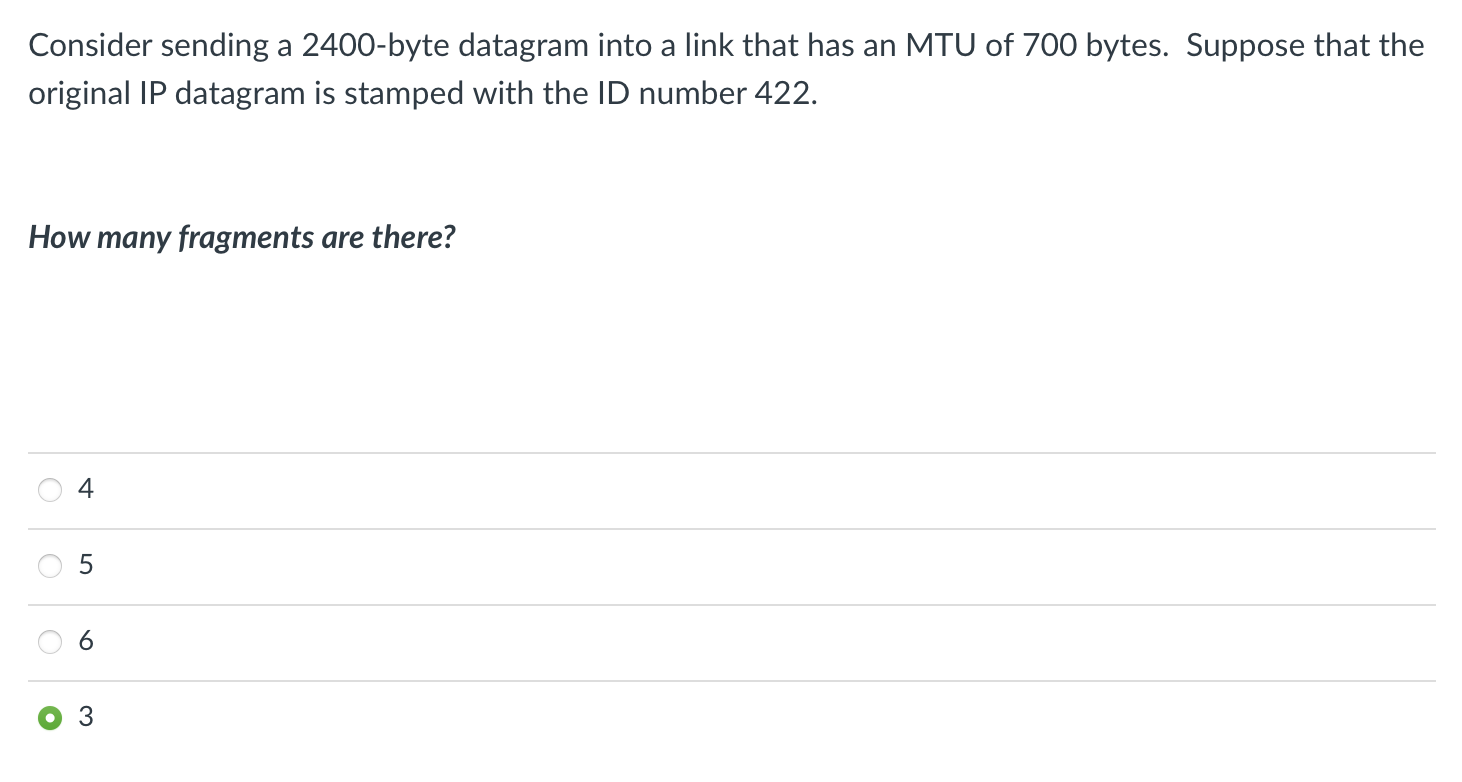
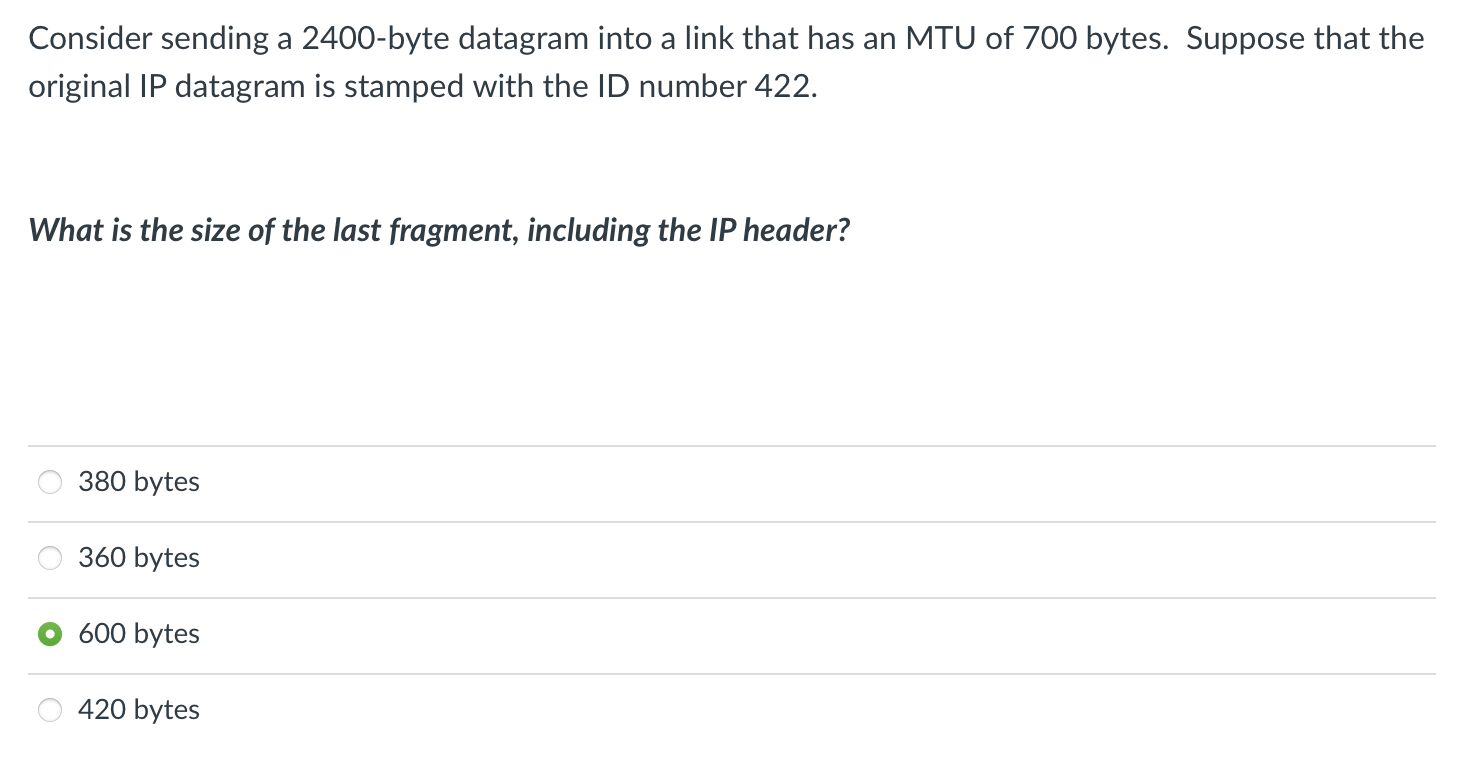
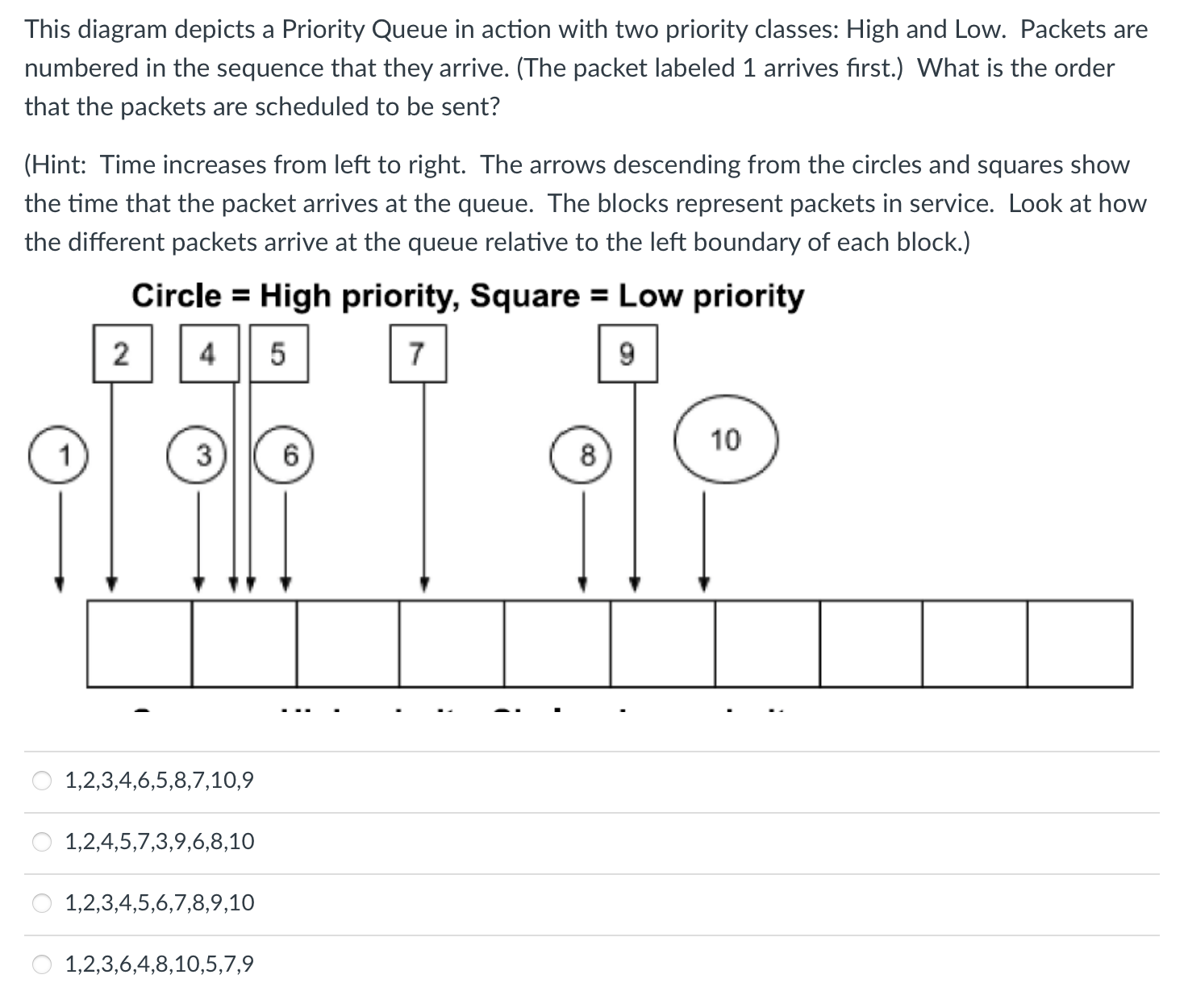
Consider a datagram network using 8-bit host addresses. Suppose a router uses longest prefix matching and has the following forwarding table: Prefix 11 Match Interface 0 011 1 8500 10 1 2 0100 3 Default 4 What is the associated range of destination addresses for the default interface? (Use binary notation.) 01000000 through 01001011 01000000 through 01010101 01010000 through 01011111 00000000 through 00111111 Consider sending a 2400-byte datagram into a link that has an MTU of 700 bytes. Suppose that the original IP datagram is stamped with the ID number 422. How many fragments are there? + 5 3 Consider sending a 2400-byte datagram into a link that has an MTU of 700 bytes. Suppose that the original IP datagram is stamped with the ID number 422. What is the size of the last fragment, including the IP header? 380 bytes 360 bytes 600 bytes 420 bytes This diagram depicts a Priority Queue in action with two priority classes: High and Low. Packets are numbered in the sequence that they arrive. (The packet labeled 1 arrives first.) What is the order that the packets are scheduled to be sent? (Hint: Time increases from left to right. The arrows descending from the circles and squares show the time that the packet arrives at the queue. The blocks represent packets in service. Look at how the different packets arrive at the queue relative to the left boundary of each block.) Circle = High priority, Square = Low priority 2 4 5 7 1 3 16 1,2,3,4,6,5,8,7,10,9 1,2,4,5,7,3,9,6,8,10 1,2,3,4,5,6,7,8,9,10 1,2,3,6,4,8,10,5,7,9 6 10 8
Step by Step Solution
There are 3 Steps involved in it

Get step-by-step solutions from verified subject matter experts
 Study Help