







Question: Consider file addr , Provide the command as well as the output Addr (Column 1 LastName, Column2: First name, Column3: email address, Column4: phone number,
Consider file addr , Provide the command as well as the output
Addr (Column 1 LastName, Column2: First name, Column3: email address, Column4: phone number, Column5: zip code)
Hilton,Tom,thilton.mail.com,85281345,543781,imap987648790
Potter,Harry,hpotter@hogworts.edu,853645555,875234
Granger,Herminone,hgranger@hogworts.edu,9856017638,334567
Moe,Elizi,emoe@plail.com,3892000109,345678
Ta,Ma,mata@asu.edu,6747829191,85281
Five,Jackson,jfive@asu.edu,7839209871,78339
Bean,Sean,sbean@asu.edu,56783908156,78648
Turner,Sophie,sturner@asu.edu,6784937689,9873329
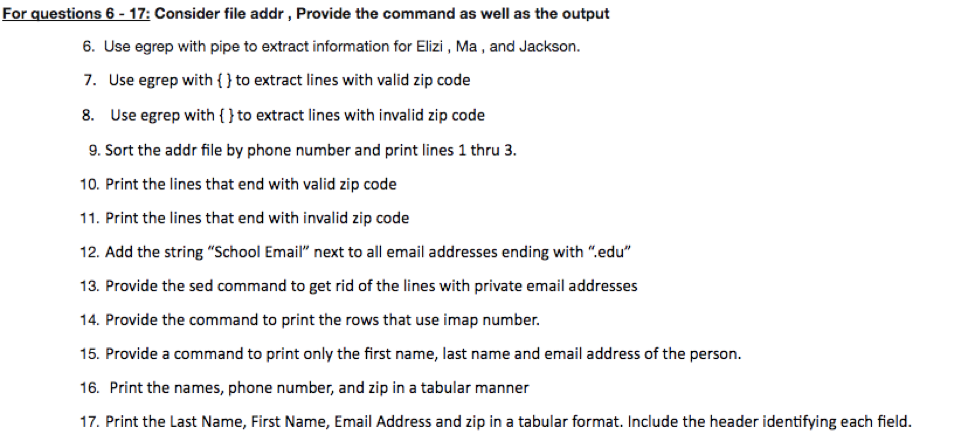
For guestions 6-17: Consider file addr, Provide the command as well as the output 6. Use egrep with pipe to extract information for Elizi,Ma, and Jackson. 7. Use egrep with to extract lines with valid zip code 8. Use egrep with (lto extract lines with invalid zip code 9. Sort the addr file by phone number and print lines 1 thru 3. 10. Print the lines that end with valid zip code 11. Print the lines that end with invalid zip code 12. Add the string "School Ema next to all email addresses ending with ".edu 13. Provide the sed command to get rid of the lines with private email addresses 14. Provide the command to print the rows that use imap number. 15. Provide a command to print only the first name, last name and email address of the person. 16. Print the names, phone number, and zip in a tabular manner 17. Print the Last Name, First Name, Email Address and zip in a tabular format Include the header identifying each field
Step by Step Solution
There are 3 Steps involved in it

Get step-by-step solutions from verified subject matter experts
 Study Help