







Question: Constructors |Assignment 2 Each class should have one default constructor and another constructor with required parameters. In this project you will be developing a class
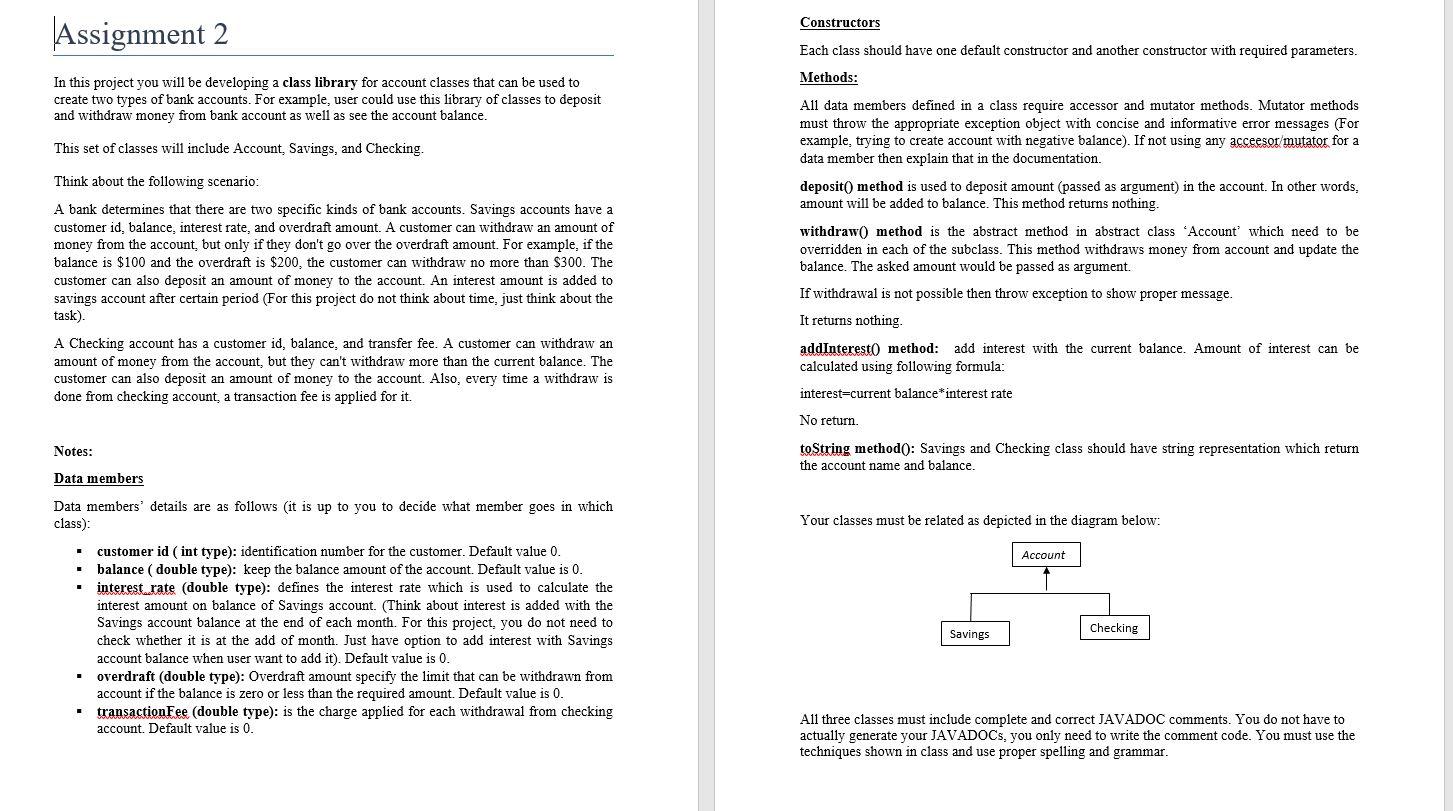
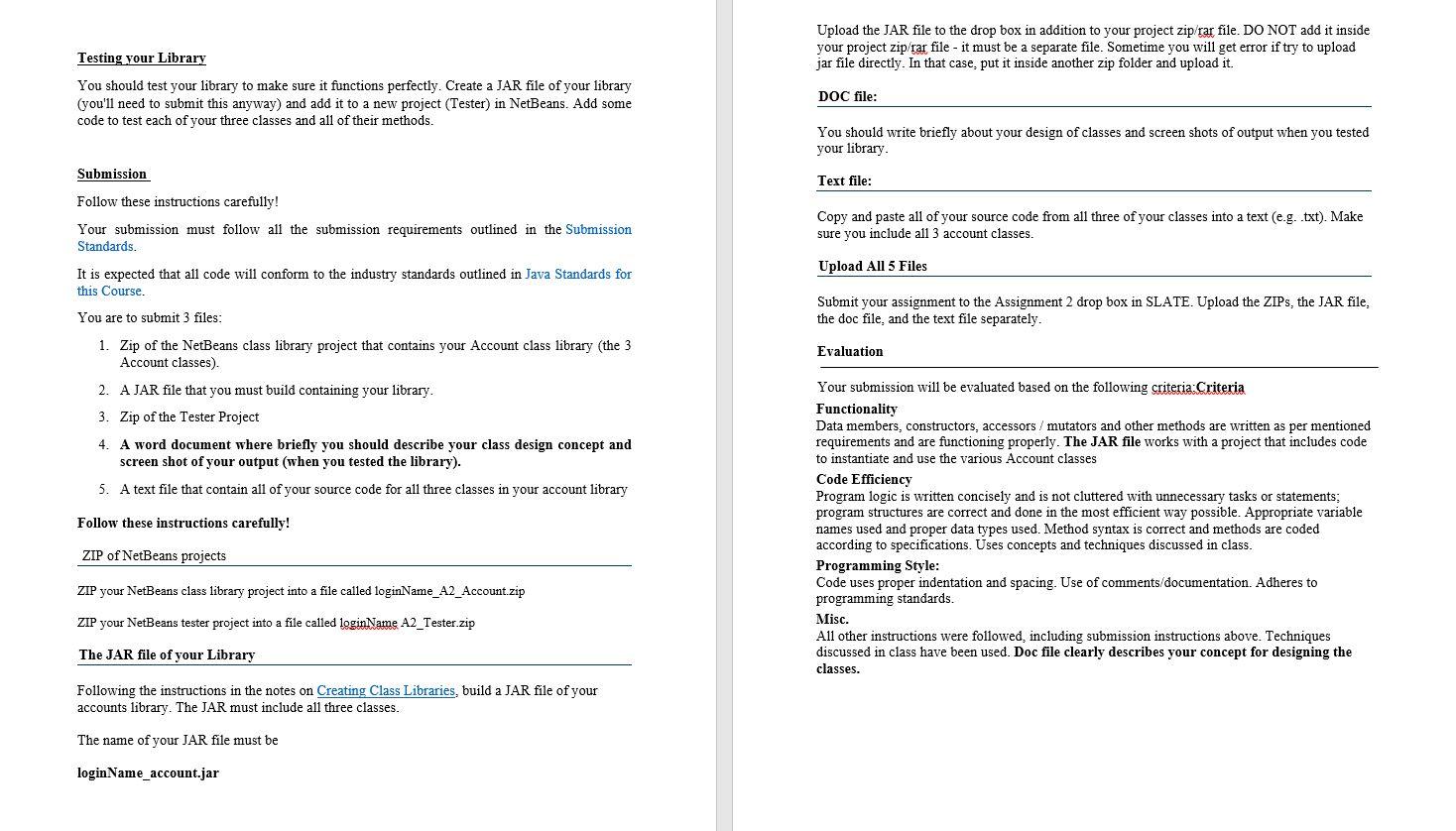
Constructors |Assignment 2 Each class should have one default constructor and another constructor with required parameters. In this project you will be developing a class library for account classes that can be used to create two types of bank accounts. For example, user could use this library of classes to deposit and withdraw money from bank account as well as see the account balance. This set of classes will include Account, Savings, and Checking. Think about the following scenario: A bank determines that there are two specific kinds of bank accounts. Savings accounts have a customer id, balance, interest rate, and overdraft amount. A customer can withdraw an amount of money from the account, but only if they don't go over the overdraft amount. For example, if the balance is $100 and the overdraft is $200, the customer can withdraw no more than $300. The customer can also deposit an amount of money to the account. An interest amount is added to savings account after certain period (For this project do not think about time, just think about the task). A Checking account has a customer id, balance, and transfer fee. A customer can withdraw an amount of money from the account, but they can't withdraw more than the current balance. The customer can also deposit an amount of money to the account. Also, every time a withdraw is done from checking account, a transaction fee is applied for it. Methods: All data members defined in a class require accessor and mutator methods. Mutator methods must throw the appropriate exception object with concise and informative error messages (For example, trying to create account with negative balance). If not using any accesor/mutator for a data member then explain that in the documentation. deposit() method is used to deposit amount (passed as argument) in the account. In other words, amount will be added to balance. This method returns nothing. withdraw() method is the abstract method in abstract class Account which need to be overridden in each of the subclass. This method withdraws money from account and update the balance. The asked amount would be passed as argument. If withdrawal is not possible then throw exception to show proper message. It returns nothing addInterest method: add interest with the current balance. Amount of interest can be calculated using following formula: interest=current balance*interest rate No return Notes: toString methodo: Savings and Checking class should have string representation which return the account name and balance. Data members Your classes must be related as depicted in the diagram below: Account Data members' details are as follows (it is up to you to decide what member goes in which class): customer id (int type): identification number for the customer. Default value 0. balance (double type): keep the balance amount of the account. Default value is 0. interest rate (double type): defines the interest rate which is used to calculate the interest amount on balance of Savings account. (Think about interest is added with the Savings account balance at the end of each month. For this project, you do not need to check whether it is at the add of month. Just have option to add interest with Savings account balance when user want to add it). Default value is 0. overdraft (double type): Overdraft amount specify the limit that can be withdrawn from account if the balance is zero or less than the required amount. Default value is 0. transaction Fee (double type): is the charge applied for each withdrawal from checking account. Default value is 0. Savings Checking All three classes must include complete and correct JAVADOC comments. You do not have to actually generate your JAVADOCs, you only need to write the comment code. You must use the techniques shown in class and use proper spelling and grammar. Upload the JAR file to the drop box in addition to your project zip/rar file. DO NOT add it inside your project zip/rar file - it must be a separate file. Sometime you will get error if try to upload jar file directly. In that case, put it inside another zip folder and upload it. Testing your Library You should test your library to make sure it functions perfectly. Create a JAR file of your library (you'll need to submit this anyway) and add it to a new project (Tester) in NetBeans. Add some code to test each of your three classes and all of their methods. DOC file: You should write briefly about your design of classes and screen shots of output when you tested your library Submission Text file: Follow these instructions carefully! Copy and paste all of your source code from all three of your classes into a text (e.g. .txt). Make sure you include all 3 account classes. Upload All 5 Files Submit your assignment to the Assignment 2 drop box in SLATE. Upload the ZIPs, the JAR file, the doc file, and the text file separately. Evaluation Your submission must follow all the submission requirements outlined in the Submission Standards. It is expected that all code will conform to the industry standards outlined in Java Standards for this Course. You are to submit 3 files: 1. Zip of the NetBeans class library project that contains your Account class library (the 3 Account classes). 2. AJAR file that you must build containing your library. 3. Zip of the Tester Project 4. A word document where briefly you should describe your class design concept and screen shot of your output (when you tested the library). 5. A text file that contain all of your source code for all three classes in your account library Follow these instructions carefully! Your submission will be evaluated based on the following criteria:Criteria Functionality Data members, constructors, accessors / mutators and other methods are written as per mentioned requirements and are functioning properly. The JAR file works with a project that includes code to instantiate and use the various Account classes Code Efficiency Program logic is written concisely and is not cluttered with unnecessary tasks or statements; program structures are correct and done in the most efficient way possible. Appropriate variable names used and proper data types used. Method syntax is correct and methods are coded according to specifications. Uses concepts and techniques discussed in class. Programming Style: Code uses proper indentation and spacing. Use of comments/documentation. Adheres to programming standards. Misc. All other instructions were followed, including submission instructions above. Techniques discussed in class have been used. Doc file clearly describes your concept for designing the classes. ZIP of NetBeans projects ZIP your NetBeans class library project into a file called loginName_A2_Account.zip ZIP your NetBeans tester project into a file called loginName A2_Tester.zip The JAR file of your Library Following the instructions in the notes on Creating Class Libraries, build a JAR file of your accounts library. The JAR must include all three classes. The name of your JAR file must be login Name_account.jar
Step by Step Solution
There are 3 Steps involved in it

Get step-by-step solutions from verified subject matter experts
 Study Help