



Question: Consultant Excel Test Title Subtitle 3 Top Group Subtitle 1 Title H 3 Heading: Heading: Heading: Heading: Heading: Heading: Heading: Heading: Heading: Heading: Heading: Heading
Consultant Excel Test Title
Subtitle
Top Group
Subtitle
Title H
Heading: Heading: Heading: Heading: Heading: Heading: Heading: Heading: Heading: Heading: Heading: Heading
Please ensure all required parts are included in your assesment submission. Further instructioned will be found below or in your assessment email.
Follow the instructions below to complete the Consultant Excel Test.
Scenario: you have been assigned to a project with the following requirements:
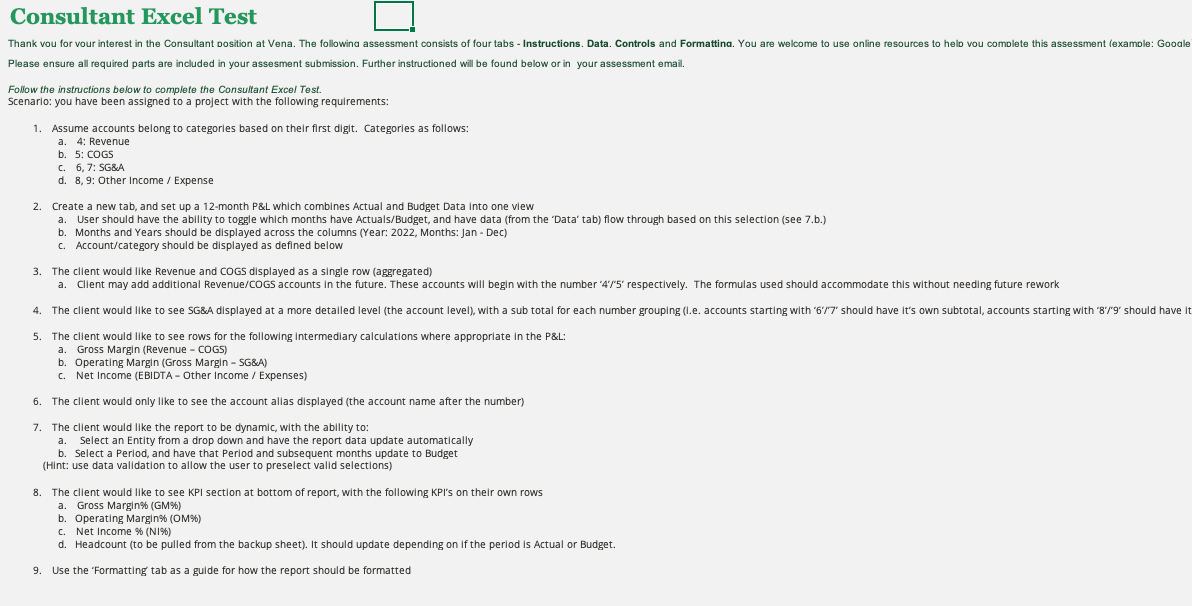
Assume accounts belong to categories based on their first digit. Categories as follows:
a: Revenue
b : COGS
c: SG&A
d: Other Income Expense
Create a new tab, and set up a month P&L which combines Actual and Budget Data Into one view
a User should have the ability to toggle which months have ActualsBudget and have data from the 'Data' tab flow through based on this selection see b
b Months and Years should be displayed across the columns Year: Months: Jan Dec
c Accountcategory should be displayed as defined below
The cllent would like Revenue and COGS displayed as a single row aggregated
The cllent would like to see rows for the following intermediary calculations where appropriate in the P&L:
a Gross Margin Revenue COGS
b Operating Margin Gross Margin SG&A
c Net Income EBIDTA Other Income Expenses
The cllent would only like to see the account allas displayed the account name after the number
The cllent would like the report to be dynamic, with the ability to:
a Select an Entity from a drop down and have the report data update automatically
b Select a Period, and have that Perlod and subsequent months update to Budget
Hint: use data validation to allow the user to preselect valid selections
The cllent would like to see KPI section at bottom of report, with the following KPI's on their own rows
a Gross MarginGM
b Operating MarginOM
c Net Income
d Headcount to be pulled from the backup sheet It should update depending on if the period is Actual or Budget.
Use the 'Formatting' tab as a guide for how the report should be formatted
Step by Step Solution
There are 3 Steps involved in it
1 Expert Approved Answer
Step: 1 Unlock

Question Has Been Solved by an Expert!
Get step-by-step solutions from verified subject matter experts
Step: 2 Unlock
Step: 3 Unlock