







Question: Context The user's shell provides powerful features to enable input and output to be redirected from/to files and other commands. Task Perform the following tasks
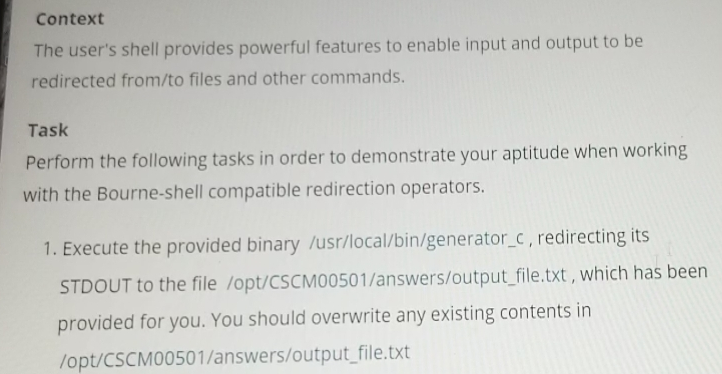
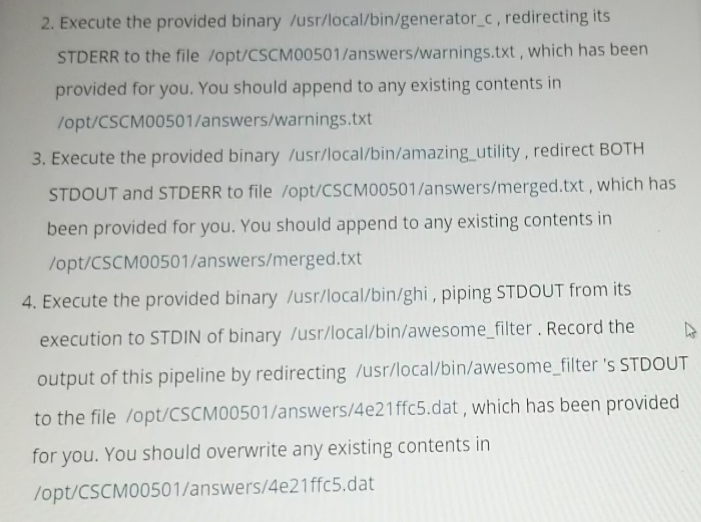
Context The user's shell provides powerful features to enable input and output to be redirected from/to files and other commands. Task Perform the following tasks in order to demonstrate your aptitude when working with the Bourne-shell compatible redirection operators. 1. Execute the provided binary /usr/local/bin/generator_c, redirecting its STDOUT to the file /opt/CSCM00501/answers/output_file.txt, which has been provided for you. You should overwrite any existing contents in /opt/CSCM00501/answers/output_file.txt 2. Execute the provided binary /usr/local/bin/generator_c, redirecting its STDERR to the file /opt/CSCMO0501/answers/warnings.txt, which has been provided for you. You should append to any existing contents in /opt/CSCM00501/answers/warnings.txt 3. Execute the provided binary /usr/local/bin/amazing_utility, redirect BOTH STDOUT and STDERR to file /opt/CSCM00501/answers/merged.txt, which has been provided for you. You should append to any existing contents in /opt/CSCM00501/answers/merged.txt 4. Execute the provided binary /usr/local/bin/ghi, piping STDOUT from its execution to STDIN of binary /usr/local/bin/awesome_filter. Record the output of this pipeline by redirecting /usr/local/bin/awesome_filter 's STDOUT to the file /opt/CSCM00501/answers/4e21ffc5.dat, which has been provided for you. You should overwrite any existing contents in /opt/CSCM00501/answers/4e21ffc5.dat
Step by Step Solution
There are 3 Steps involved in it

Get step-by-step solutions from verified subject matter experts
 Study Help