







Question: Contingency Tables with Probabilities Use a cell reference or a single formula where appropriate in order to receive full credit. Do not copy and paste
Contingency Tables with Probabilities
Use a cell reference or a single formula where appropriate in order to receive full credit. Do not copy and paste values or type values, unless otherwise directed, as you will not rece
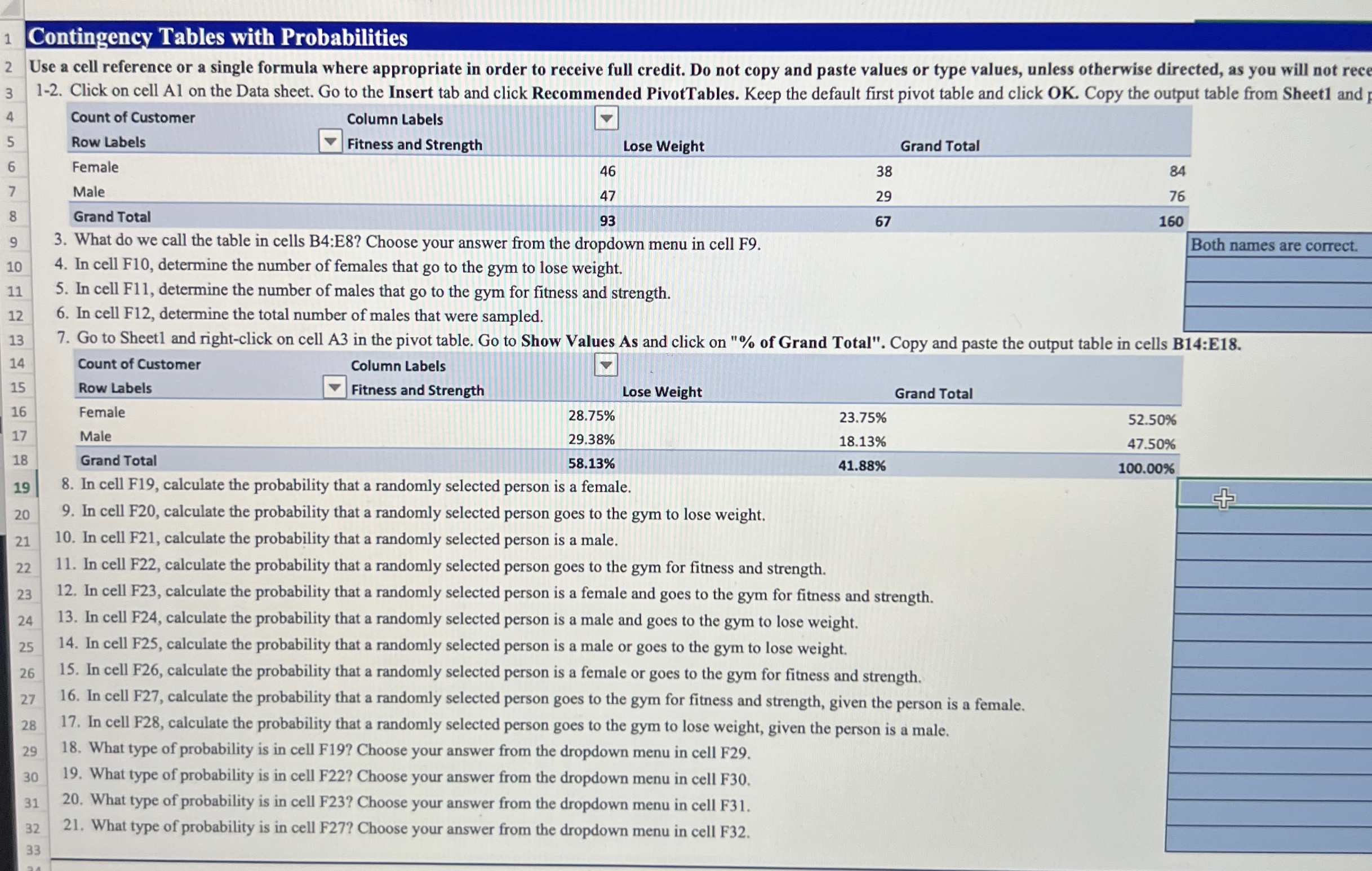
Click on cell A on the Data sheet. Go to the Insert tab and click Recommended PivotTables. Keep the default first pivot table and click OK Copy the output table from Sheet and
tableCount of Customer,Column Labels,grad,,Row Labels,grad Fitness and Strength,Lose Weight,,FemaleMaleGrand Total,,
Both names are correct.
What do we call the table in cells B:E Choose your answer from the dropdown menu in cell F
In cell F determine the number of females that go to the gym to lose weight.
In cell F determine the number of males that go to the gym for fitness and strength.
In cell F determine the total number of males that were sampled.
Go to Sheet and rightclick on cell A in the pivot table. Go to Show Values As and click on of Grand Total". Copy and paste the output table in cells B:E
tabletableCount of CustomerRow LabelstableColumn LabelsFitness and StrengthLose Weight,,Female
Step by Step Solution
There are 3 Steps involved in it
1 Expert Approved Answer
Step: 1 Unlock

Question Has Been Solved by an Expert!
Get step-by-step solutions from verified subject matter experts
Step: 2 Unlock
Step: 3 Unlock
 Study Help