







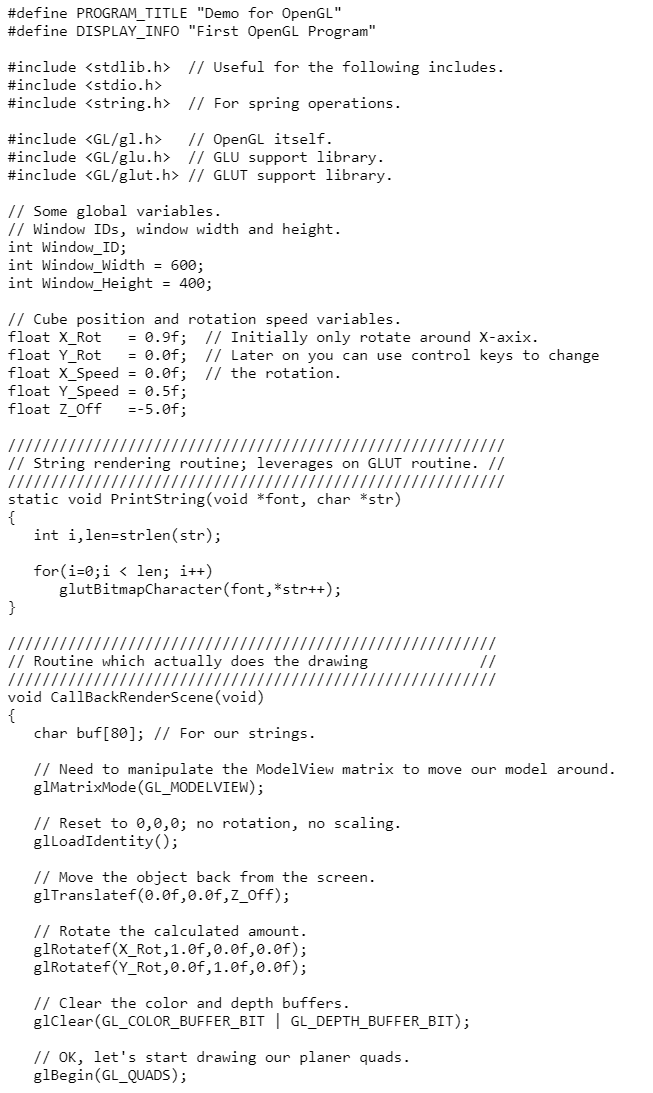
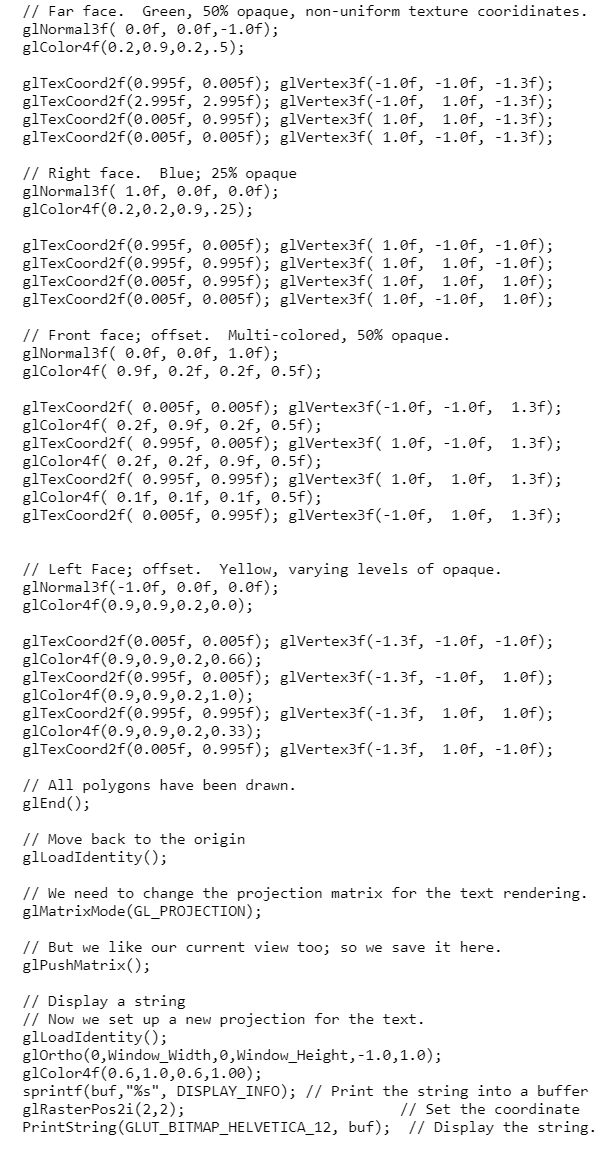
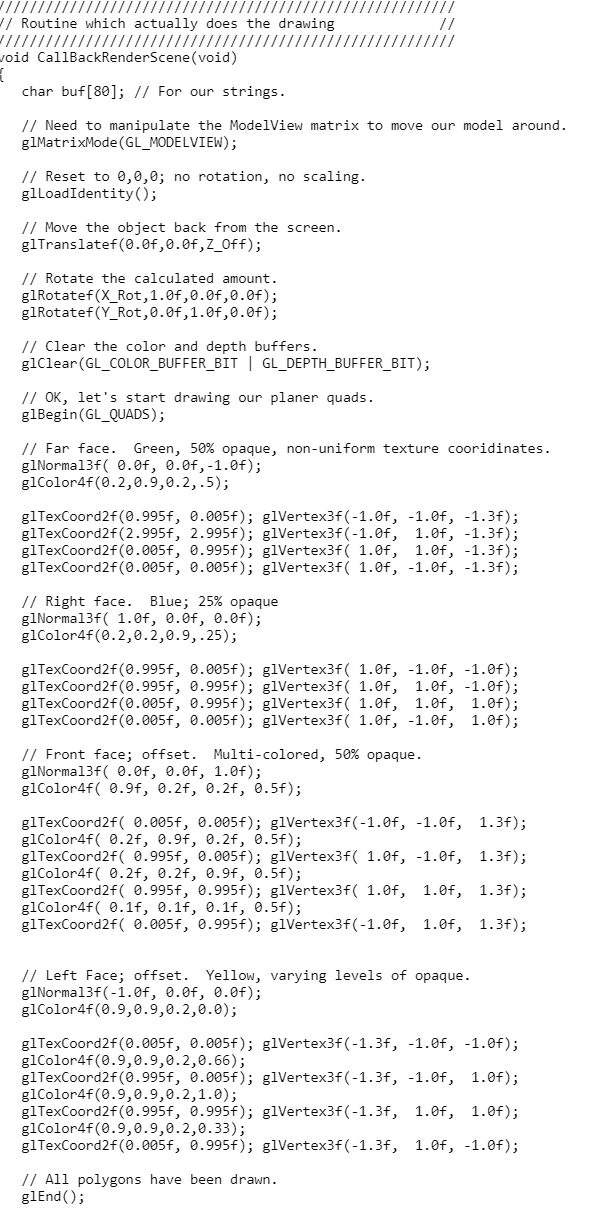
Question: Control.c #define PROGRAM_TITLE Demo for OpenGL #define DISPLAY_INFO First OpenGL Program #include // Useful for the following includes. #include #include // For spring operations. #include

Control.c
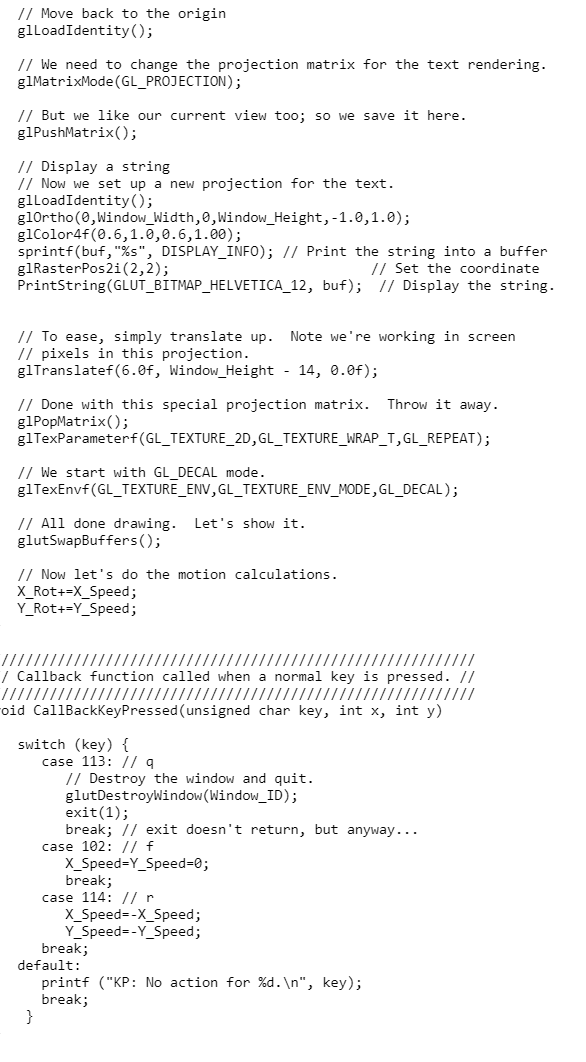
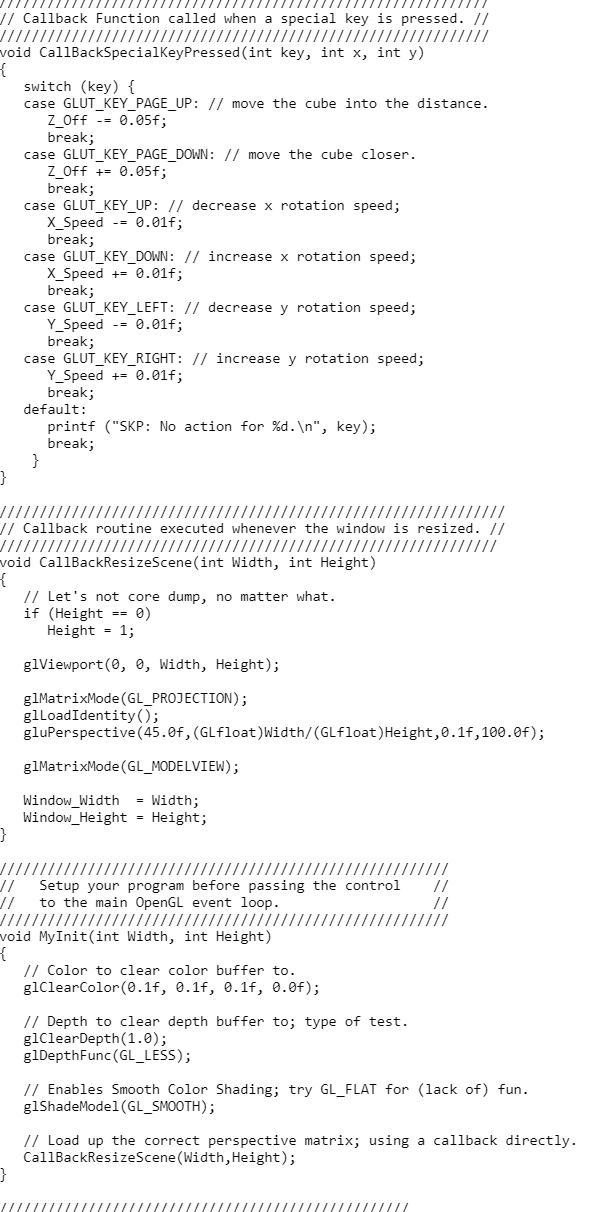
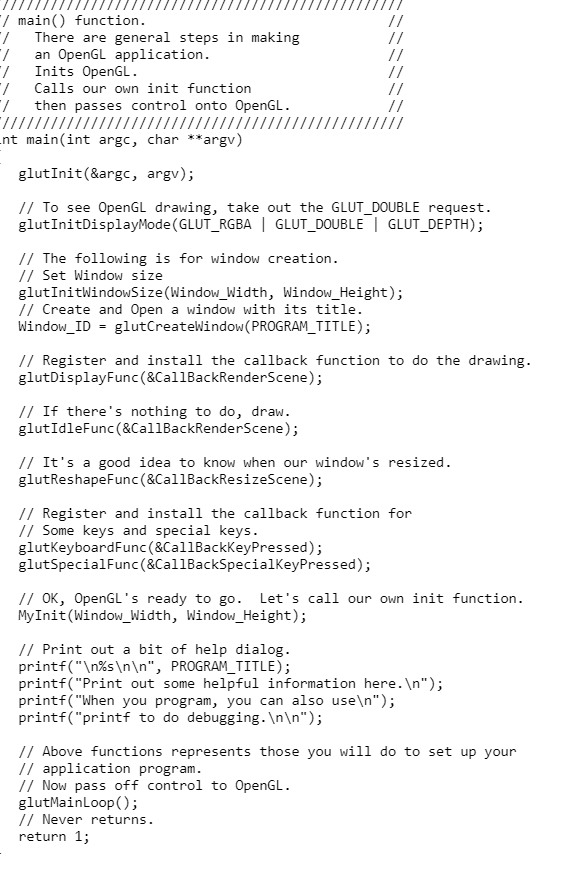
#define PROGRAM_TITLE "Demo for OpenGL" #define DISPLAY_INFO "First OpenGL Program" #include // Useful for the following includes. #include #include // For spring operations. #include // OpenGL itself. #include // GLU support library. #include // GLUT support library. // Some global variables. // Window IDs, window width and height. int Window_ID; int Window_Width = 600; int Window_Height = 400; // Cube position and rotation speed variables. float X_Rot = 0.9f; // Initially only rotate around X-axix. float Y_Rot = 0.0f; // Later on you can use control keys to change float X_Speed = 0.0f; // the rotation. float Y_Speed = 0.5f; float Z_Off =-5.0f; ////////////////////////////////////////////////////////// // String rendering routine; leverages on GLUT routine. // ////////////////////////////////////////////////////////// static void PrintString(void *font, char *str) { int i,len=strlen(str); for(i=0;i controlMake
INCLUDE = -I/usr/include/ LIBDIR = -L/usr/lib/ COMPILERFLAGS = -Wall CC = gcc CFLAGS = $(COMPILERFLAGS) $(INCLUDE) LIBRARIES = -lX11 -lXi -lXmu -lglut -lGL -lGLU -lm All: control control: control.o $(CC) $(CFLAGS) -o $@ $(LIBDIR) $ CONTROL C image file
I appreciate your help. Hope this helps.
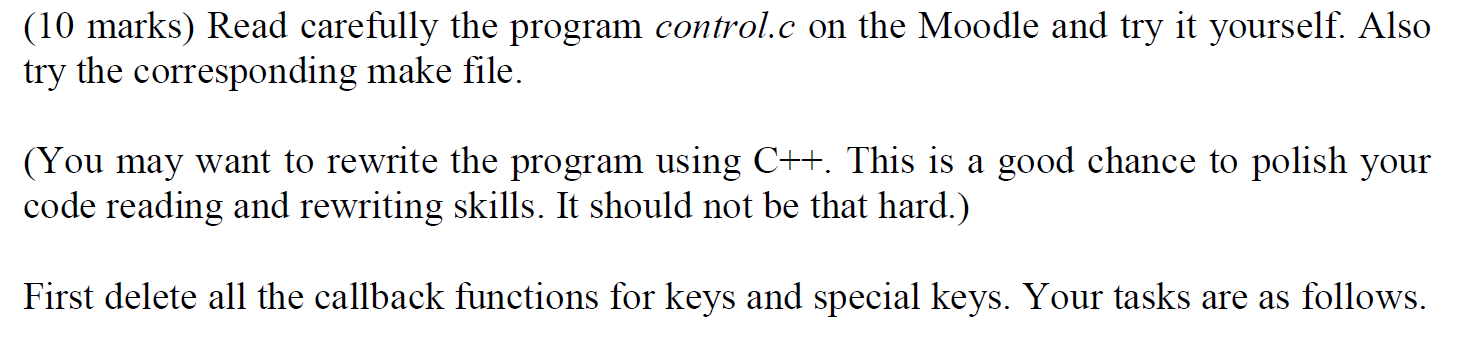
(10 marks) Read carefully the program control.c on the Moodle and try it yourself. Also try the corresponding make file. (You may want to rewrite the program using C++. This is a good chance to polish your code reading and rewriting skills. It should not be that hard.) First delete all the callback functions for keys and special keys. Your tasks are as follows. (b) Create a callback mouse function myControlMouse and install it. This function handles mouse events such that clicking LEFT button pushes the cube forward (away from you) while clicking RIGHT button retreats the cube backward (back toward you). Your eye position is fixed. #define PROGRAM_TITLE "Demo for OpenGL" #define DISPLAY_INFO "First OpenGL Program" #include // Useful for the following includes. #include #include // For spring operations. // OpenGL itself. #include #include // GLU support library. #include // GLUT support library. // Some global variables. // Window IDs, window width and height. int Window_ID; int Window_Width = 600; int Window_Height = 400; // Cube position and rotation speed variables. float X_Rot float Y_Rot float X_Speed = 0.0f; // the rotation. float Y_Speed = 0.5f; float Z_Off = 0.9f; // Initially only rotate around x-axix. = 0.0f; // Later on you can use control keys to change =-5.0f; /////////////. // String rendering routine; leverages on GLUT routine. // static void PrintString(void *font, char *str) { int i,len=strlen(str); for(i=0;i // Useful for the following includes. #include #include // For spring operations. // OpenGL itself. #include #include // GLU support library. #include // GLUT support library. // Some global variables. // Window IDs, window width and height. int Window_ID; int Window_Width = 600; int Window_Height = 400; // Cube position and rotation speed variables. float X_Rot float Y_Rot float X_Speed = 0.0f; // the rotation. float Y_Speed = 0.5f; float Z_Off = 0.9f; // Initially only rotate around x-axix. = 0.0f; // Later on you can use control keys to change =-5.0f; /////////////. // String rendering routine; leverages on GLUT routine. // static void PrintString(void *font, char *str) { int i,len=strlen(str); for(i=0;i
Step by Step Solution
There are 3 Steps involved in it
1 Expert Approved Answer
Step: 1 Unlock

Question Has Been Solved by an Expert!
Get step-by-step solutions from verified subject matter experts
Step: 2 Unlock
Step: 3 Unlock
 Study Help