







Question: Convert a bmp to a data file for code composer studio. I need to use the MATLAB script to convert a bmp file to data
Convert a bmp to a data file for code composer studio.
I need to use the MATLAB script to convert a bmp file to data fil so that it can be used in code composer studio.
Anyone know the instructions or explain please.
Thank you.
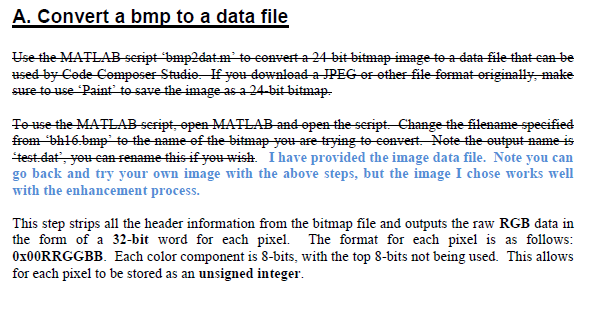
A. Convert a bmp to a data file used by Code Compeser Studie Hf et deweload a JPEG ethef-file fermat efiginatly make sure touse pa Tee-tise the MATLAB sefipt open-MATLAB and open the sefipt Change the filename-speeified etest date yet-ean-Fename this if yet wish. I have provided the image data file. Note you can go back and try your own image with the above steps, but the image I chose works well with the enhancement process. This step strips all the header information from the bitmap file and outputs the raw RGB data in the form of a 32-bit word for each pixel. The format for each pixel is as follows 0x00RRGGBB. Each color component is 8-bits, with the top 8-bits not being used. This allows for each pixel to be stored as an unsigned integer
Step by Step Solution
There are 3 Steps involved in it

Get step-by-step solutions from verified subject matter experts
 Study Help